Official PDFs
For supported official PDF forms, Matter fills the PDF from the case form’s saved answers. Review the result before sharing or using it.
The PDF tab is available when the form supports PDF export. An online form does not necessarily have an official PDF output.
Find the case form
Open Cases from the left sidebar and open the case. Select Forms, then select the form’s name. Open PDF below the form title when that tab is available.
Form 956 is an official PDF form. Its PDF tab shows the preview and export controls.
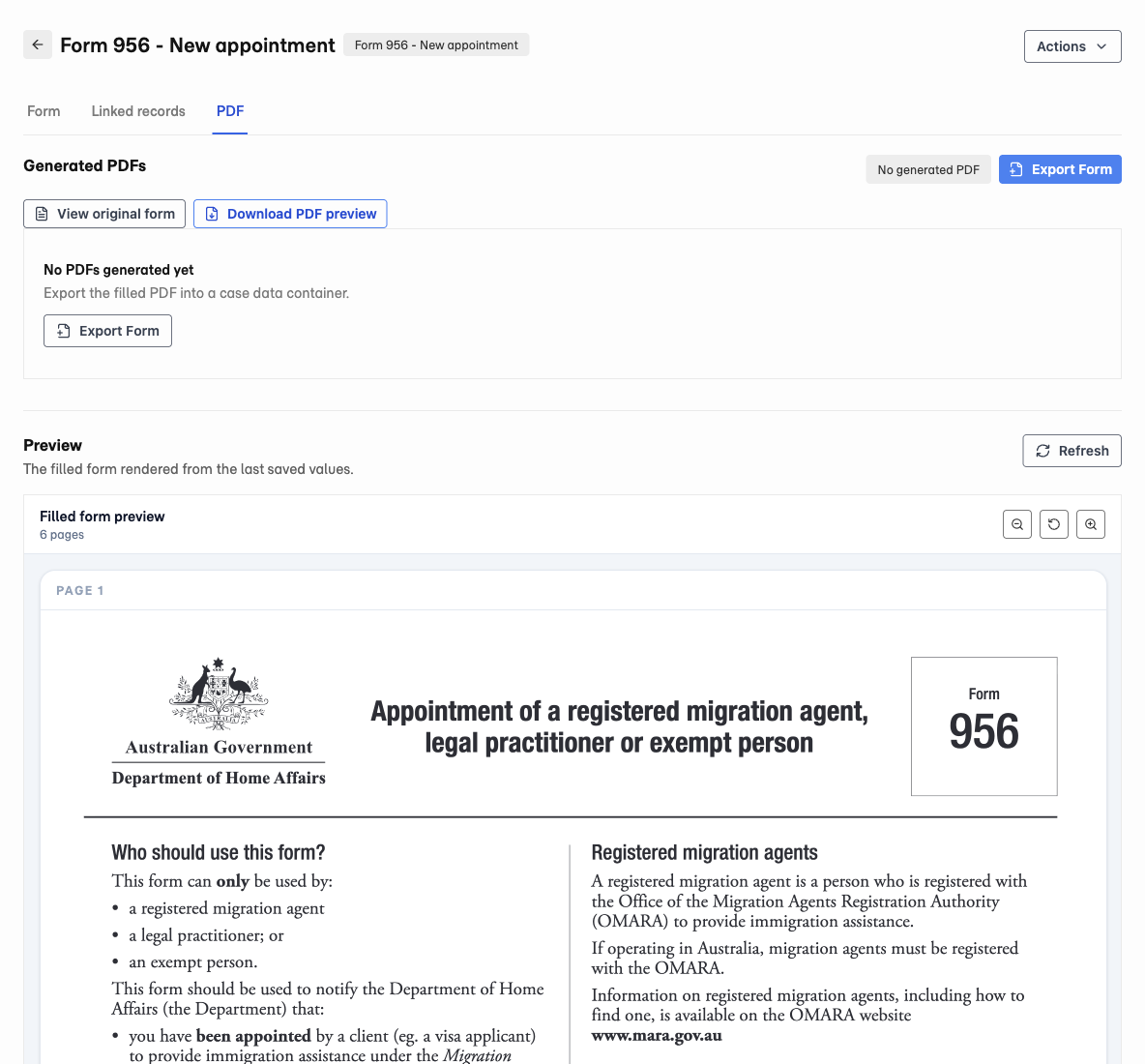
- 1 Open PDF to review Form 956.
- 2 Select Export Form to save the PDF to the case.
Preview the filled PDF
- Open the case form and review its answers on Form.
- Save any changes.
- Open PDF and inspect the preview.
- If needed, select Refresh to refresh the preview from saved answers.
Unsaved edits do not appear in the preview. View original form opens the source document.
Export a PDF to the case
- On PDF, select Export Form.
- If prompted, save the form values first.
- Choose the destination data container, where the case keeps the file.
- Check the destination’s client access.
- Select Export Form in the dialog.
- Open the result under Generated PDFs and review every page.
Download PDF preview downloads a preview. Use Export Form when you want to save the generated document to the case.
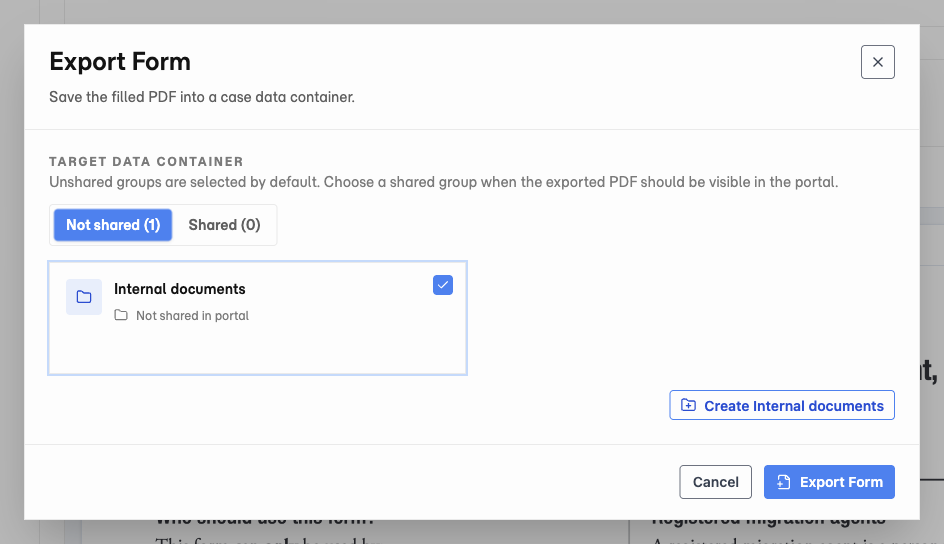
In this example, Internal documents is not shared in the client portal. Choose a shared destination only when clients should see the PDF.
After answers change
A generated PDF is a saved output. It does not change when you edit the form later.
Check the PDF status against the current saved answers. If the PDF is outdated, export another PDF and review that version before using it.
Rows that do not fit
Some official PDFs have space for only a fixed number of repeat rows. Matter reports when saved rows exceed that capacity.
If you continue past an overflow warning, those rows are omitted from the PDF. Resolve how to include the missing information before using the document. Do not assume every saved answer appears in the export.
PDFs and supporting documents
This feature fills supported official forms. It does not mean every uploaded PDF becomes a fillable form.
Use document requests to collect supporting evidence. Check the generated form and supporting files separately.