automation
How it works.
You know what needs doing. Your AI teammate works out how to do it—connecting your tools, building the automation and keeping it running.
“Save the invoice attachments from my inbox to Google Drive, organised by supplier.”



A process built around your rules.
- Identify the invoice attachments
- Match each file to a supplier
- Save it in the right Drive folder
Your words.
A working process.
Start with the outcome you want. Keep the tools you use. neu handles the technical work.
See it in action-
Describe the job.
Tell neu what should happen, which tools are involved and which rules matter. Include examples and exceptions, just as you would when briefing a teammate.
-
neu builds and tests it.
neu documents the process, writes the code and connects the tools. You provide the required access and review what it builds.
-
Choose when it runs.
Run on a schedule, in response to an event or whenever you need it. Processes keep working 24/7, even when you’re offline.
-
Refine it as your work changes.
Ask for changes in plain language. When a routine run fails, neu investigates and repairs it. Activity and changes stay visible in your workspace.
Built in conversation.
Visible in your workspace.
Follow the build, review the process and see its run history. When your rules change, explain the change in the same conversation.
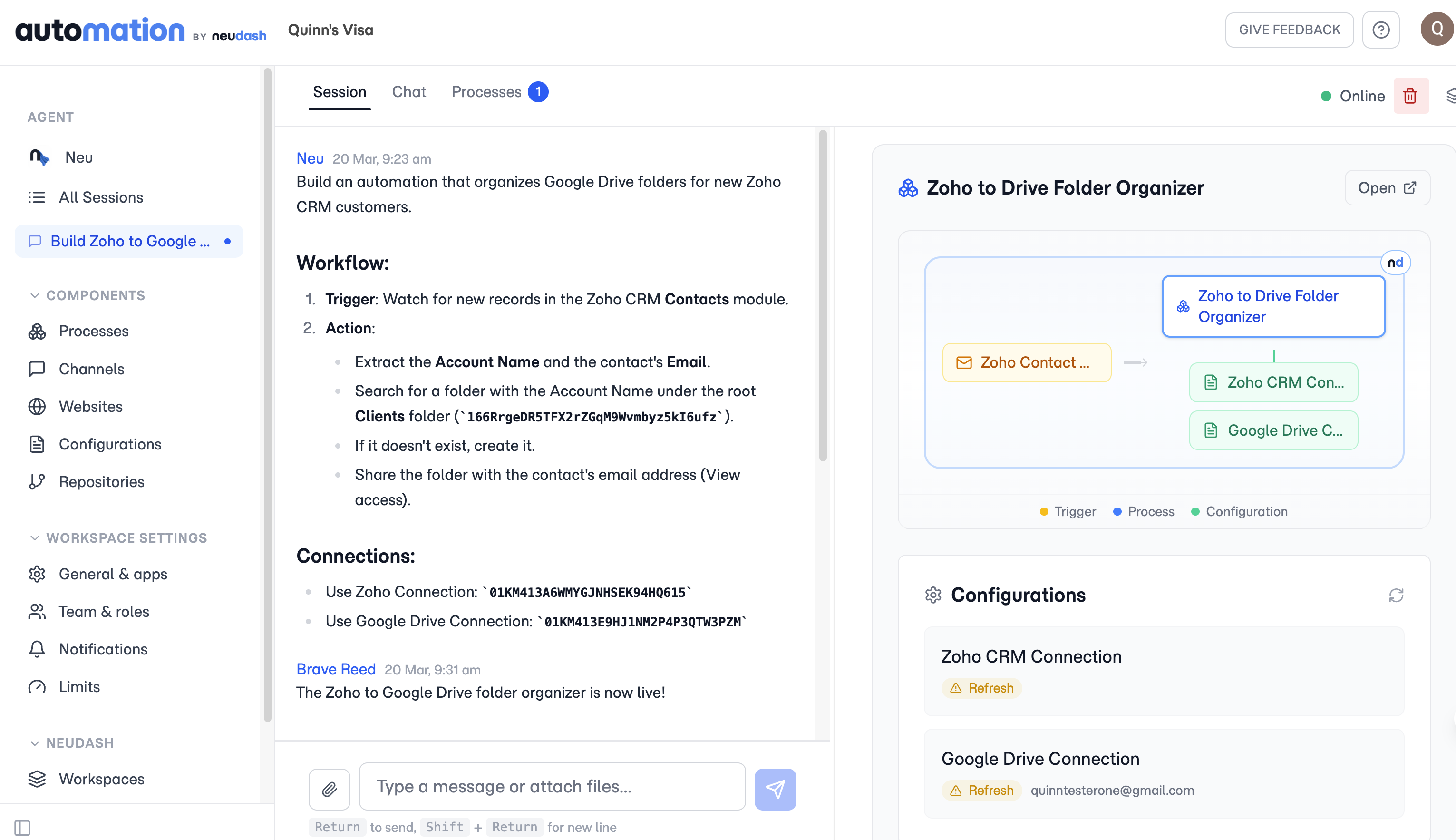
From prompt to process
Watch a request become a documented, running workflow.
Watch demo on YouTubeEmail attachments to Drive
See the file-handling example get built from a request.
Watch demo on YouTubeUpdate a live workflow
Add new rules to an existing automation.
Watch demo on YouTubeRepair a failed run
See a workflow diagnosed, repaired and returned to service.
Watch demo on YouTubeConnected to your tools.
Built to keep running.
Use built-in connections or connect other tools through their APIs and webhooks. Your processes run in a managed environment.
Your apps, connected
Built-ins include Gmail, Google Sheets, Google Drive, Google Calendar and Outlook. APIs and webhooks extend the connections.
Explore integrationsProtected execution
Processes run in isolated sandboxes. Credentials stay encrypted and outside the process code.
Review securityA record you can review
See when a process ran, what happened and whether it succeeded. Follow updates and repairs in your workspace.
Explore the featuresFrequently asked questions
How does neu turn a request into a running workflow?
Describe the process in plain language, including the tools, rules and outcome. neu documents the intended behaviour, builds and tests the code, and connects the required tools using access you provide. The process can then run on a schedule, from an event or on demand.
Do I need to know how to code?
No. Describe the work in your own words. neu handles the technical work, including writing and testing the code. You supply the business rules, connect your accounts and review the process.
Does AI run every part of the workflow?
No. neu uses AI to design, document and repair the process. The resulting workflow runs as code. AI inside the workflow is used where the task benefits from reasoning, extraction, classification or drafting.
Can I change a process after it starts running?
Yes. Explain the change in plain language. neu uses the process documentation to update the workflow, so you can add rules or change its behaviour without rebuilding it yourself.
What happens when a workflow fails?
neu can investigate routine failures, use the documented process to repair the code and rerun checks. The activity and changes remain visible in your workspace. Some issues, such as revoked access or a business decision, need your input.
Which tools can I connect?
Built-in connections include Gmail, Google Sheets, Google Drive, Google Calendar and Outlook. Other tools can connect through REST APIs, webhooks and scoped app credentials. The available connection depends on the access each service provides. Explore integrations
What could neu
build for you?
Bring a task you repeat. Describe how you want it done.