Open it on any device.
Browser access on Mac, Windows, tablets and phones.
Give clients one place to upload documents, answer questionnaires and follow their case. Your team controls what they can access.
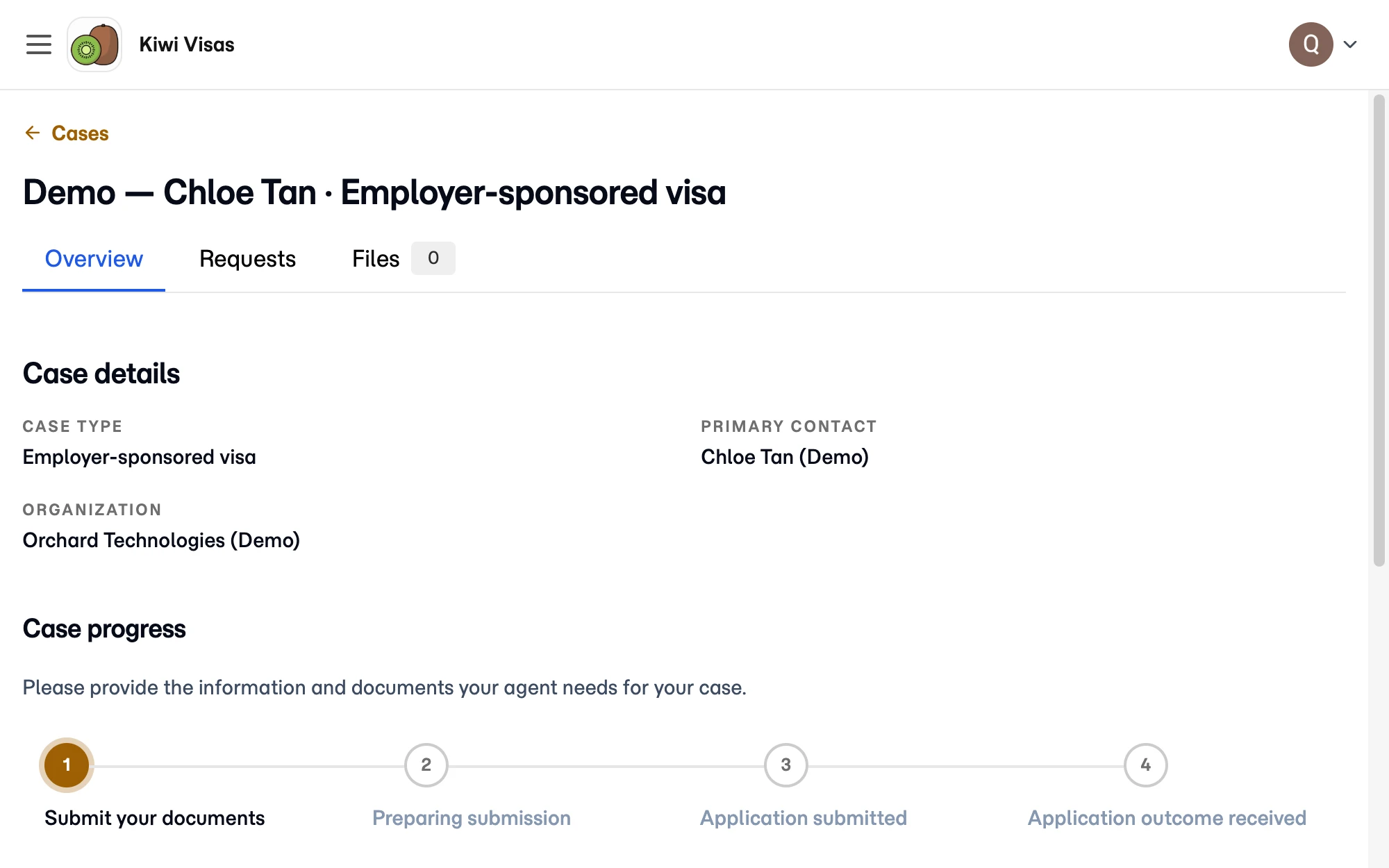
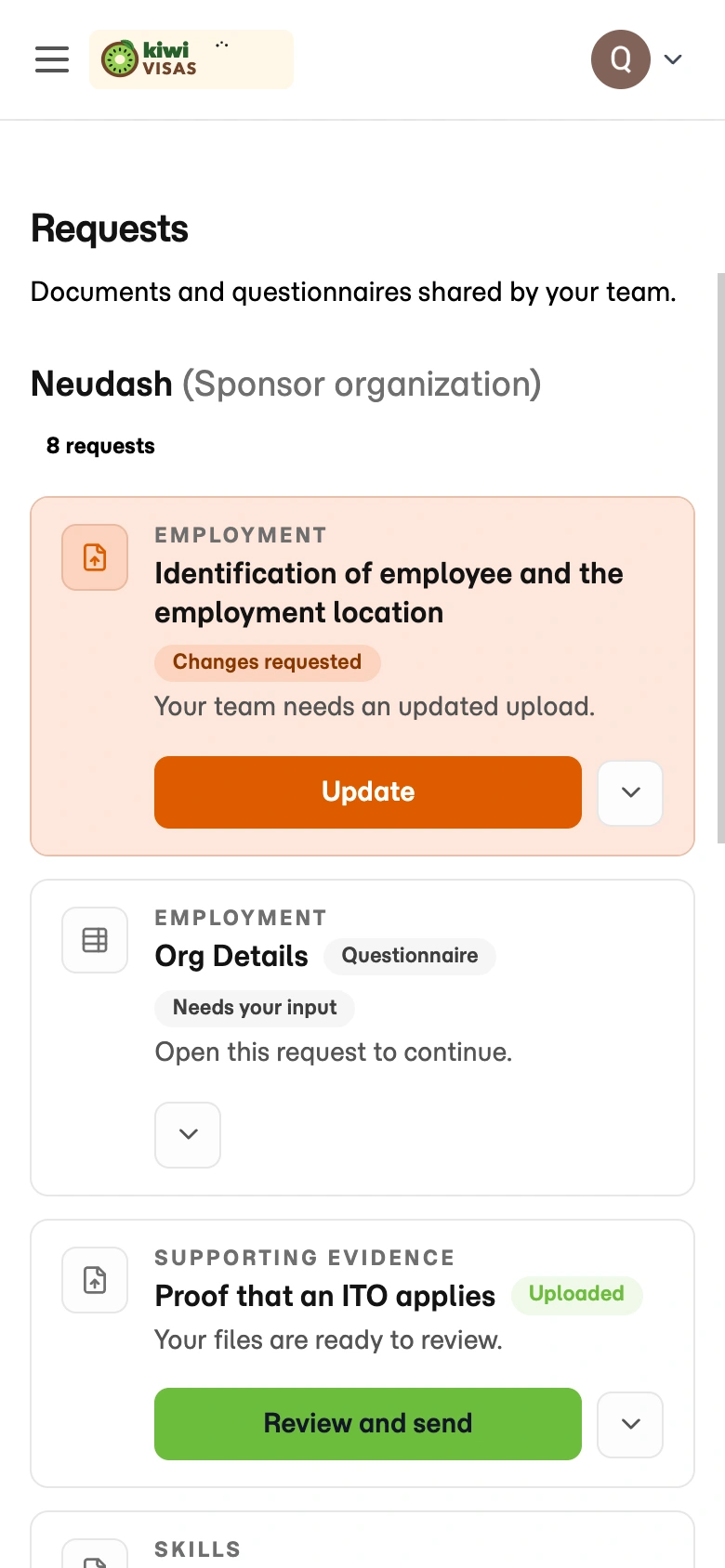
Browser access on Mac, Windows, tablets and phones.
Documents and questionnaires stay connected to the case.
Access controls keep the client view in your hands.
Clients see the work you have shared with them. Explore the views they use to complete it.
Give each request its own instructions and upload area. Clients can see what is outstanding and send files straight to the case.
Explore document requests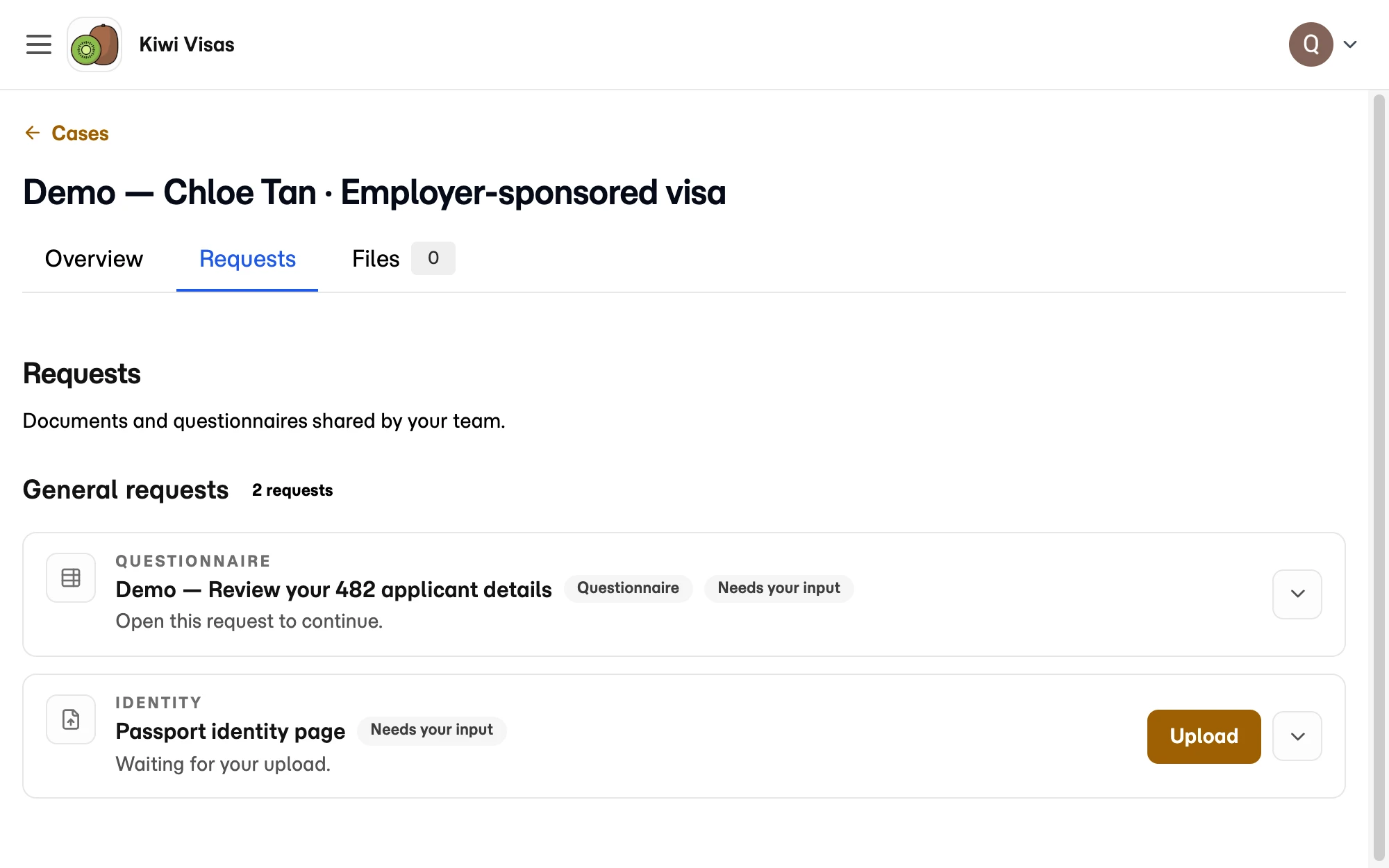
Clients complete questionnaires in their portal. Your team reviews their answers alongside the rest of the case.
Watch the questionnaire walkthrough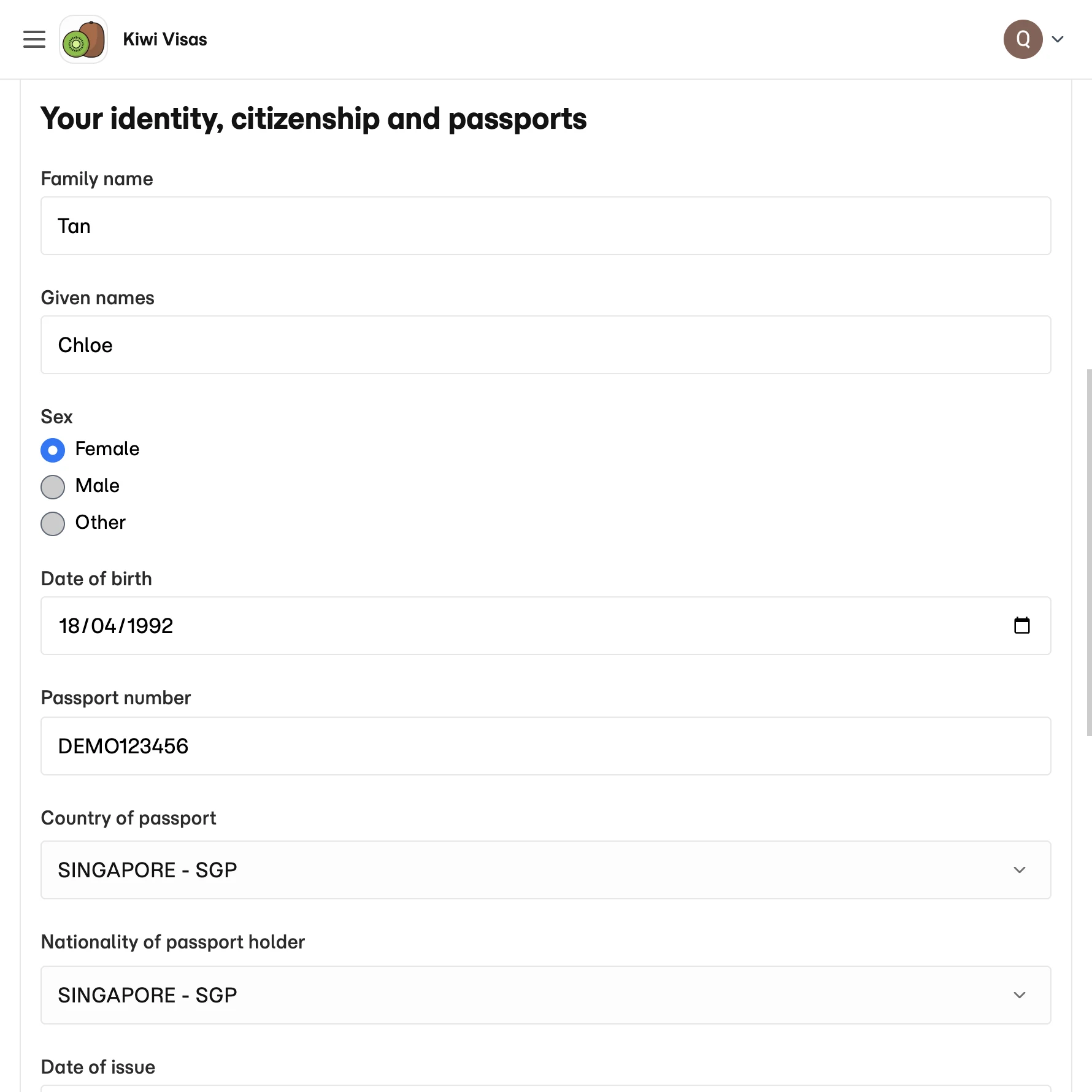
The case overview shows the current stage and key details, so clients can check where their case stands when they need to.
Explore the client portalUse your name, logo and colours. Clients arrive through a welcome email and open a portal that belongs to your practice.
Choose the portals clients can access. Keep internal case work in the practice workspace.
Read the access guide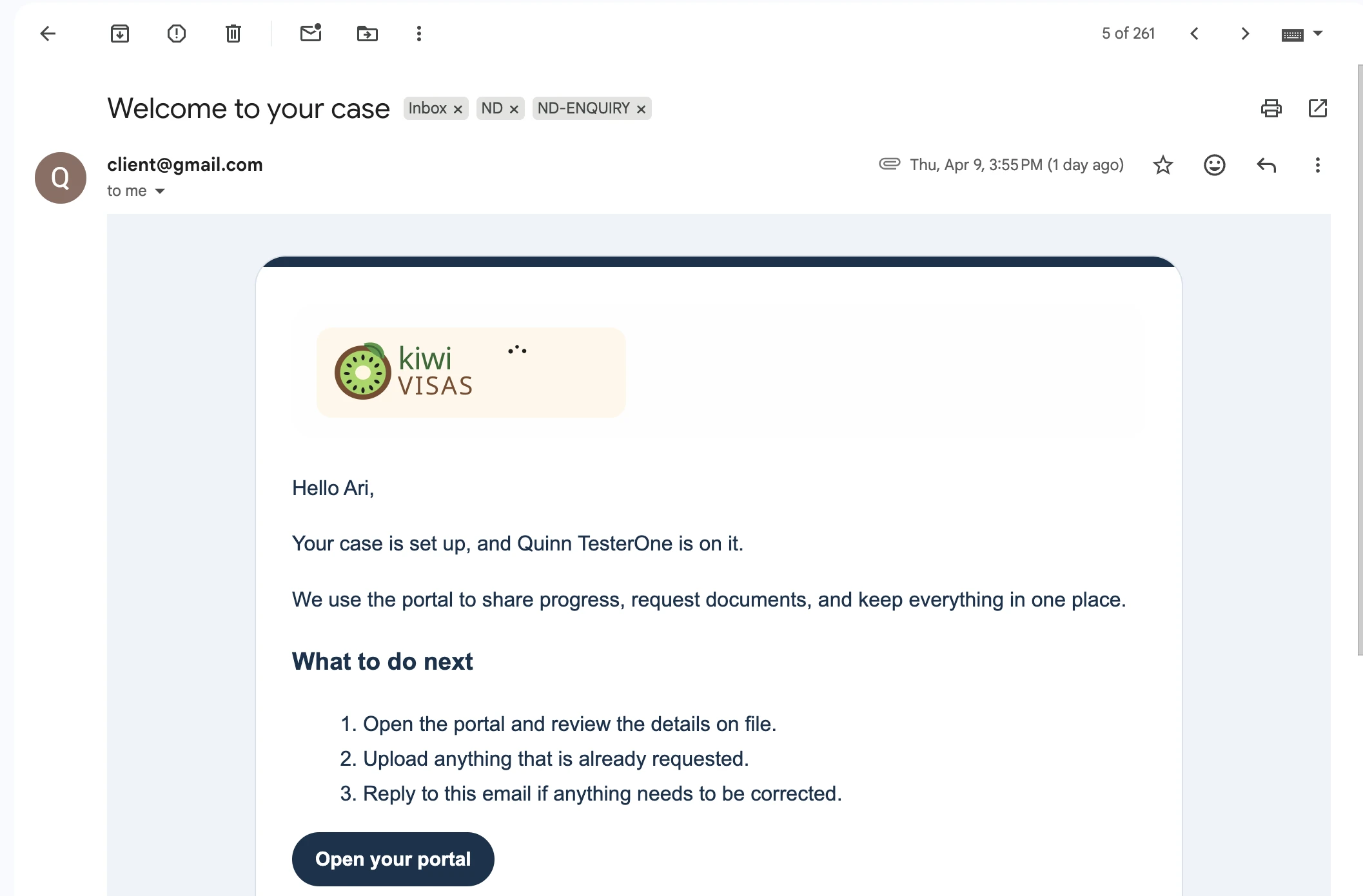
Client responses belong with the case. Your team reviews documents, checks questionnaire answers and manages the case in Matter.
See the practice workspaceNo. The client portal runs in a browser on Mac, Windows, tablets and phones. Clients can open their portal link and complete their requests without installing an app.
Yes. Use your practice name, logo and colours in the portal. The welcome email gives clients a direct link into that branded experience.
Yes. Your team controls client access and the portals shared through the portal. Internal case work stays in the practice workspace. Read the client access guide
Yes. Clients can upload files against document requests and complete the questionnaires your team shares with them. Your team reviews those submissions in Matter.
Yes. The portal is connected to your Matter cases, documents and questionnaires. Your team manages the work from the practice workspace, while clients use their own portal.
Try the client portal, document requests and form preparation with a case of your own.
No credit card required.