See what needs attention.
Upcoming deadlines, outstanding requests and active work in one overview.
A shared workspace for migration agents and support staff. Bring case work, documents, deadlines and client communication together in Matter.
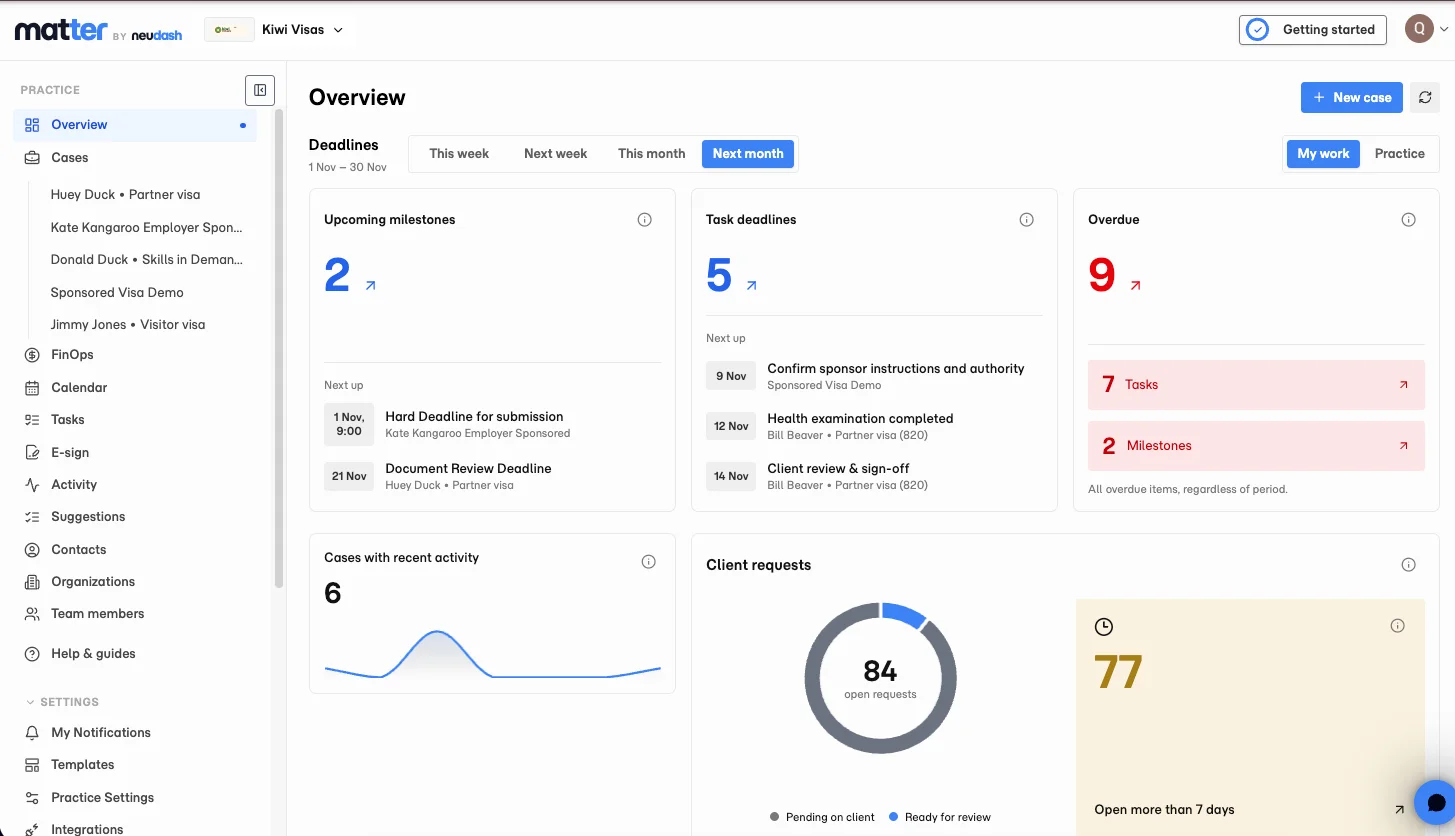
Upcoming deadlines, outstanding requests and active work in one overview.
Coordinate the next steps across agents and support staff.
Documents, notes and correspondence stay with the work they support.
From the next document to the next deadline, see the work your team needs to do. Explore three views of the workspace.
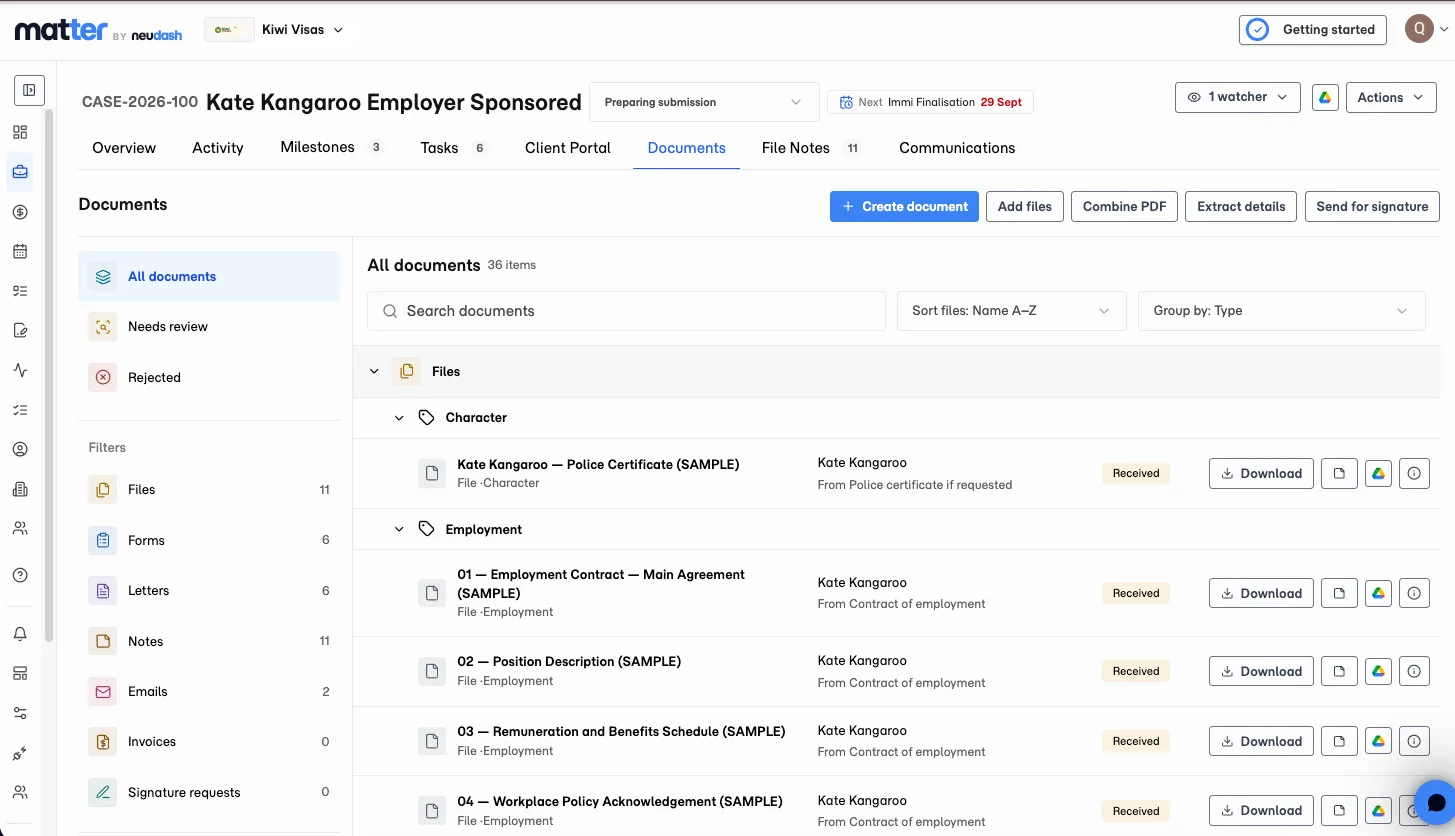
Keep case documents together, review client uploads and follow up on outstanding requests. The file stays connected to the people and work it belongs to.
Explore document requestsView full screenshot(opens in a new tab)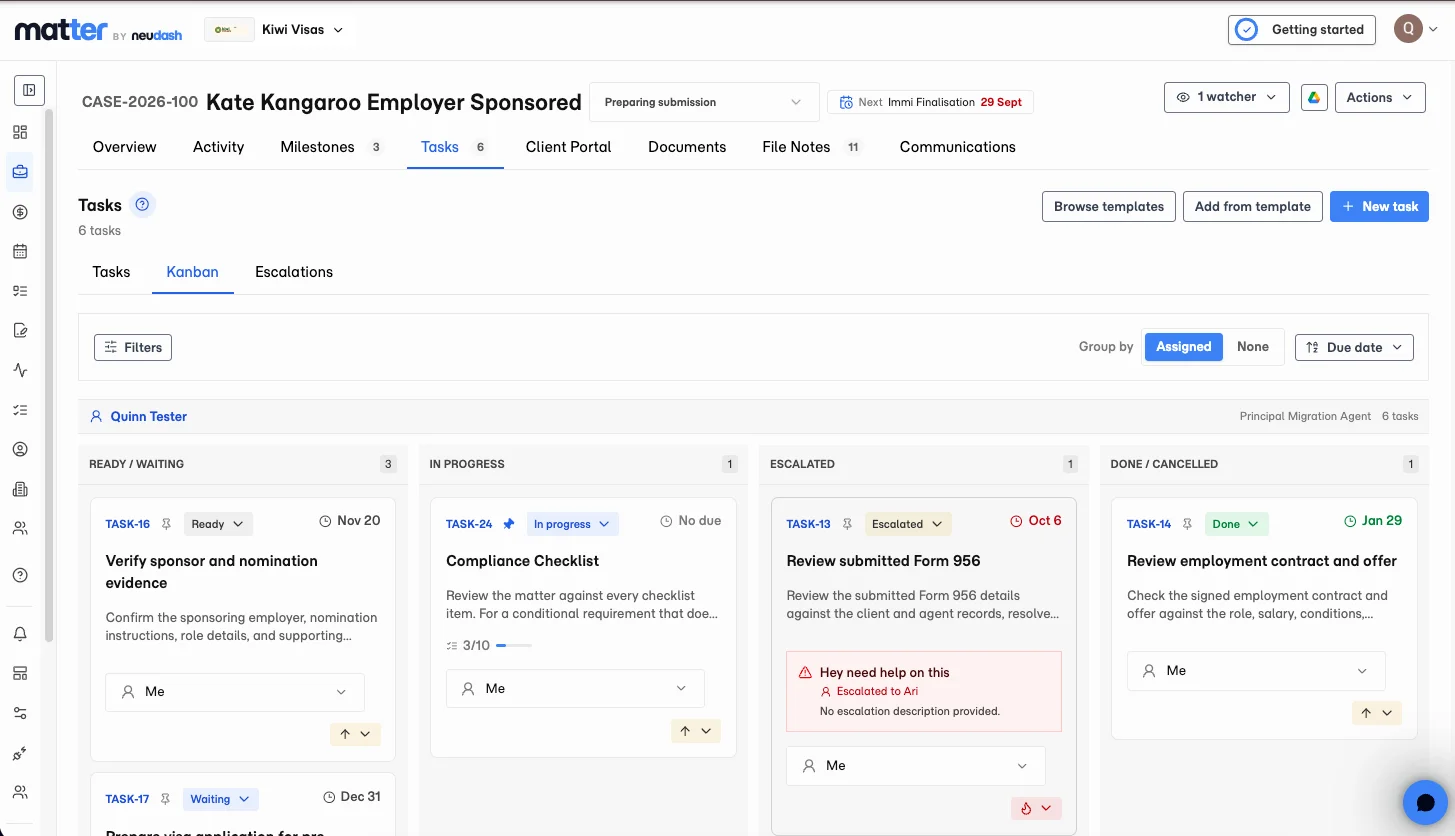
Assign case work, set due dates and follow tasks through their stages. Everyone can see who owns the next step and what still needs attention.
Explore team tasksView full screenshot(opens in a new tab)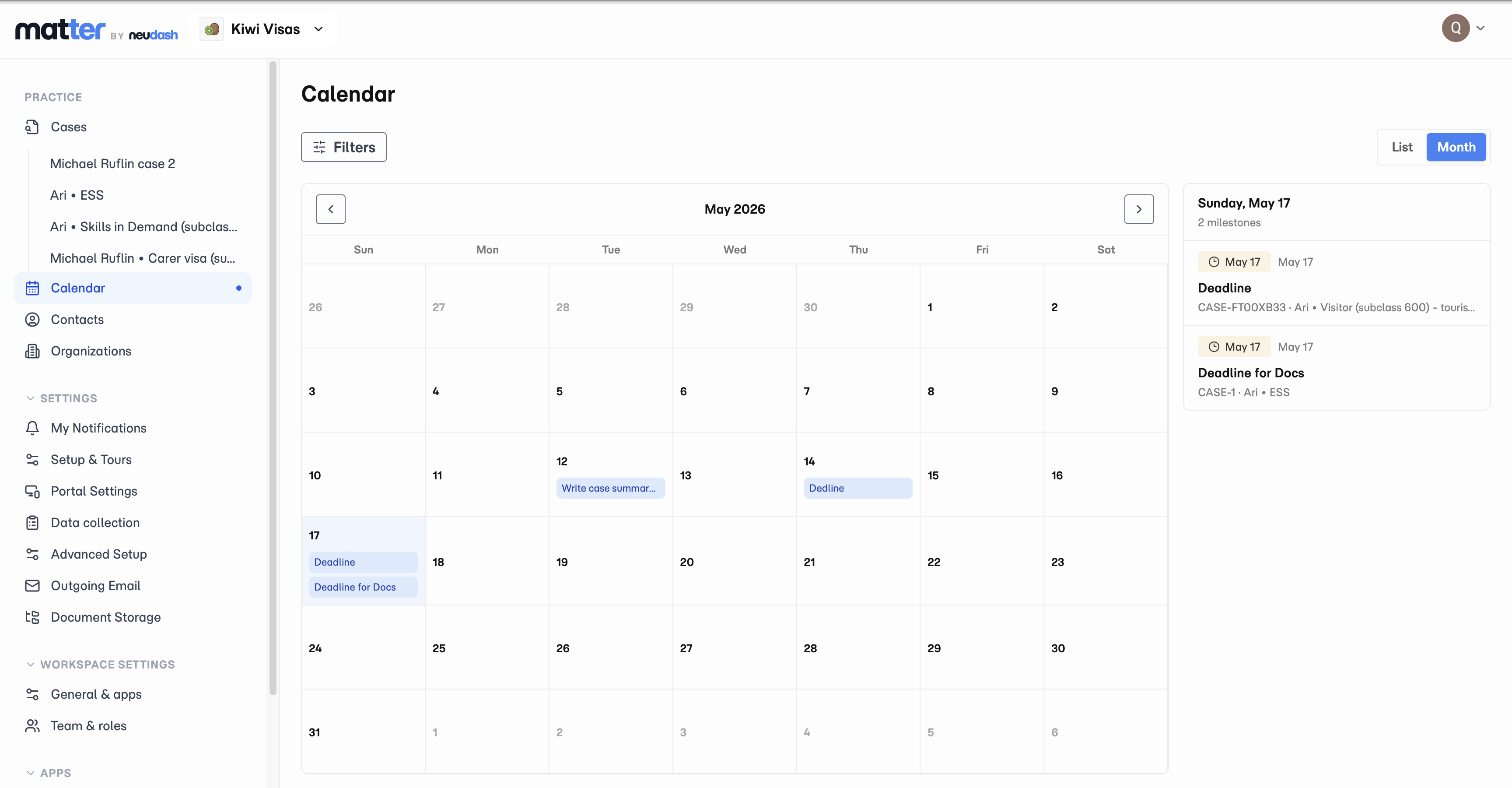
Bring case milestones and deadlines into a shared calendar. Review upcoming work across cases and open the file when you need the detail.
Explore calendars and milestonesView full screenshot(opens in a new tab)Give the next person a clear record of the advice, decisions and conversations behind the case.
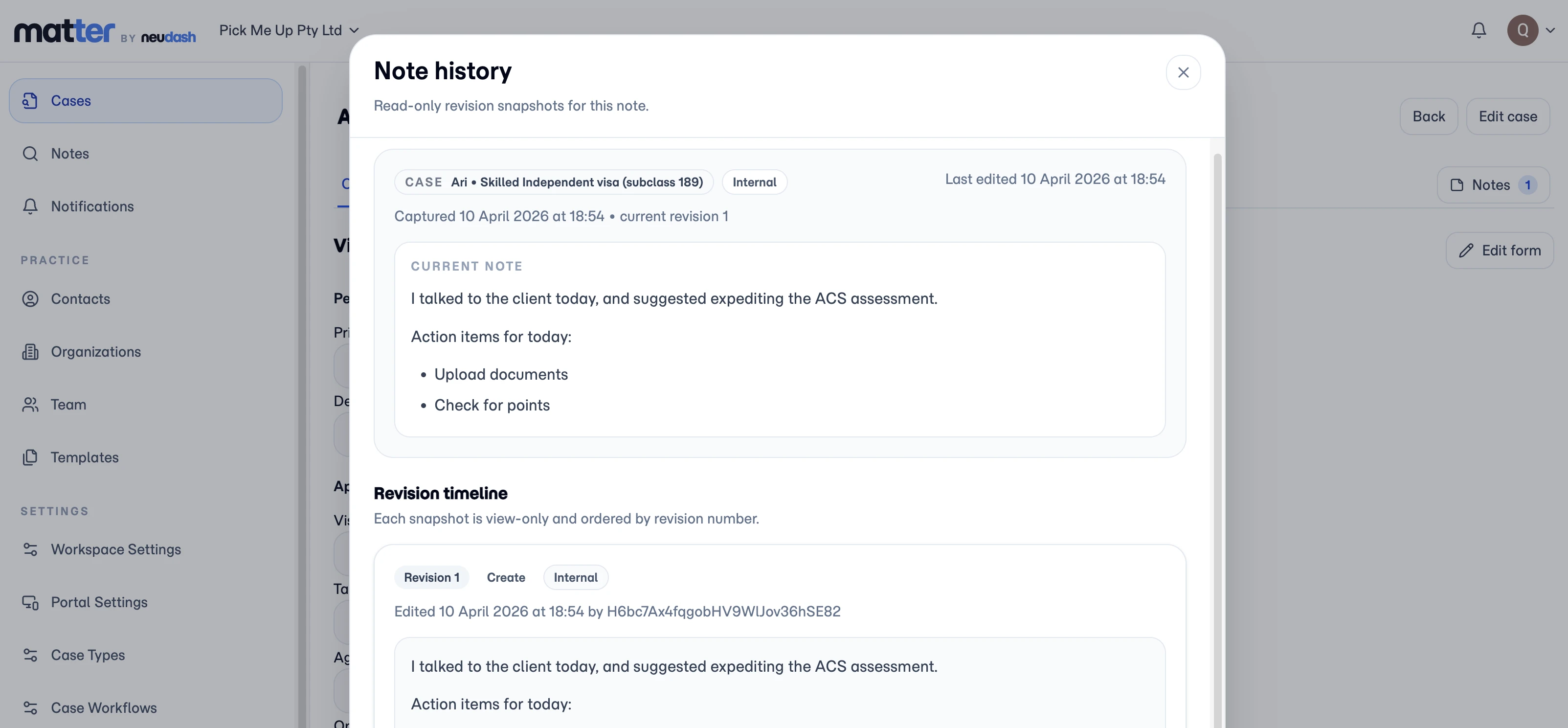
Record advice, decisions and calls in case notes. Earlier versions remain available with timestamps, so the next person can see what was recorded and what changed.
Explore case notes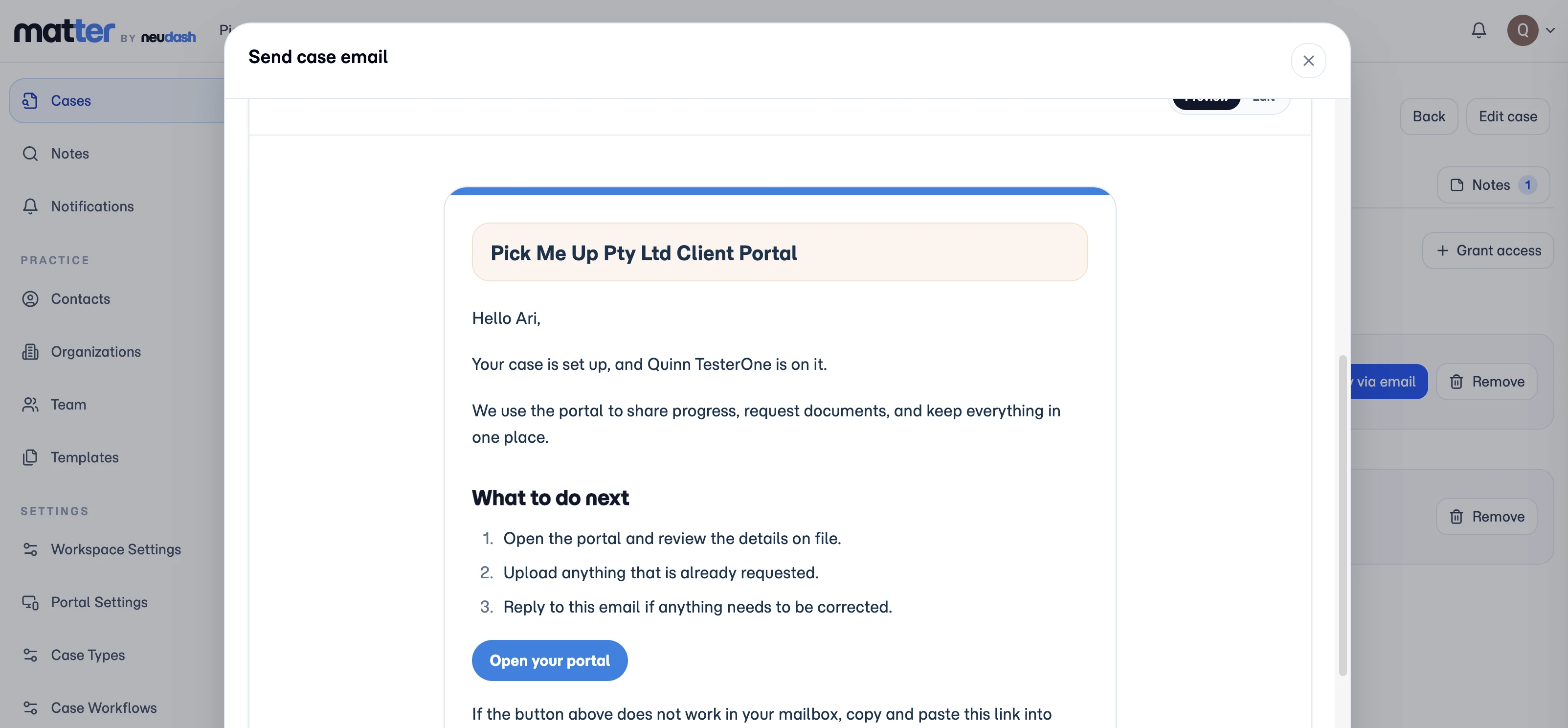
Send a client update from the case using your connected mailbox. Your team can follow the correspondence alongside the documents, requests and case record.
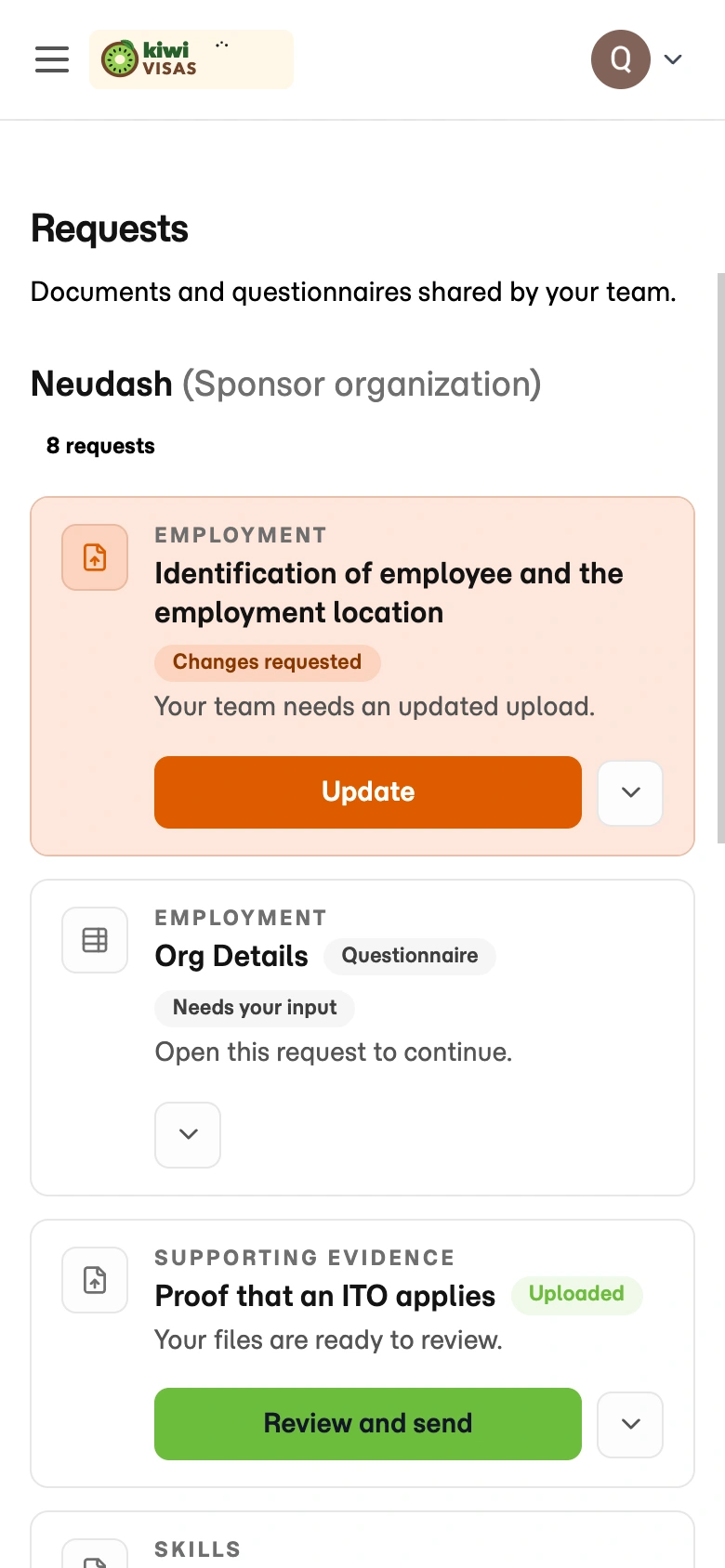
Explore case emailSend requests from the case. Clients respond in a portal with your practice’s branding. Their uploads and answers return to the work your team is already doing.
Control what each client can access. Keep internal work within your team.
Manage active cases, review documents, assign tasks, track milestones, write file notes and send client email. The workspace connects this work to the case record.
Yes. Matter works in your browser on Mac, Windows, tablets and phones. Your team can access the workspace without installing a desktop application.
Your clients receive questionnaires and document requests in their branded portal. Their responses and uploads connect to the case your team works on. Access controls determine what each client can see. See the client portal
The Matter help centre has guides for workspace setup, client access, document reminders and connecting your outgoing mailbox. Open Matter help
Try the workspace with a case your team knows, or book a walkthrough of your practice’s day-to-day work.