Paid business email and calendar
Choose Google Workspace or Microsoft 365 and use email addresses on your own domain. Keep the website and phone service under the same practice identity. Give each person a named account that the practice controls.
Your first client brings documents, deadlines and decisions. Put the systems in place to keep that work together, from the start.
Run each matter from first enquiry to file closure in one place. Matter connects the client record with its documents and communication while keeping deadlines and financial history with the case.
Explore the agent workspace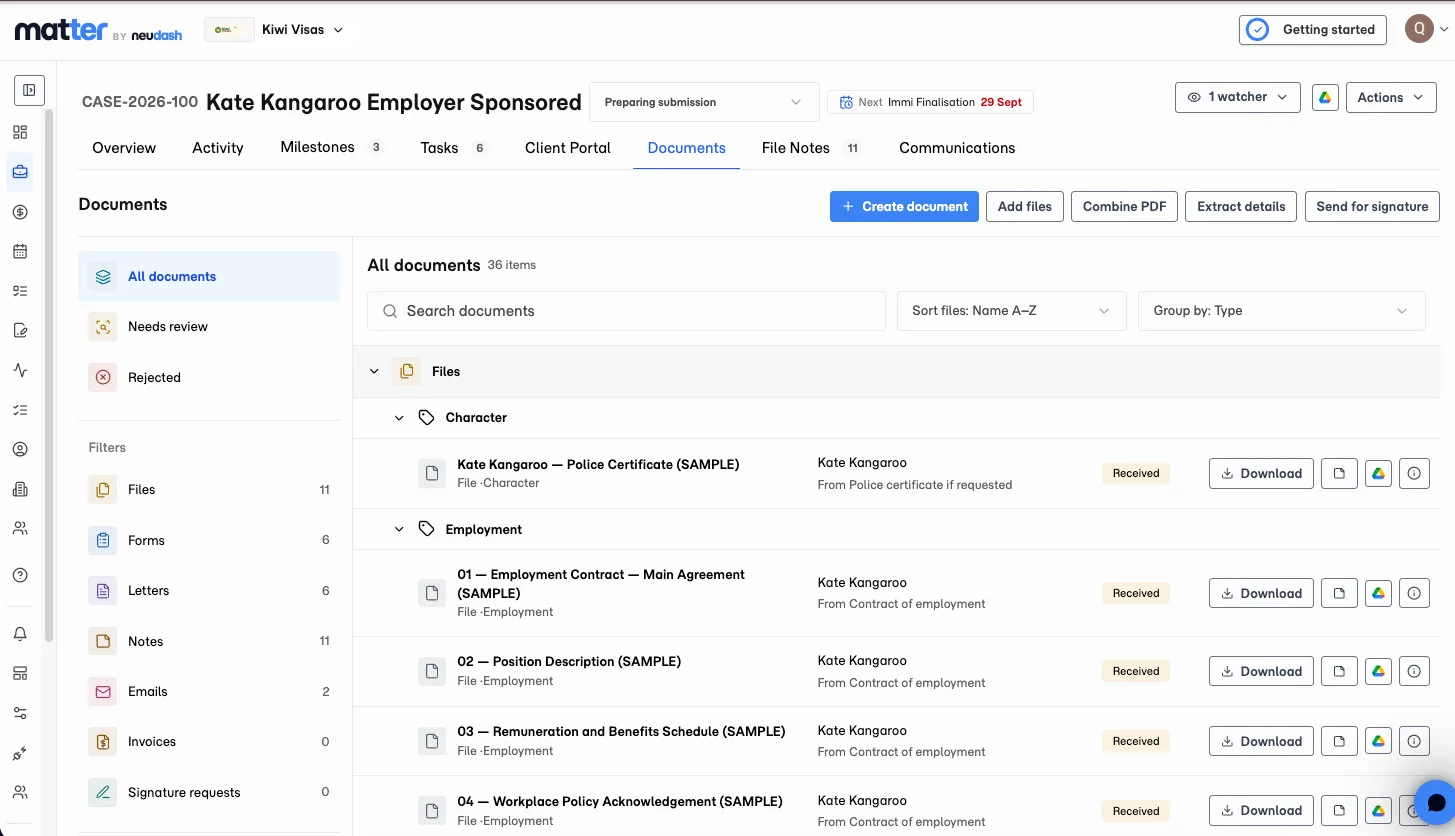
Keep client information with the case.
Give clients a branded portal.
Track the next task and deadline.
Use Matter for daily client and case work. Set up the supporting accounts under your practice’s control, so you can manage access as your team grows.
Choose Google Workspace or Microsoft 365 and use email addresses on your own domain. Keep the website and phone service under the same practice identity. Give each person a named account that the practice controls.
Choose Google Drive or OneDrive under a paid account owned by the practice. Matter can back up files to this account, giving the practice an independent copy.
Use Xero to keep the business books and prepare financial reports. Matter links each invoice and payment to the relevant case, where the client accounting stays.
Set up the bank accounts your practice needs, including a separate clients' account if you receive client money. Keep each payment linked to the correct client and matter.
Use ImmiAccount for visa and citizenship applications and other Home Affairs online services. Keep the account and recovery details under practice control, and enable multi-factor authentication.
Use a business password manager. Turn on multi-factor authentication for each service and every administrator account.
Use supported devices with encryption and automatic updates. Require a screen lock, enable remote-wipe controls and remove old access promptly.
Create the business accounts first. Then configure Matter and run a test matter from intake to file closure.
Check the documents, communication, billing and backup before client work gets busy.
Include a service agreement, document requests, file notes, forms, email, billing and backup.
The current professional conduct rules require an RMA to secure client documents and maintain a complete client file. They also set record-keeping and retention requirements. The right setup makes that work part of the daily process.
Read the current duties for client work and service agreements, including the rules for records and client money.
Use the regulator guidance to design the practice process for confidentiality, record keeping and client money.
Follow the Home Affairs guidance for setting up and using the online application service.
See how Matter handles the client and case workflow through its document, form and financial tools.
Review the CASA Tier 3 assessment and application testing, then see how Matter backs up files to practice-owned storage.
Start with paid business email, practice-owned cloud storage, business accounting, banking and secure access. Use Matter as the central hub for the client and case work.
Google Workspace and Microsoft 365 let the practice use its own domain and control each user account. The practice retains access when a staff member leaves. A personal email account puts ownership and administration in one person's hands.
Choose the service your practice can administer confidently. Google Workspace includes Gmail, Calendar and Google Drive. Microsoft 365 includes Outlook, calendars and OneDrive. Matter supports backup to either storage service.
Matter runs the client and case workflow. The connected storage gives the practice an independent file copy under its control. You get an organised working matter and a practice-owned backup.
Use Xero for the general business accounts and financial reporting. Matter links each invoice and payment to the relevant case, while the Xero integration connects the two parts of the practice.
The rules require an RMA to secure documents and record oral advice. The complete client file must be kept for seven years after the last action. Software makes the records easier to create and retrieve. The RMA remains responsible for the professional decisions and records. Read the Code of Conduct
ImmiAccount is the Department of Home Affairs service for visa and citizenship applications. Set up the access used by the practice, protect the recovery details and enable multi-factor authentication.
Yes. A solo practice still handles client documents, advice records, agreements, deadlines and payments. Set up each account under the practice from the start. This also makes it easier to add staff later.
Set up and test the core systems before client work becomes busy. Run one complete test matter from intake to file closure. Include a service agreement, document requests, file notes, forms, email, billing and backup.
The current rules require an RMA to take all reasonable steps to keep the client file for seven years after the last action on that file. Check the legislation and OMARA guidance when you set the retention process. Read the client-file requirements
Start with a test matter. Add your practice branding, invite your team and see how the client workflow fits together.