Full CRM and practice management
Manage leads, contacts, organisations, cases, tasks, and calendars in one practice system. Keep the client history connected from the first enquiry.
Every Matter Immigration feature. Every plan. Available now.
Run your whole practice in one modern system: CRM, cases, documents, forms, agreements, team work, billing, and client and trust accounting. Automate the repeated work. Give clients a polished experience. Keep your records connected and your practice in control.
See how Matter handles that work before you renew your current software.
Matter replaces the daily friction with connected workflows: document reminders, file-by-file review, reusable branded agreements, electronic signatures, and accounts tied to the case. Your team gets clear next steps. Your clients get a polished experience.
Run your whole practice in one modern system: CRM, cases, documents, forms, agreements, team work, billing, and client and trust accounting. Automate the repeated work. Give clients a polished experience. Keep your records connected and your practice in control.
Best for
Migration agents, tax accountants, lawyers, and other professional-service teams that want the client and staff experience to feel modern and organised.
Why teams switch
Every Matter Immigration feature. Every plan. Available now. 99.99% uptime SLA.
Your industry
Client portal, document requests, case email, notes, tasks, milestones, reminders, OMARA-ready records, and CASA Tier 3 security for Australian migration practices.
Explore Matter for migration agentsDocument collection, onboarding, portal updates, and admin control for tax work that still leaks into inboxes.
See the accounting pageClient portal quality, document requests, onboarding, and status clarity for matters that still drag because the file work is too manual.
See the legal pageYour workspace
From the first lead to the final invoice, Matter keeps CRM, cases, team work, documents, agreements, forms, billing, and accounts connected. Every Matter Immigration feature is available on every plan.
Manage leads, contacts, organisations, cases, tasks, and calendars in one practice system. Keep the client history connected from the first enquiry.
Manage rate cards, invoices, receipts, client payments, and your trust ledger alongside the case. Xero integration is included.
Back up documents to your own Google Drive or OneDrive storage. Keep a copy under your practice’s control.
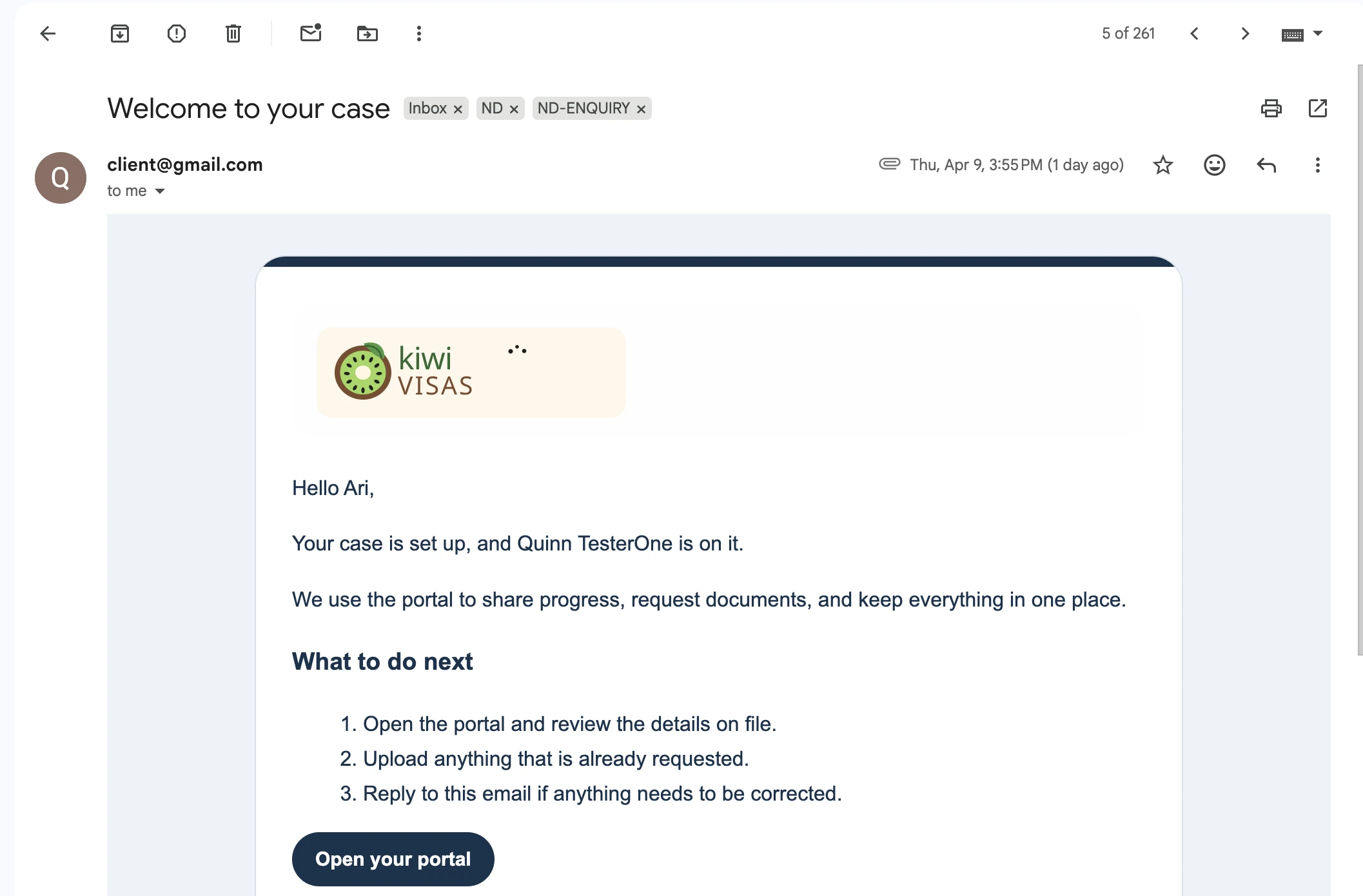
Your clients get one secure place to upload documents, see where their case is up to, and read your updates, and it carries your firm's name, colours, and logo from the first invite onward.
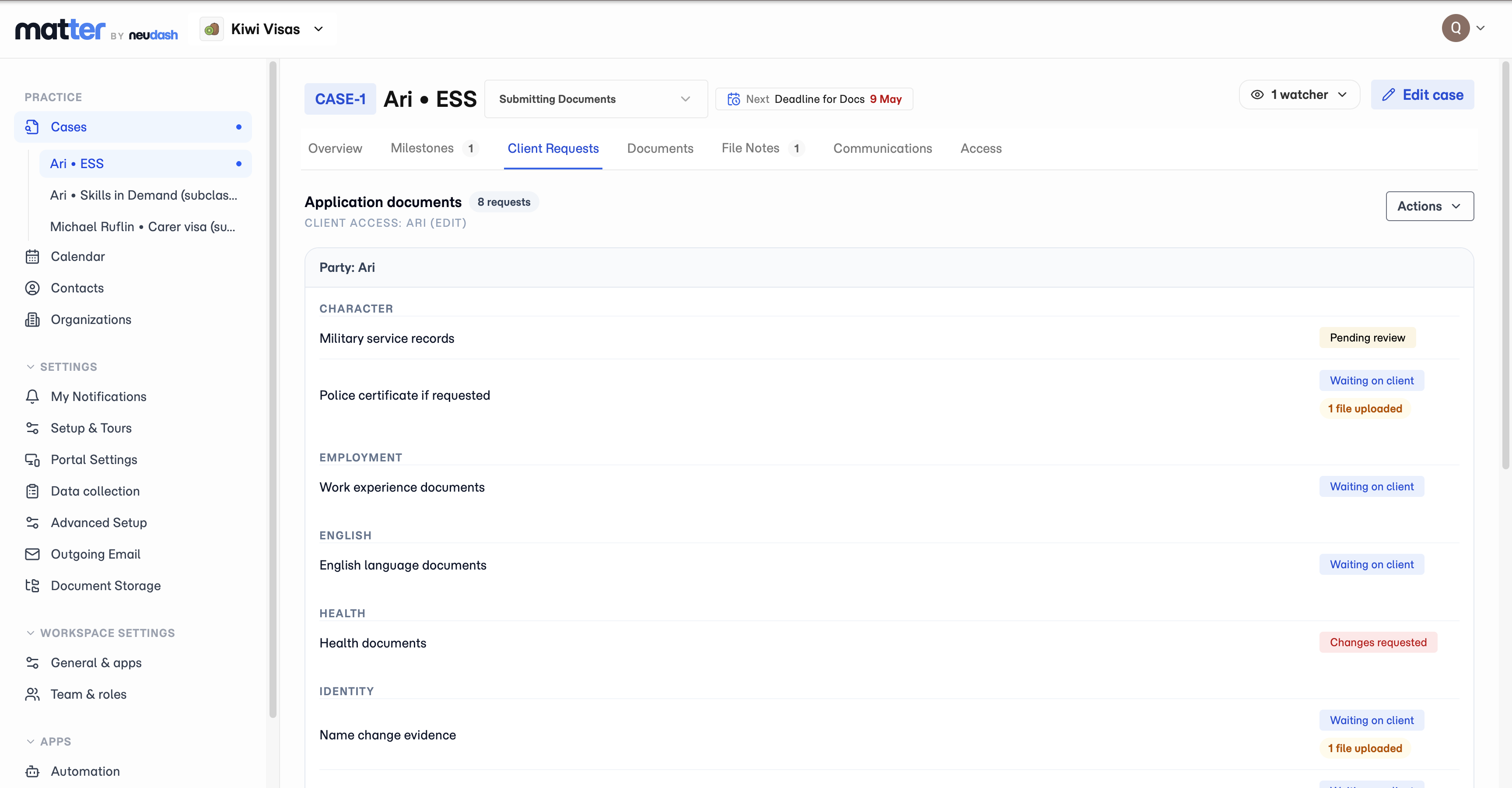
Turn the documents you need from a client into one tracked request list, with upload status, due dates, and follow-up notes, sitting right on the matter.
Matter prepares supported image uploads during document collection, converting oversized or incompatible client images into upload-ready JPEGs before they are saved to the request.
Start with a built-in template or import your own letters and service agreements. Matter recreates your branding and design, fills in client details, and lets you send agreements for e-signing.
Matter gives staff a review step for submitted client files, with per-file accept or reject decisions, notes, and a final outcome that either completes the request or returns it to the client for changes.
Break a case into the steps it takes, assign them across your team, set due dates, and escalate when something needs review, all attached to the case.
Build a set of tasks once for a case type, with default assignees, deadlines, and reminders, then apply it to any case in one step.
Every lodgement date, document deadline, and review point across your active matters lands in one calendar, so the next thing due is visible while there is still time to act on it.
Schedule client reminder emails on outstanding document requests so follow-up starts from the case, follows a controlled cadence, and stops when the work is resolved.
Send a client update from inside the matter you are working in, so the email stays attached to the case instead of disappearing into a personal inbox.
File notes live on the matter, and every edit keeps its earlier version, so you can see what was recorded and exactly what changed, not just the latest rewrite.
Every action on a case is recorded with who did it and when, so when a client asks or you need to show your work, the history is already there.
Practice Settings groups everything that defines how a matter runs, from practice areas and portal branding to reusable templates, case keys, roles, workflow stages, and value lists, so each new case opens from a setup you built once.
Matter includes configurable records so your practice can define and capture the facts it needs on contacts, organisations, and team members.
Matter includes client-friendly questionnaires that live in the client portal and keep answers connected to the matter, not trapped in a generic form tool.
Matter includes a migration forms library for high-value Australian immigration forms such as Form 80, Form 956, Form 1229, and 482-related workflows.
Matter automates fill and generation for common Department PDFs such as Form 80, Form 956, and Form 1229, using reviewed matter data instead of manual retyping.
Recently shipped
Read the full changelogStart with a built-in template or import your own letters and service agreements. Matter recreates your branding and design, fills in client details, and lets you send agreements for e-signing.
See the featureMatter gives staff a review step for submitted client files, with per-file accept or reject decisions, notes, and a final outcome that either completes the request or returns it to the client for changes.
See the featureMatter prepares supported image uploads during document collection, converting oversized or incompatible client images into upload-ready JPEGs before they are saved to the request.
See the featureSee both sides
One matter powers both sides of the experience: the internal portal keeps the file moving, and the client portal gives clients a clear place for uploads, progress, and updates.
The agent portal keeps requests, notes, history, and follow-up together. The client portal gives every client a branded home for documents, messages, and onboarding instead of long email threads.
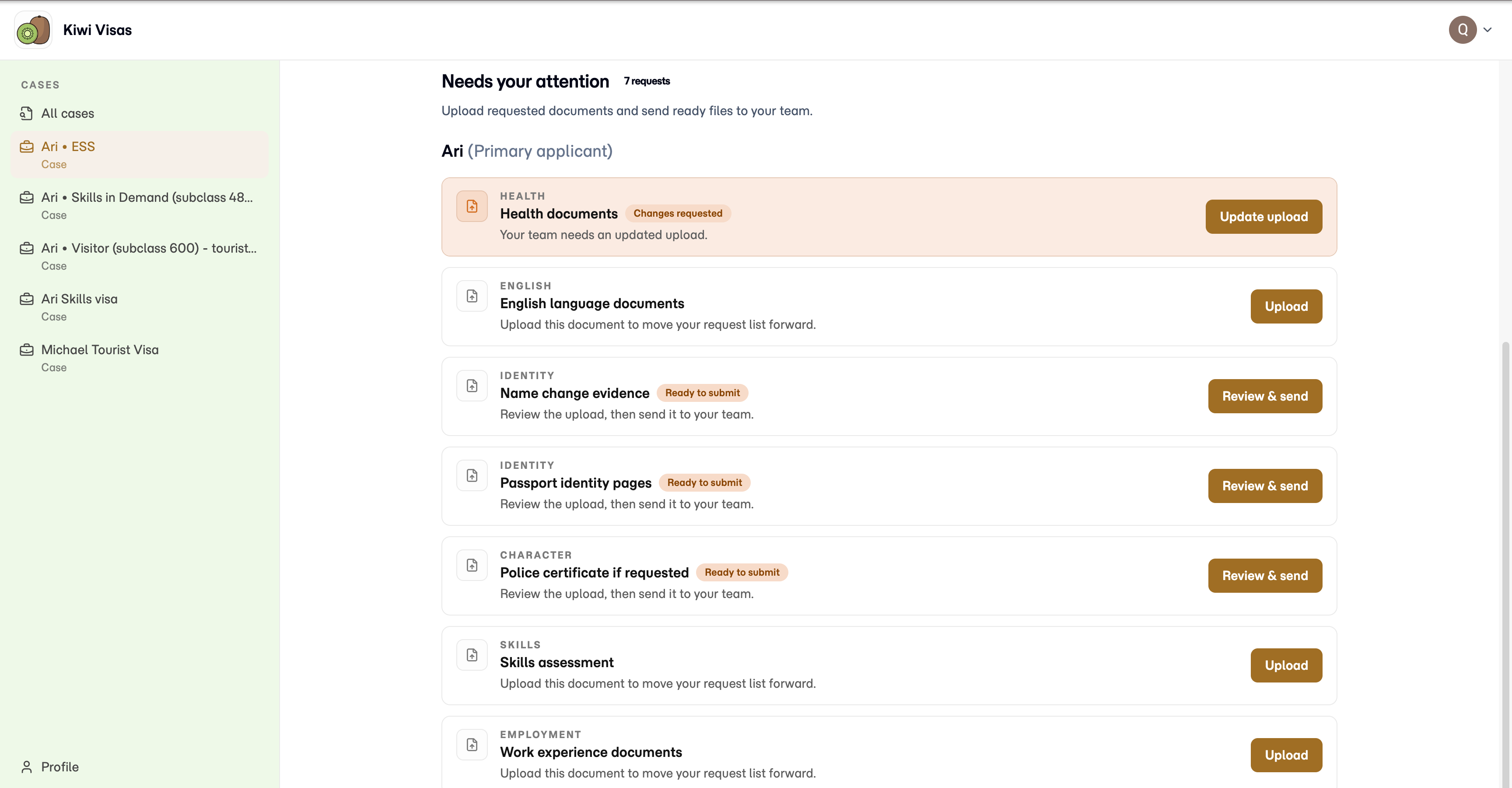
The portal looked better to clients straight away, but the bigger change was finally having requests, uploads, and follow-up tied to the matter instead of scattered through inboxes.
Principal Migration Agent
Security
When you handle sensitive client documents, "SSL encryption" is not a security standard. Matter has been independently pen-tested by an authorised security lab across all 14 OWASP categories.
An authorised security lab tested every layer of the application across all 14 OWASP categories. Recertified annually.
Verified application-level security, not just basic hosting, encryption, and marketing claims.
Encrypted at rest and in transit, with isolated practices and role-based access.
Every note, document, and communication stored with timestamps and attribution. Pull up a record from years ago in seconds.
Notes, emails, and file activity logged automatically. No extra effort to meet your professional obligations.
Track receipt and return of original documents with full chain of custody.
An authorised lab pen-tested every layer of the application. Client documents protected by verified application-level security, not just "SSL encryption."
Read about our securityAvailable on desktop, tablet, and mobile. No install, no Windows dependency, no workstation setup.
See the portalDocument requests, case notes, tasks, timelines, and client updates stay together so your team spends less time piecing together where each matter stands.
See the staff workspaceFAQ
Starter is A$129 per month, Standard is A$249 per month, and Enterprise is A$699 per month with custom options. Every plan includes all Matter features and unlimited support staff seats. Plans differ by RMA seats, new-case capacity, storage, and service level. Seven days of full product access, no credit card required, and no setup fee.
Matter offers a 99.99% uptime SLA. It holds Cloud Application Security Assessment (CASA) Tier 3 certification. An independent authorised security lab manually tested Matter across all 14 categories of the OWASP Application Security Verification Standard. Back up records to your own Google Drive or OneDrive. Its founders have 40+ years of combined experience building and operating enterprise software at global scale. These are concrete reasons to choose Matter for sensitive practice work.
Run your whole practice in one modern system: CRM, cases, documents, forms, agreements, team work, billing, and client and trust accounting. Automate the repeated work. Give clients a polished experience. Keep your records connected and your practice in control.
Matter integrates with Gmail and Outlook for client communications from the case file, Xero for accounting, and Google Drive and OneDrive for backup to storage owned by your practice.
Yes. Every Matter Immigration plan includes all Matter features and unlimited support staff seats. Plans differ by RMA seats, new-case capacity, storage, and service level. CRM, billing, client and trust accounting, agreements, and electronic signatures are available now.
Matter holds CASA Tier 3 certification, the highest tier of the Cloud Application Security Assessment framework. An independent, authorised security lab performed manual penetration testing across all 14 categories of the OWASP Application Security Verification Standard.
No. Matter runs from a secure cloud workspace on desktop, tablet, and mobile. No local server or workstation install is required.
Yes. Every case in Matter has a secure, branded client portal where your clients can see case progress, upload requested documents securely, read messages from your team, and complete onboarding questionnaires.
Matter help
The Matter help centre shows the exact screens for workspace setup, client access, document reminders, and outgoing email.
Set up your workspace and open your first case.
Open guideShare a document group through the client portal.
Open guideSet up automatic follow-up for outstanding requests.
Open guideSend case email from your business address.
Open guideSeven days of full product access. No credit card required. No setup fee.