Large images should not become admin work
Clients often take document photos on the phone they already have in their hand. That can leave the practice dealing with HEIC files, camera formats, or images that are too large for the request.
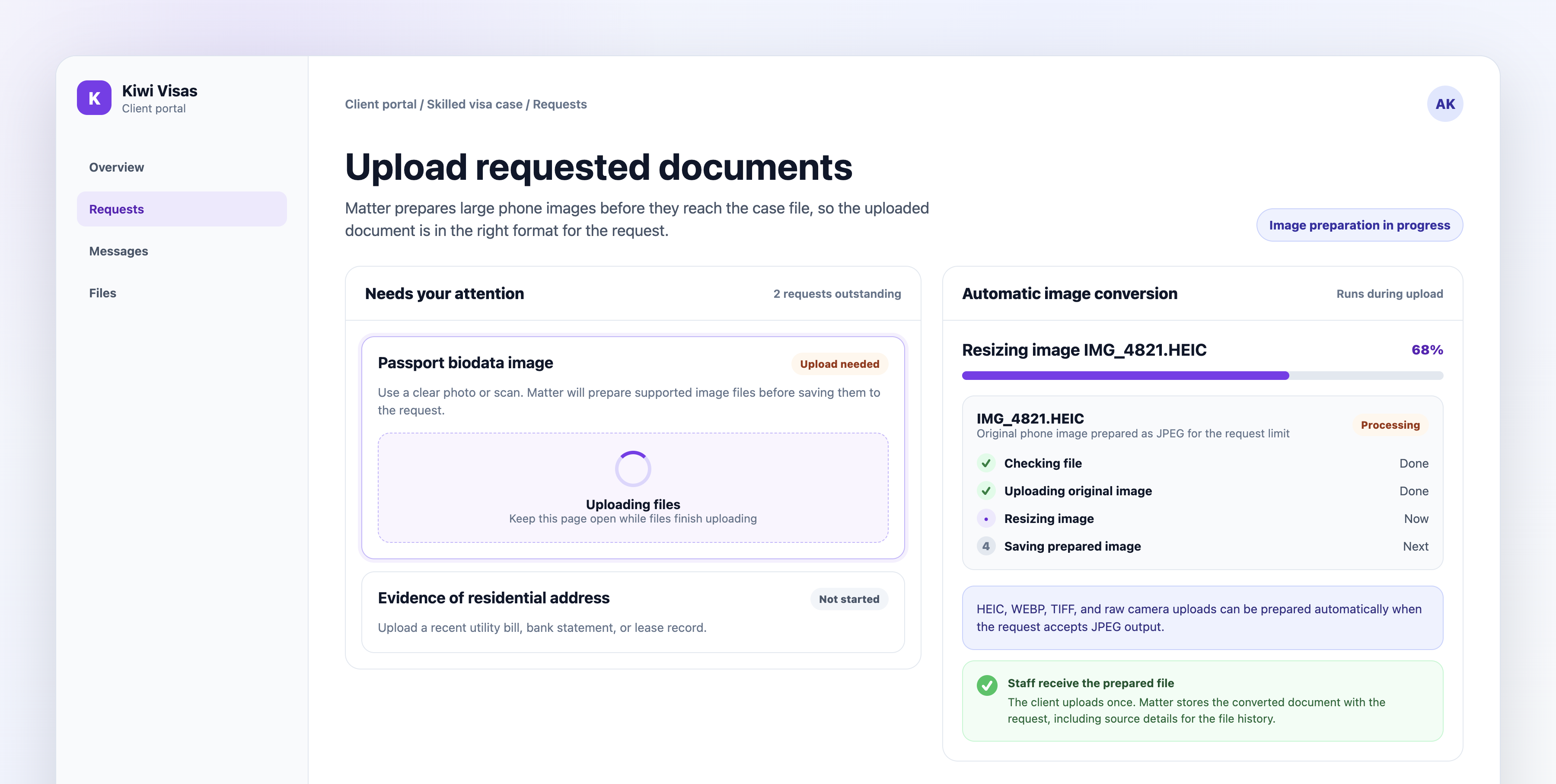
Matter checks supported image uploads during document collection. When the file needs preparation, Matter converts it into a JPEG that fits the request before saving it to the case.
Where it shows up in the workflow
The client uses the normal upload control in the branded portal. If the file needs preparation, the upload progress moves through checking, uploading the original image, resizing the image, and saving the prepared file.
There is no separate converter for the client to find, and staff do not need to send instructions for resizing a photo.
What clients see
Clients stay inside the request they are already completing. They choose the file from their device, keep the page open while preparation finishes, and continue with the rest of their document list.
That matters most when a client has sent a passport image, identity photo, receipt, or evidence photo from a phone and does not know why the original file will not upload.
What staff see
Staff see the prepared document attached to the original request. The upload history keeps source details, so the team can tell that the client uploaded an image and Matter prepared it before storing the case document.
The practical change is simple: fewer support threads about file size, file type, and how to make a phone photo acceptable for upload.
Domain examples
Migration practices can use this for passport images, identity evidence, relationship evidence, and employer documents photographed by clients. Tax and legal teams can use the same flow for receipts, identification, property photos, and other image-heavy supporting evidence.
Limits and availability
Automatic image conversion is available now for Matter document request uploads where the request accepts JPEG output. It prepares supported image formats; staff still decide whether the uploaded evidence is readable, complete, and acceptable for the matter.
If an image cannot be prepared, Matter asks the client to upload a supported image or save it as JPEG or PNG.