Step-by-step guide
Schedule reminders in Matter
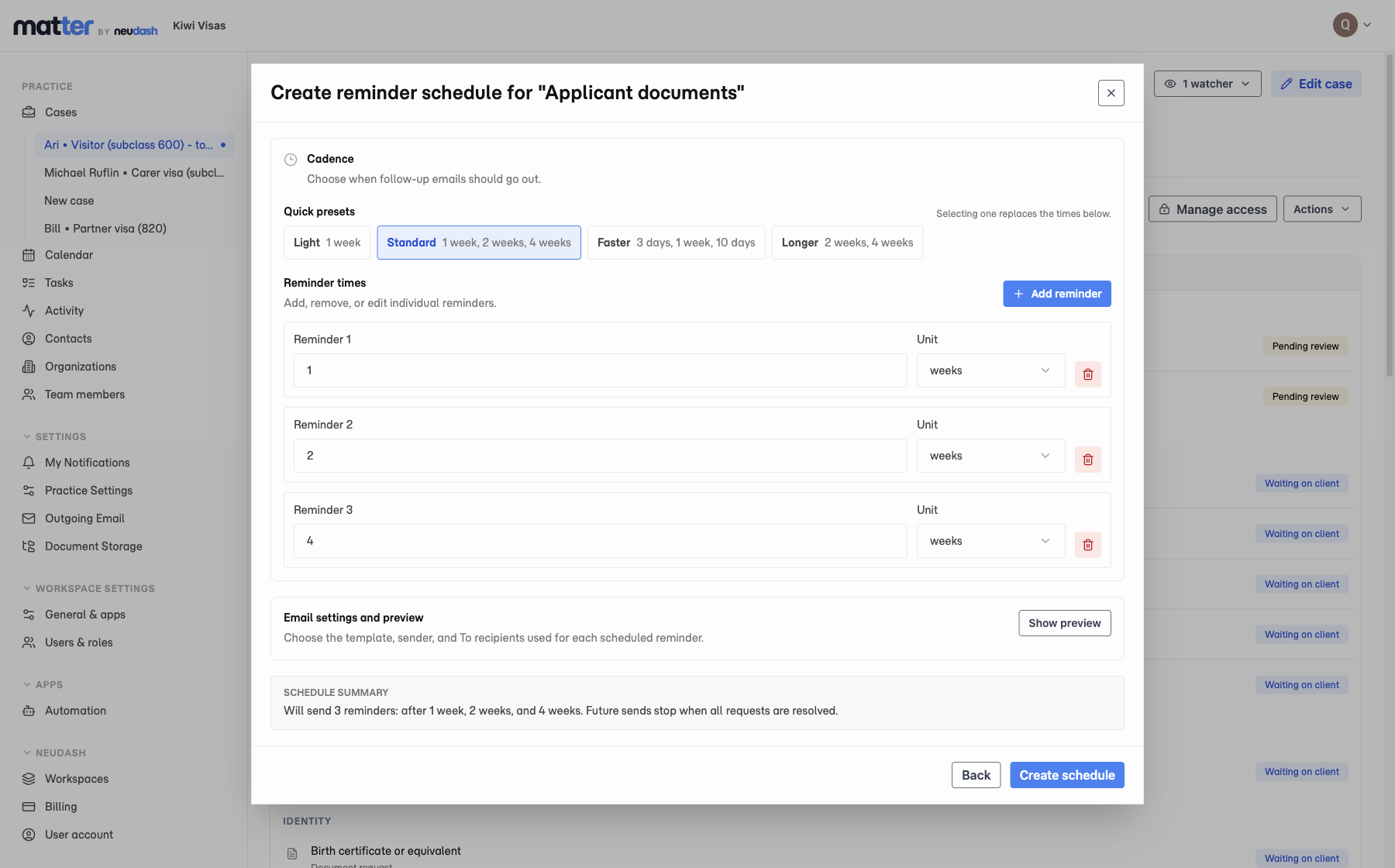
Choose the reminder dates, check the email, create the schedule, and confirm what Matter will send.
Follow the reminder guide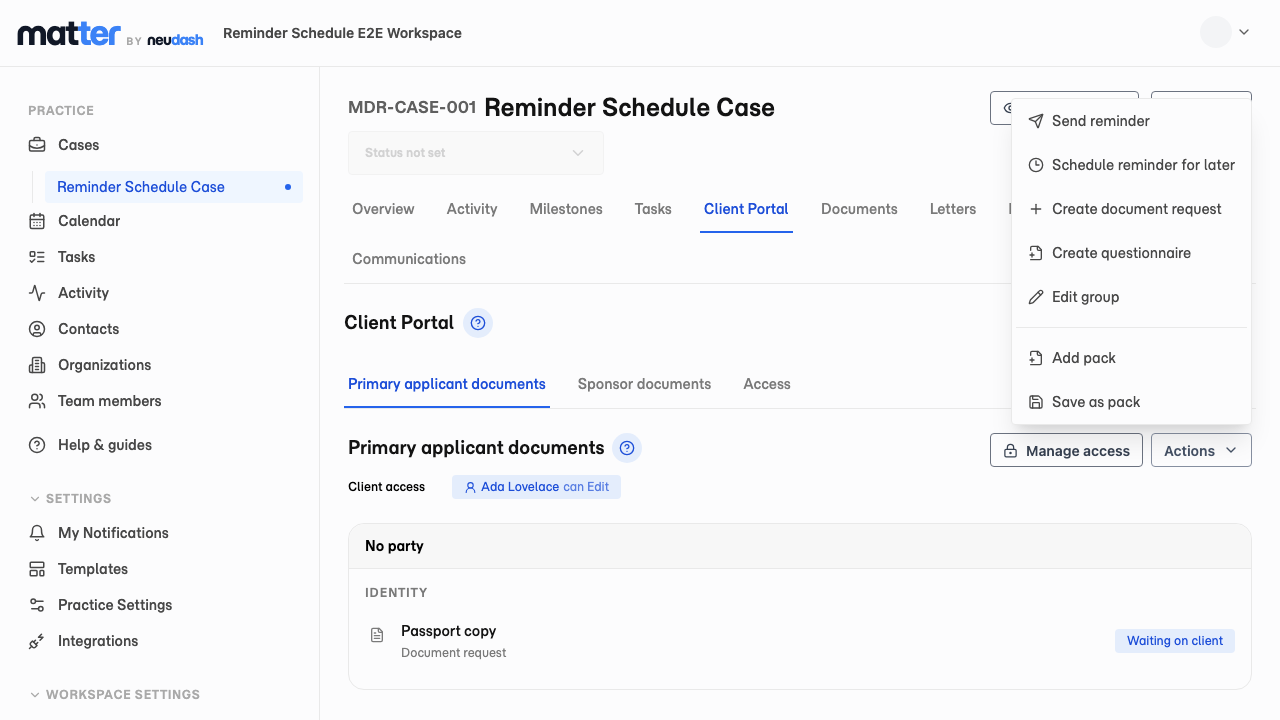
Schedule the follow-up before the chase starts
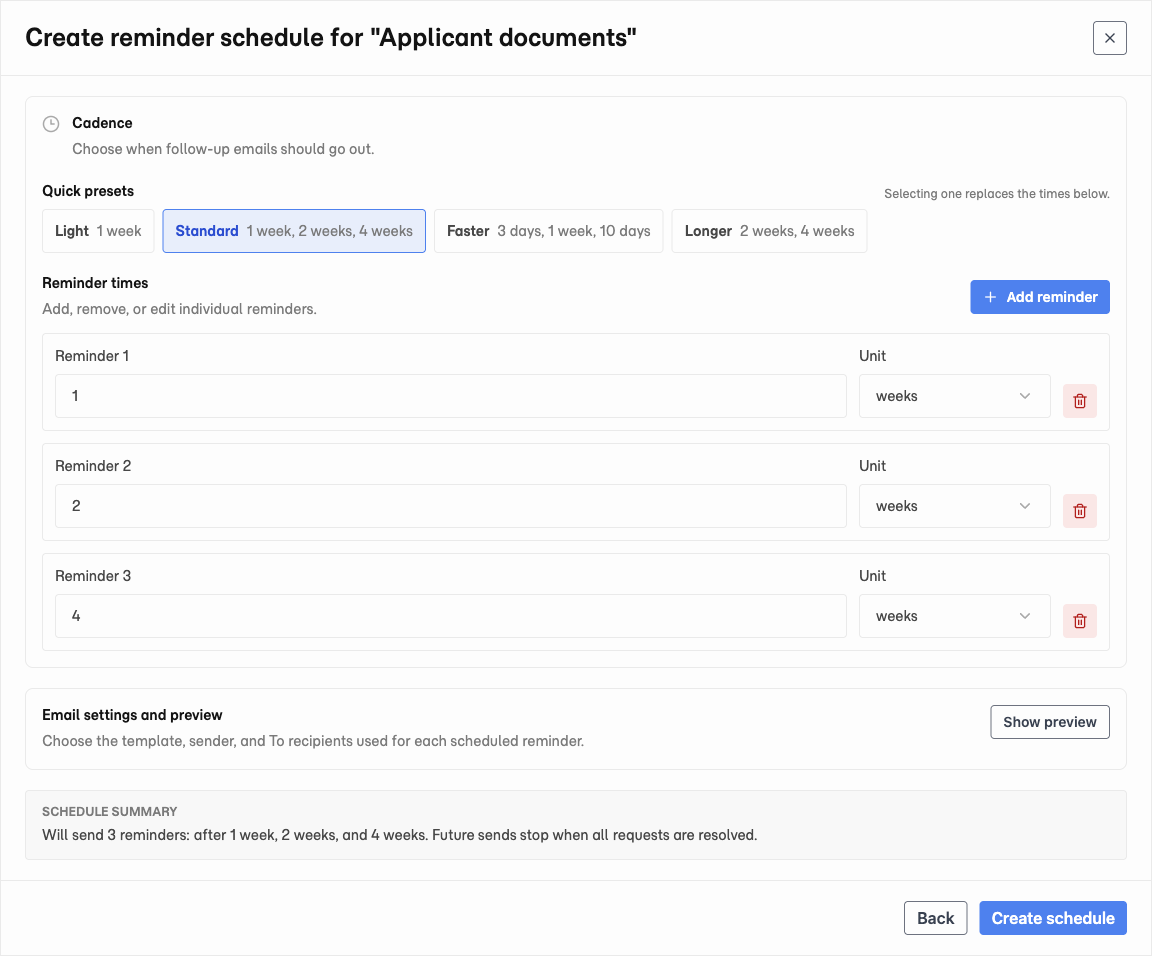
Matter lets staff schedule follow-up emails from a document group on the Client Requests tab. Pick a preset cadence, adjust individual reminder times, choose the template and recipients, then create the schedule before the client has gone quiet.
The reminder schedule stays tied to the outstanding request list. Future sends stop when all requests in the group are resolved, so a client who has already sent the documents is not chased again.
Where it shows up in the workflow
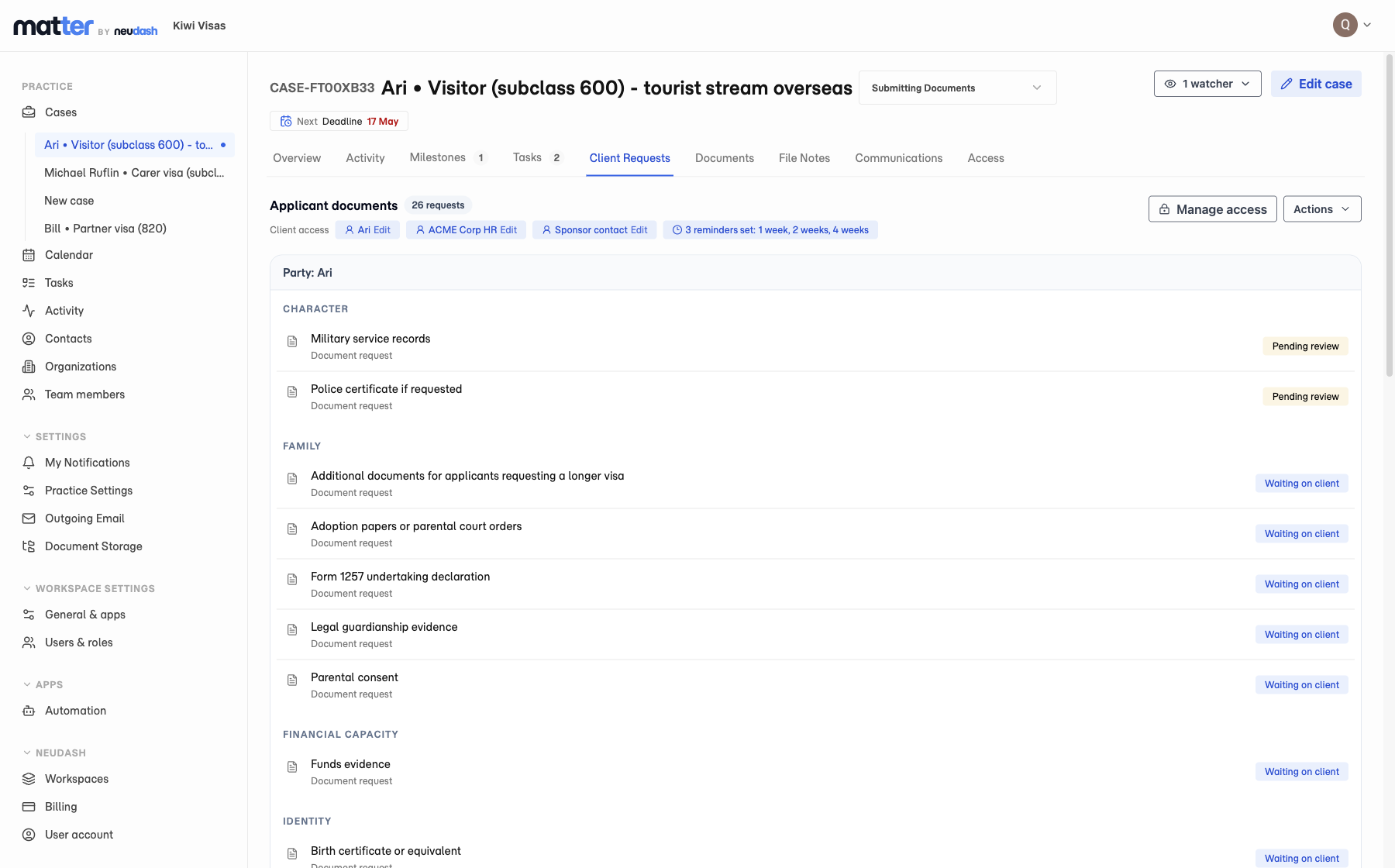
Open the matter, go to Client Requests, and use Actions > Schedule reminder for later. The schedule sits on the document group, so anyone opening the case can see that follow-up is already set.
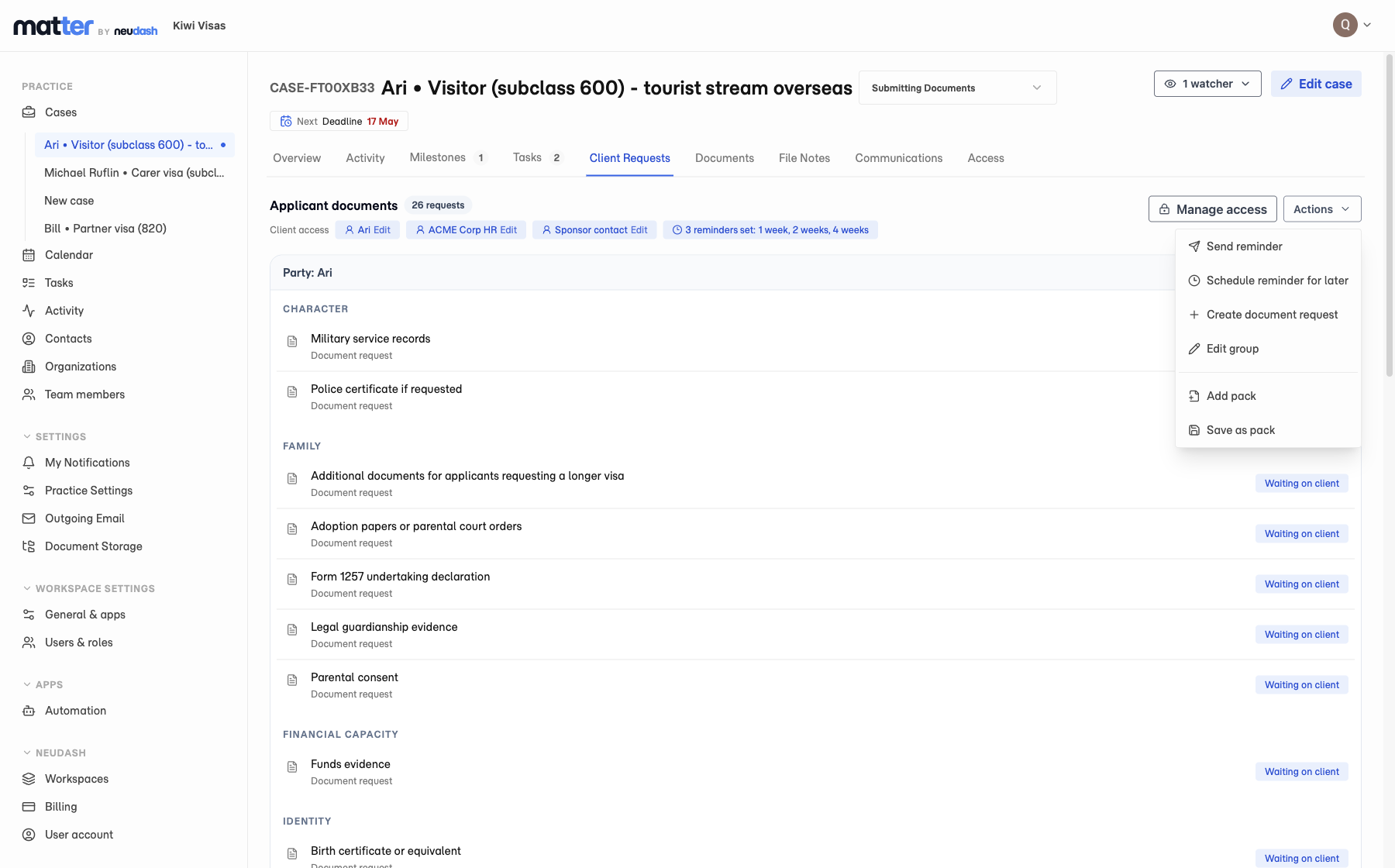
Once a schedule is created, the case shows the cadence beside the document group. The team does not have to check a separate calendar, spreadsheet, or someone’s sent folder to know whether follow-up is already covered.
What clients see
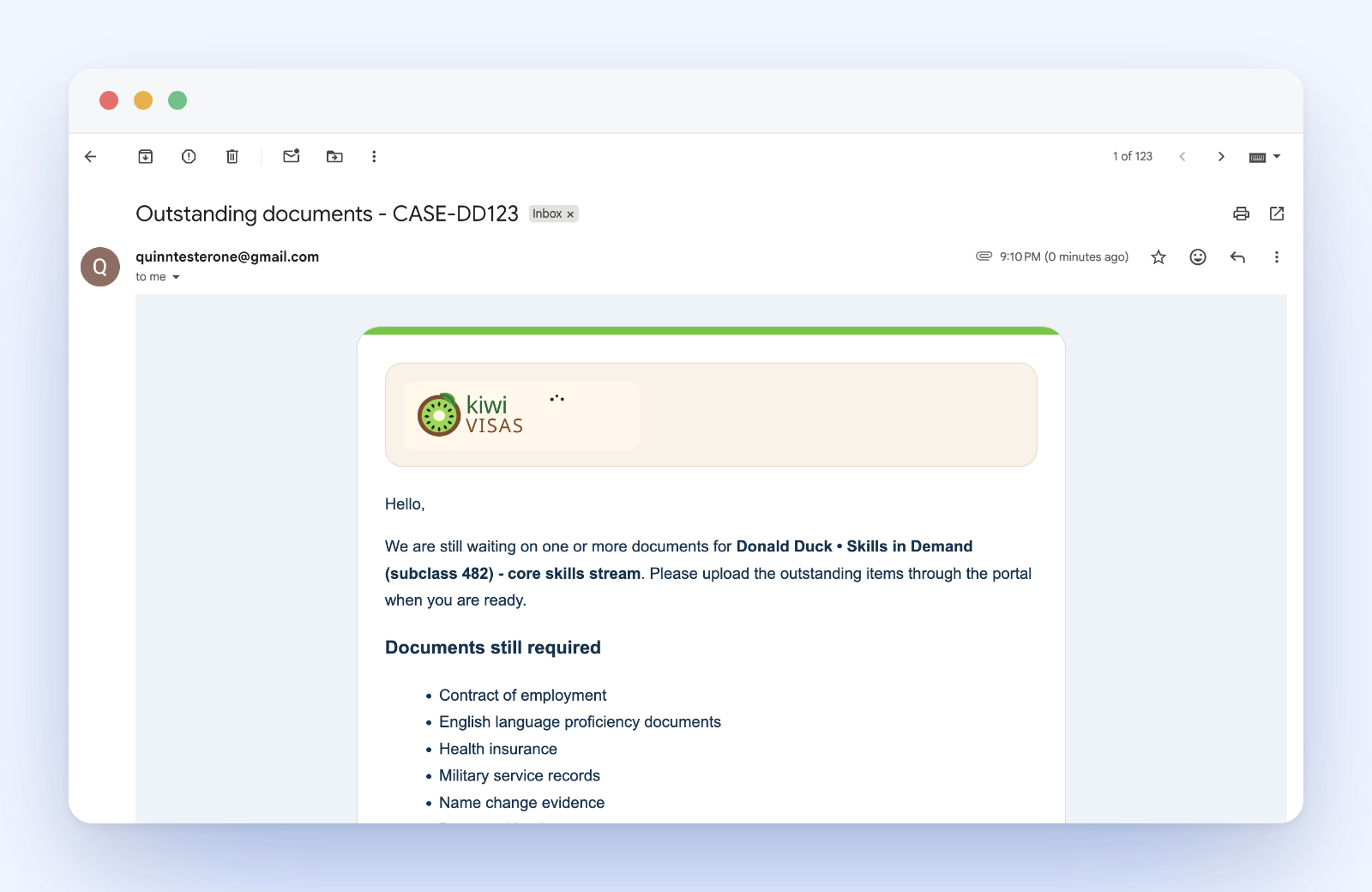
Clients receive a branded reminder email from the practice. It points them back to the portal and names the remaining requests, so they get a clear next step without staff writing another chaser email.
What staff control
Staff control the cadence, template, sender, recipients, preview, and cancellation. That keeps automated follow-up useful without removing judgment from the relationship. If a client needs a personal call or a one-off email, staff can still handle that from the matter.
Limits and availability
Scheduled client reminders are available now for document groups and outstanding client requests. They are built for follow-up on missing information and files; staff still review the documents, resolve the requests, and decide when a personal conversation is needed.