Step-by-step guide
Choose what each client can access
Choose the client, select the document groups, set permissions, and check the client view before sending access.
Follow the client access guide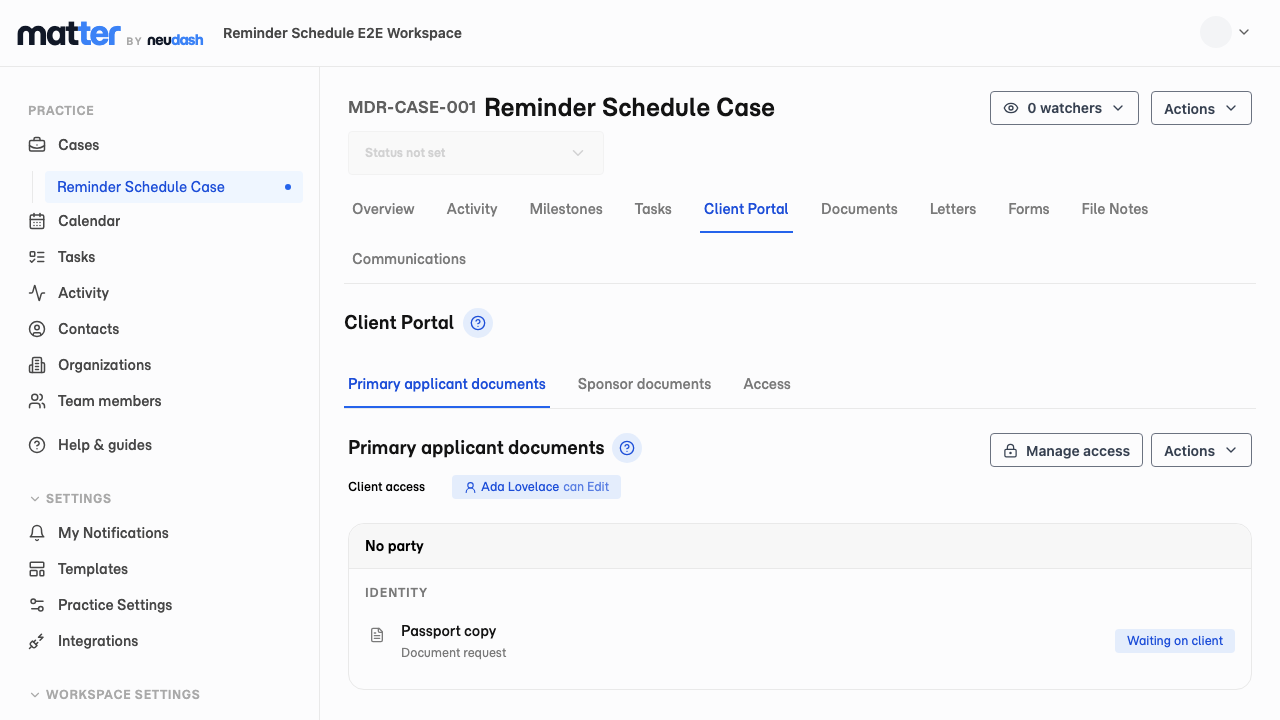
Turn document chasing into a shared checklist
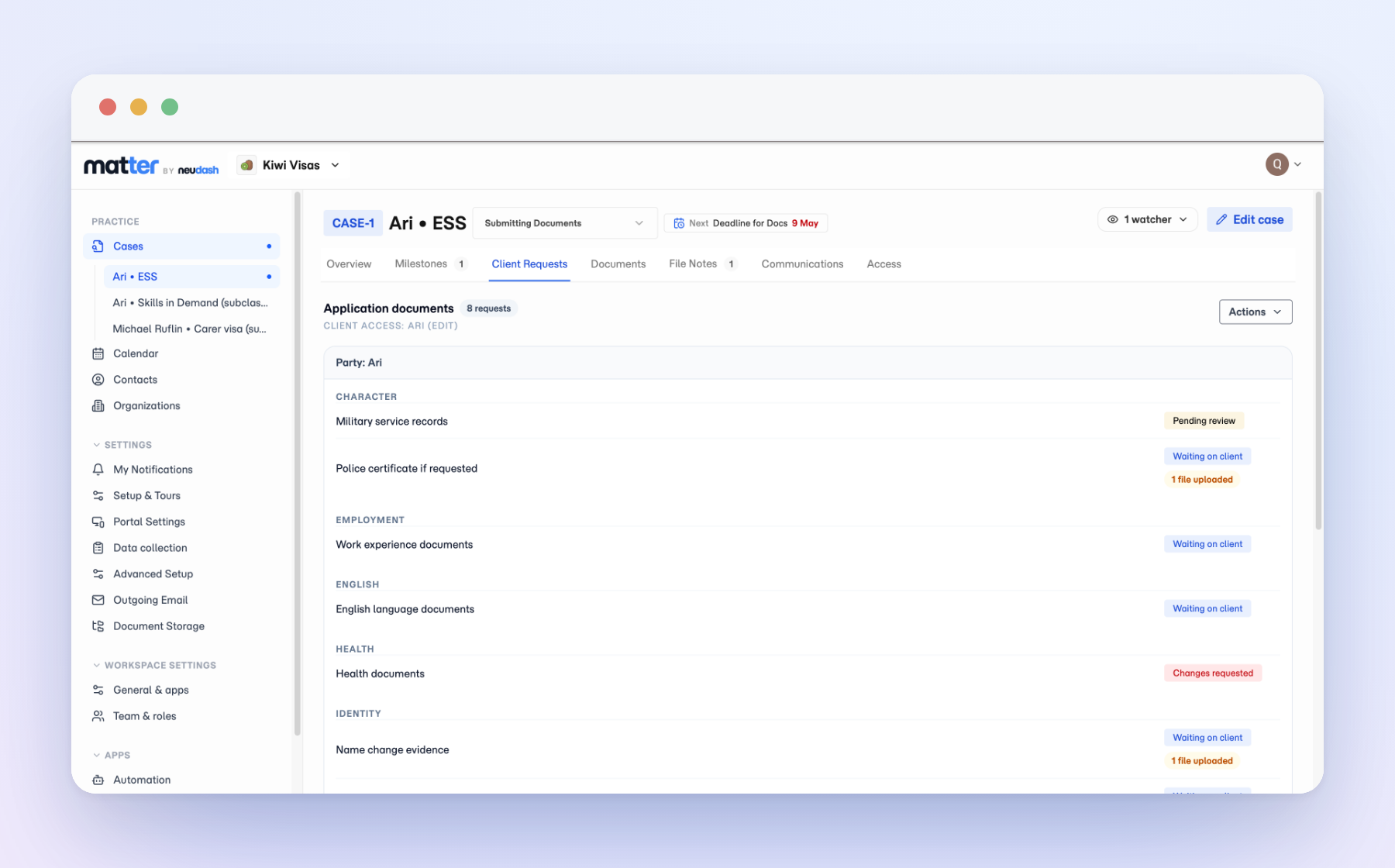
A document request is a list of what you need from a client, sitting on the matter where the rest of the work already is. You name the items, group the ones that belong together, set due dates, and the request tracks itself as files come in. Anyone on the team can open the case and see what has arrived and what is still outstanding, without reading back through an email thread or asking whoever last spoke to the client.
Build a request pack once, reuse it on every matter
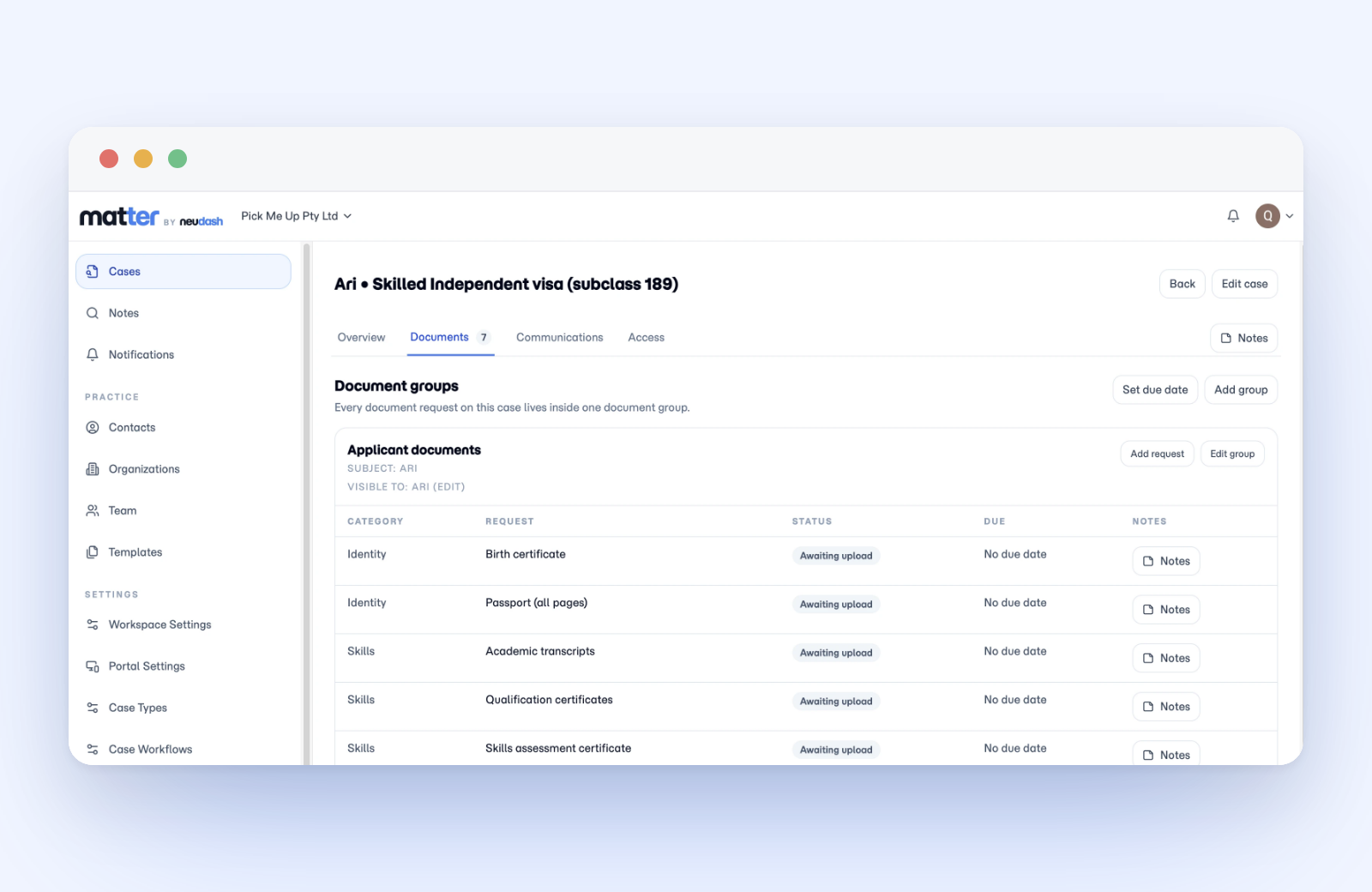
The documents you ask for rarely change by client. They change by matter type. A request pack captures that set once, the identity documents and financials a given matter type needs, and lives in Practice Settings ready to reuse. Build the packs your practice runs on, name them by matter type, and keep the wording consistent so every client gets the same clear ask.
Apply a pack and the case knows what to collect
When you open a matter, apply the pack that fits it. Every item in the pack becomes a tracked request on the case, grouped and dated, with no list to retype. From there the request is what the client responds to: the items you packed are the items they see. You can still add a one-off request when a specific matter needs something extra, so the pack covers the routine and you handle the exceptions.
Clients upload in their portal, you watch it fill in
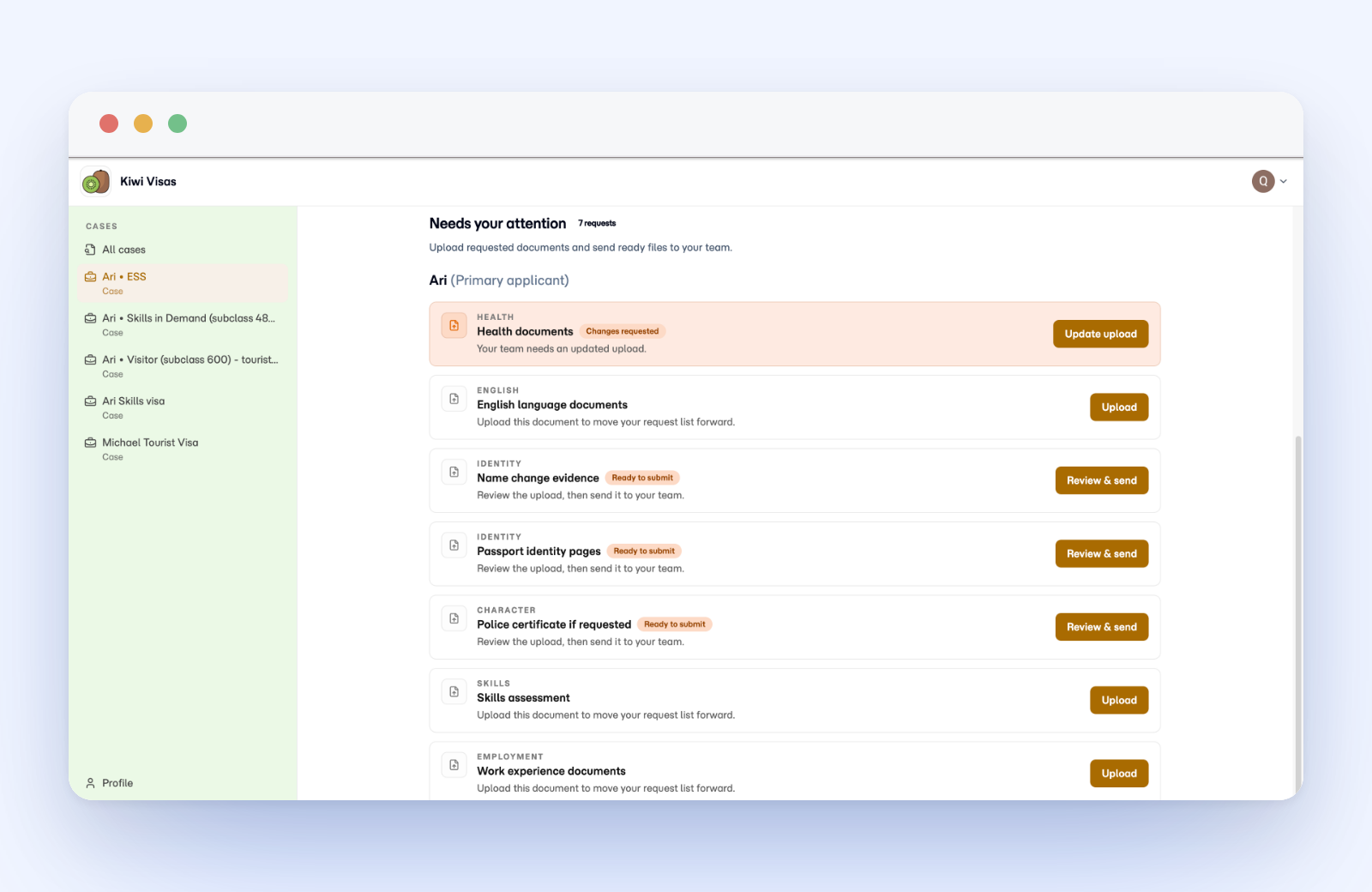
The client opens the branded portal and sees exactly what you asked for, grouped the way you grouped it, with due dates attached. They upload against each item, and the status moves as they go. No attachment hunting, no guessing which version you needed.
See what is still blocking the matter
When the person who created the request is not the one reviewing the upload, the case still carries each item, its status, and the next follow-up point, so nobody has to be briefed first. Automated reminders can chase outstanding items on a schedule and stop when the request is resolved.