Available Available since April 2026

Case notes that keep their history

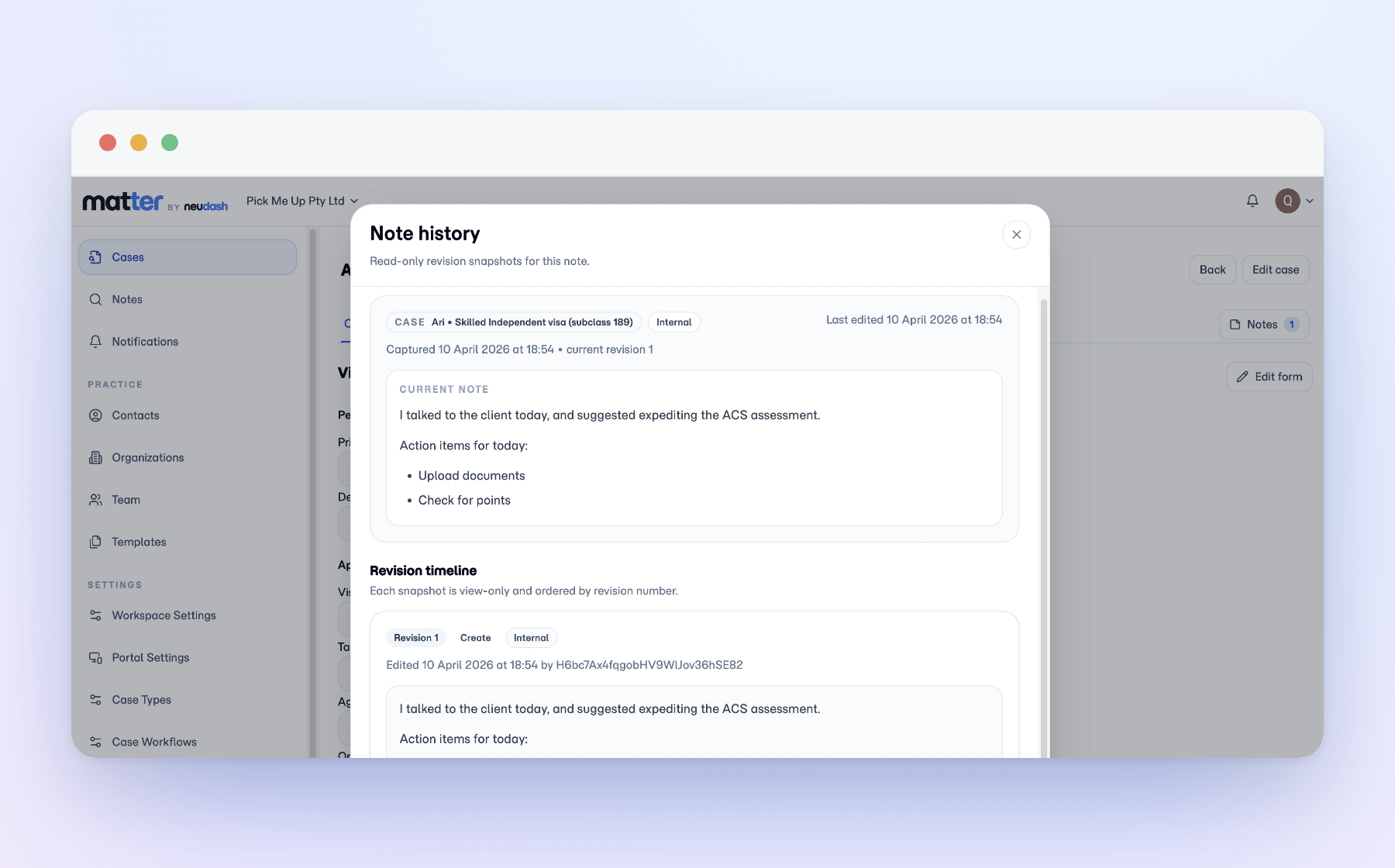
File notes live on the matter, and every edit keeps its earlier version, so you can see what was recorded and exactly what changed, not just the latest rewrite.

When you take over a file, or get asked what happened and when, the notes and their full history are already there to answer it.

Matter note history showing the current note and earlier revisions with timestamps.

Notes that live on the case, with their history intact

Matter keeps file notes where the rest of the work already happens. Staff record updates, decisions, context, and follow-up points right on the matter, so the note stays attached to the case it belongs to. When a note changes later, the earlier version stays visible in note history.
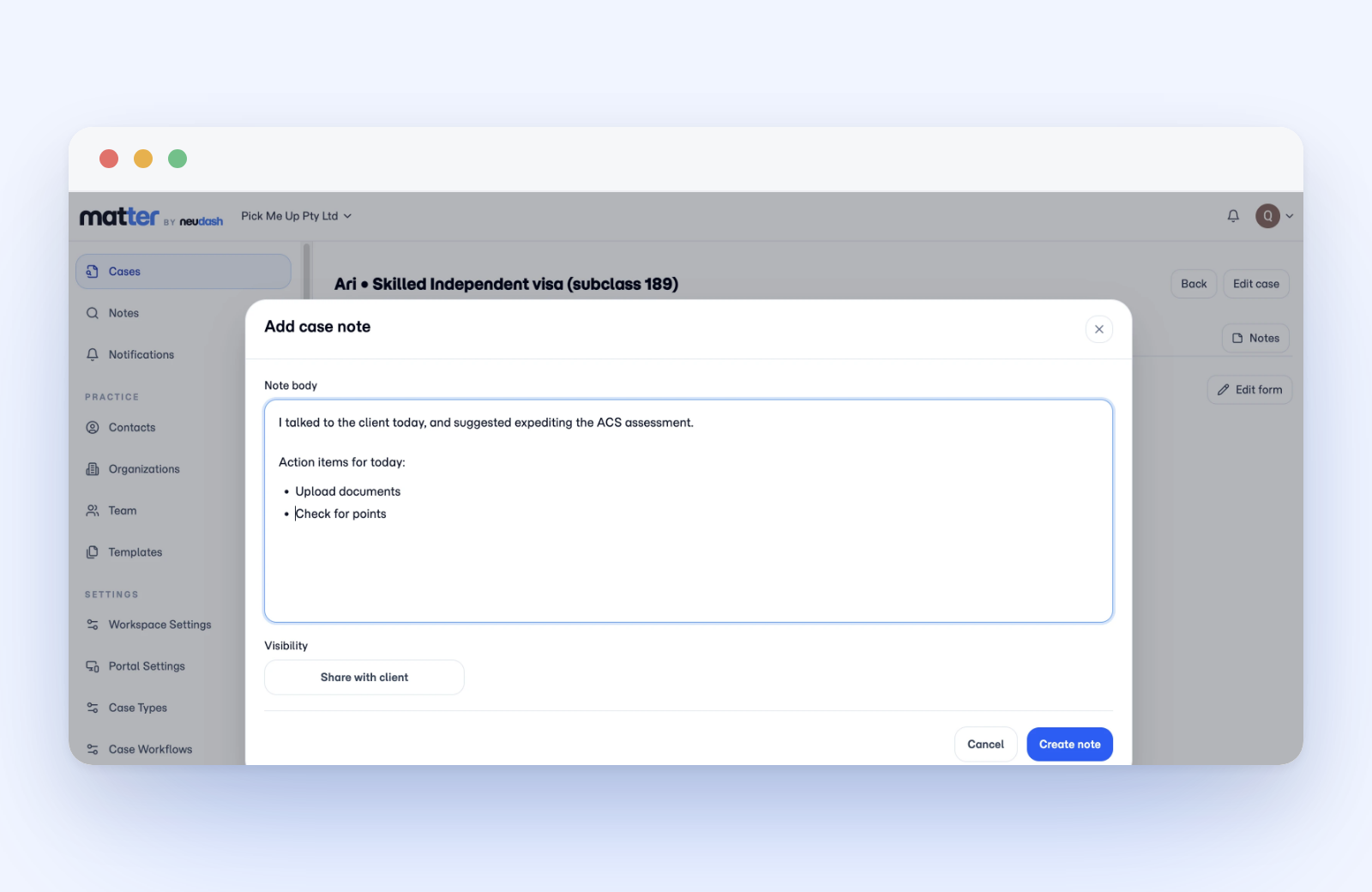
Matter add case note dialog with a note body field, a share with client visibility toggle, and a create note button.

Earlier versions stay readable after a note changes

During supervision, handover, or review, the original wording stays visible alongside any later edits, so the record reflects what was written at the time rather than the most recent rewrite. That gives the practice a case record it can rely on.

From a client call to the next decision

A support staff member records that a client called about missing police checks. Later, the principal agent sees the note, its timestamp, and any edits before deciding the next move. Staff see the current note and earlier versions together, which gives the practice a clear path from what happened to what was recorded to what comes next.

Questions

If a note is edited, can we still see what it originally said?

Yes. Note history keeps earlier versions alongside the current one, so during supervision, handover, or review the record shows what was written at the time, not just the latest rewrite.

Is this only useful for migration practices?

No. The note model fits any practice that needs a reliable matter record, including accounting, legal, and other document-heavy work.

See how Matter handles client document work.

Review the product overview, then decide which capabilities matter most for your practice.