Client portal
A portal your clients will actually use.
Clients upload documents, track their case, and read updates from your team in a portal branded to your practice. It feels more modern on day one and cuts the email back-and-forth that clogs the file.
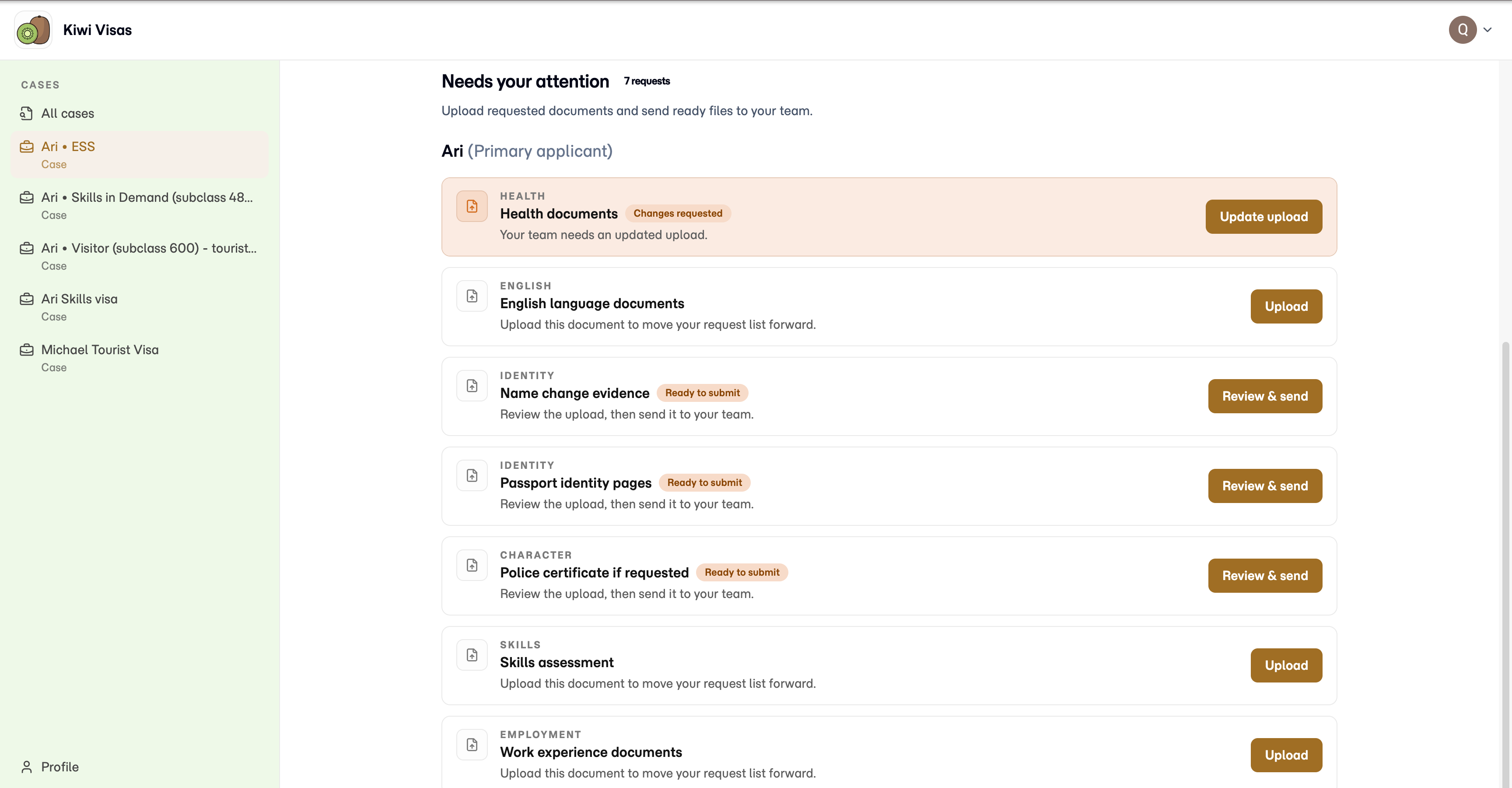
A better client experience changes the tone of the whole case.
Clients notice when they are forced into a clunky portal, asked to email attachments in batches, or left guessing what happens next. That friction lands back on your team as status emails, missing files, and awkward follow-up.
Matter gives them one clear place to act. They can upload what you asked for, see where the case stands, and move forward without needing your team to re-explain the process every few days.
Cut status emails and attachment chaos.
The Matter client portal gives clients one secure, branded place to upload documents, check progress, and read updates. It is part of the complete Matter practice platform. Run your whole practice in one modern system: CRM, cases, documents, forms, agreements, team work, billing, and client and trust accounting. Client actions stay connected to the work your team finishes on the case.
Best for
Migration practices that want a better client experience without losing control of branding, document collection, or case communication.
Why teams switch
Matter auto-resizes client uploads, so large documents and photos go through. 99.99% uptime SLA. CASA Tier 3 certified. Independently tested across all 14 OWASP ASVS categories. Backup to your own Google Drive or OneDrive. Founders with 40+ years of combined enterprise software experience at global scale.
Give clients a clear view
Clients can see case progress and key details without emailing your team for another update.
Make document collection easier
Drag-and-drop uploads make it easier for clients to send what you need and easier for your team to keep it organised.
Deliver a better experience
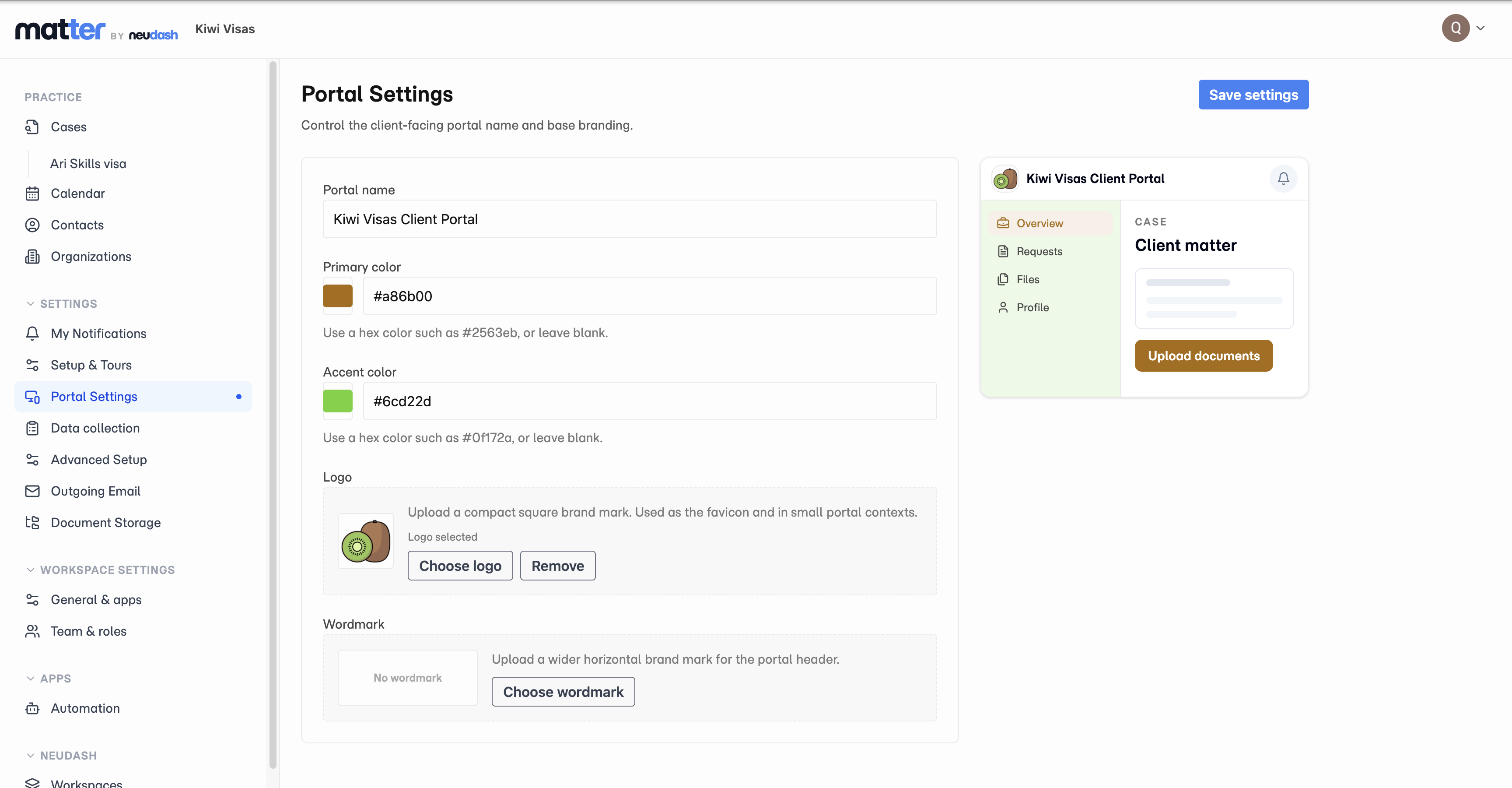
The portal feels polished and professional, and you can brand it so the experience still feels like your practice.
Make the portal feel like part of your practice.
The client experience stays simple, but you still control how the portal looks and feels.
That helps the handoff feel smoother. Clients stay in an experience that still looks like your practice, instead of feeling like they have been pushed into a generic third-party system.
Clients stay inside your practice experience, not a generic third-party portal.
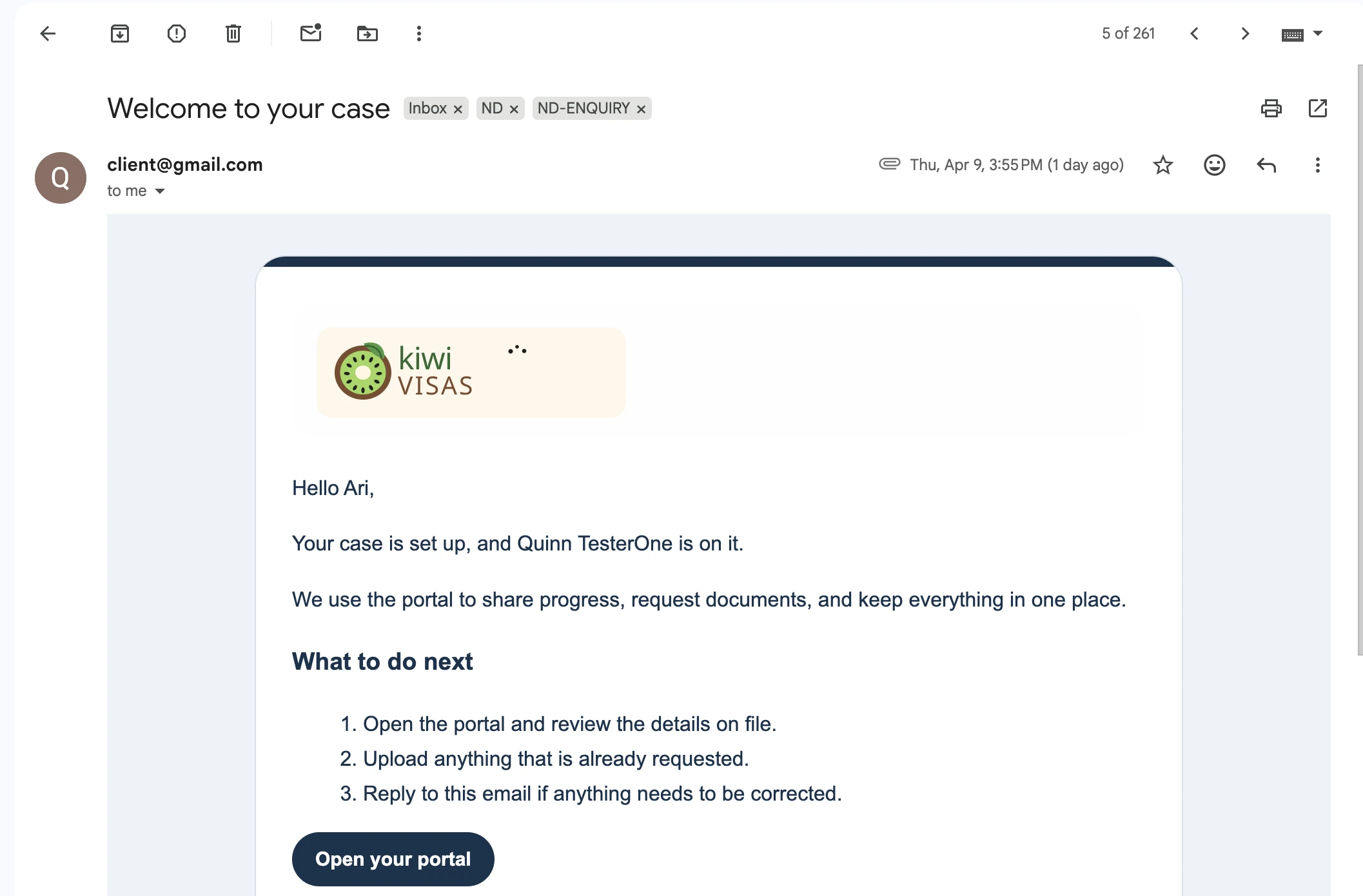
The experience starts before they log in.
Clients move from your email into the portal without the experience feeling disjointed or improvised.
Whether they are reading the invite in their inbox or checking progress in the portal, it stays clear and consistent.
When the email and portal match, the practice feels more professional from the start.
Matter help
See how Matter works, step by step.
The Matter help centre shows the exact screens for workspace setup, client access, document reminders, and outgoing email.
Get started with Matter
Set up your workspace and open your first case.
Open guideGive a client access
Share a document group through the client portal.
Open guideSchedule document reminders
Set up automatic follow-up for outstanding requests.
Open guideConnect your outgoing mailbox
Send case email from your business address.
Open guideQuestions firms ask
What the client portal changes in practice.
Why is this better than handling everything by email?
Email threads bury files, repeat the same questions, and make progress hard to read. The portal gives clients one place to upload, check status, and act on what you asked for.
Does it still feel like our practice?
Yes. The portal and welcome flow stay branded to your firm, so clients are not thrown into a generic experience that weakens trust right after engagement.
How does it help the internal team?
Better client experience means less admin. Fewer status emails, cleaner document intake, and a clearer handoff into the agent portal where your team keeps the file moving.
Give clients a clear place to keep up with their case.
Your clients deserve a portal that feels modern and easy to use while your team keeps the file moving without the usual status-chasing and attachment chaos.