Available Available since April 2026

A client portal branded as your firm

Your clients get one secure place to upload documents, see where their case is up to, and read your updates, and it carries your firm's name, colours, and logo from the first invite onward.

Clients stop chasing you through email, and the portal they log into looks like your firm, not a tool you bought.

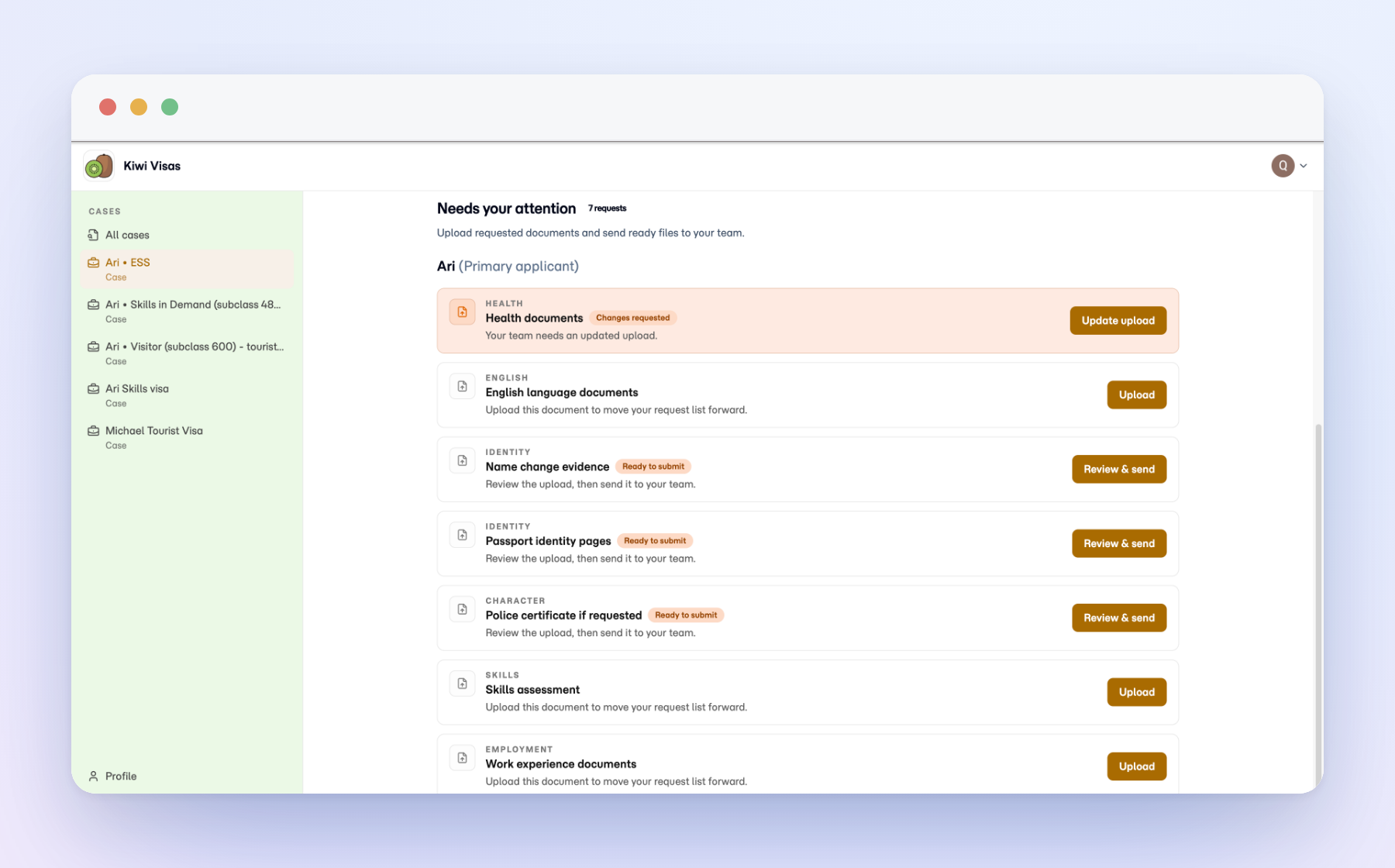
Matter client portal showing case progress and requested documents.

One place for clients to do their part

The client portal gives clients a secure home for the matter. They see the active work, upload the documents you requested, and read your updates, all without digging through a long email thread. It runs in the browser, so there is no app to install.
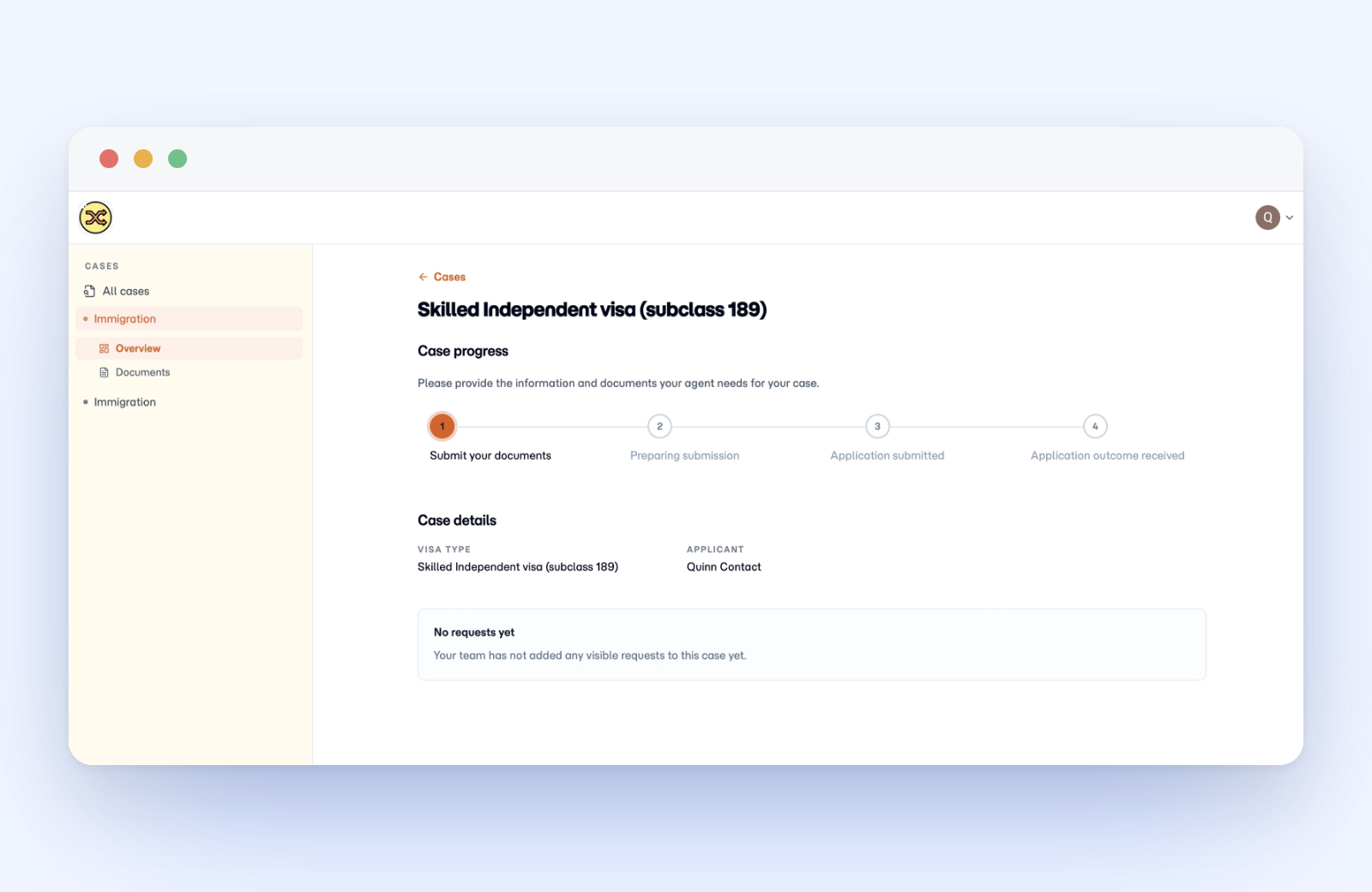
Client portal case overview for a Skilled Independent visa, showing a four-step progress tracker, case details with visa type and applicant name, and a panel noting no document requests yet.

Your firm’s brand, not ours

You control the branding clients see when they are invited in, from the portal name to the look of it. The portal feels like an extension of your firm, which is what clients expect when they are handing over passports and financials.
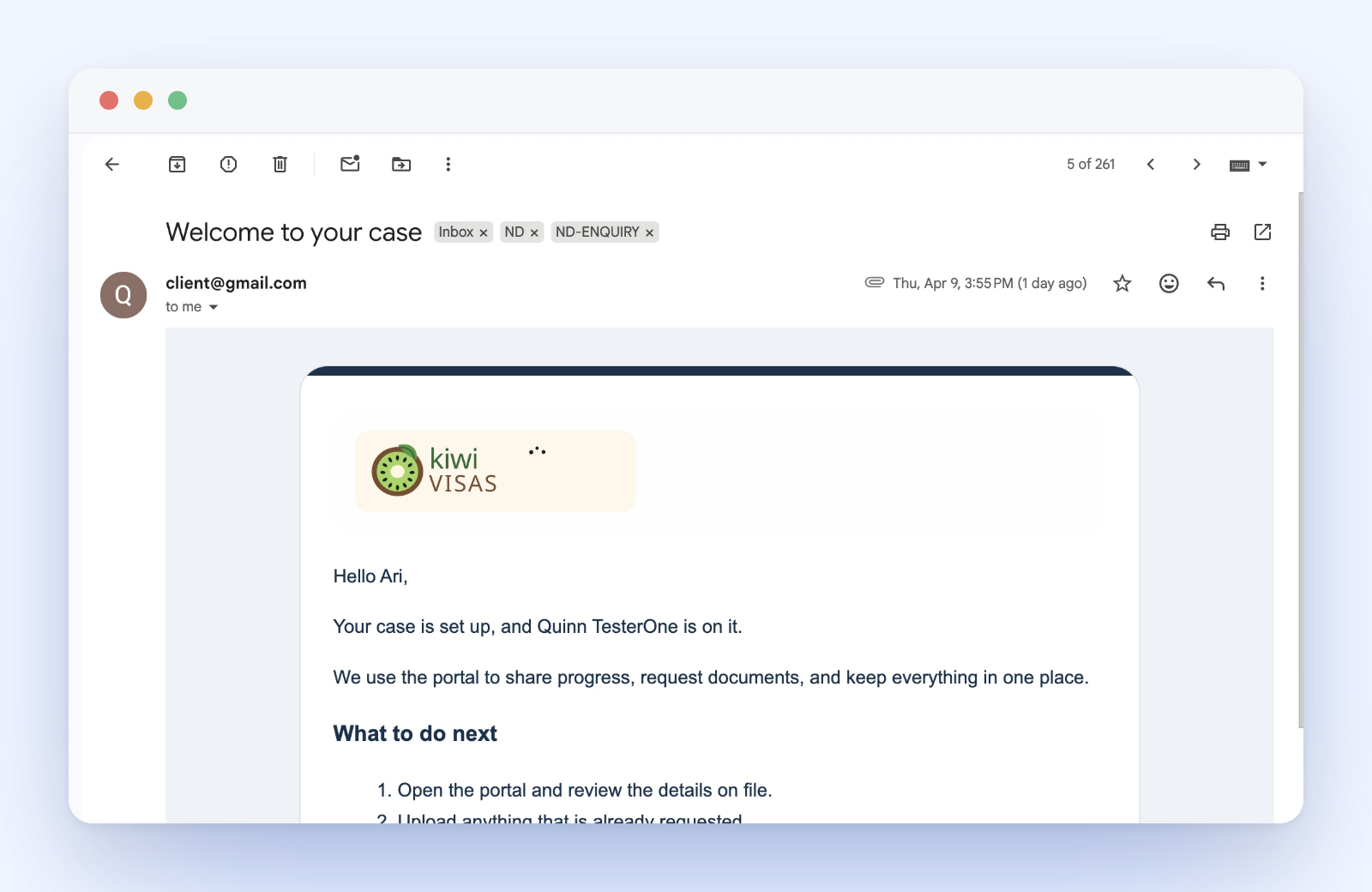
Welcome email opened in Gmail with the Kiwi Visas logo, a greeting to the client, a short note about using the portal, a What to do next list, and an Open your portal button.

Staff keep the file, clients see their tasks

Staff work from the agent portal and hold the full operational record. Clients see the connected portal with the parts that are theirs to complete. That split keeps sensitive case work on your side while giving clients a clear, uncluttered view of what to do next.

A visa client opens the portal, sees the current document request, uploads passport scans and supporting evidence, and checks what is still outstanding before contacting their agent.

Questions

Will clients see our brand or Neudash's?

Yours. You control the portal name, colours, and logo, so the portal reads as an extension of your firm from the first invite, not as a third-party tool.

Do clients have to install an app or set up a new account?

No. The portal runs in the browser. Clients open it, see the work that is theirs, and upload what you asked for.

Can clients see our internal notes or other clients' cases?

No. Staff work from the agent portal and hold the full record. Clients see only the parts of their own case that are theirs to complete.

See how Matter handles client document work.

Review the product overview, then decide which capabilities matter most for your practice.