Uploaded does not mean accepted
Clients can upload the wrong document, an unclear scan, an outdated version, or a file that only answers part of the request. Matter separates the upload from the review step, so a submitted file can wait for staff approval before the request is treated as complete.
That gives the practice a clean handoff: clients send what they have, staff review it in context, and the final request status reflects an actual decision.
See what needs a decision
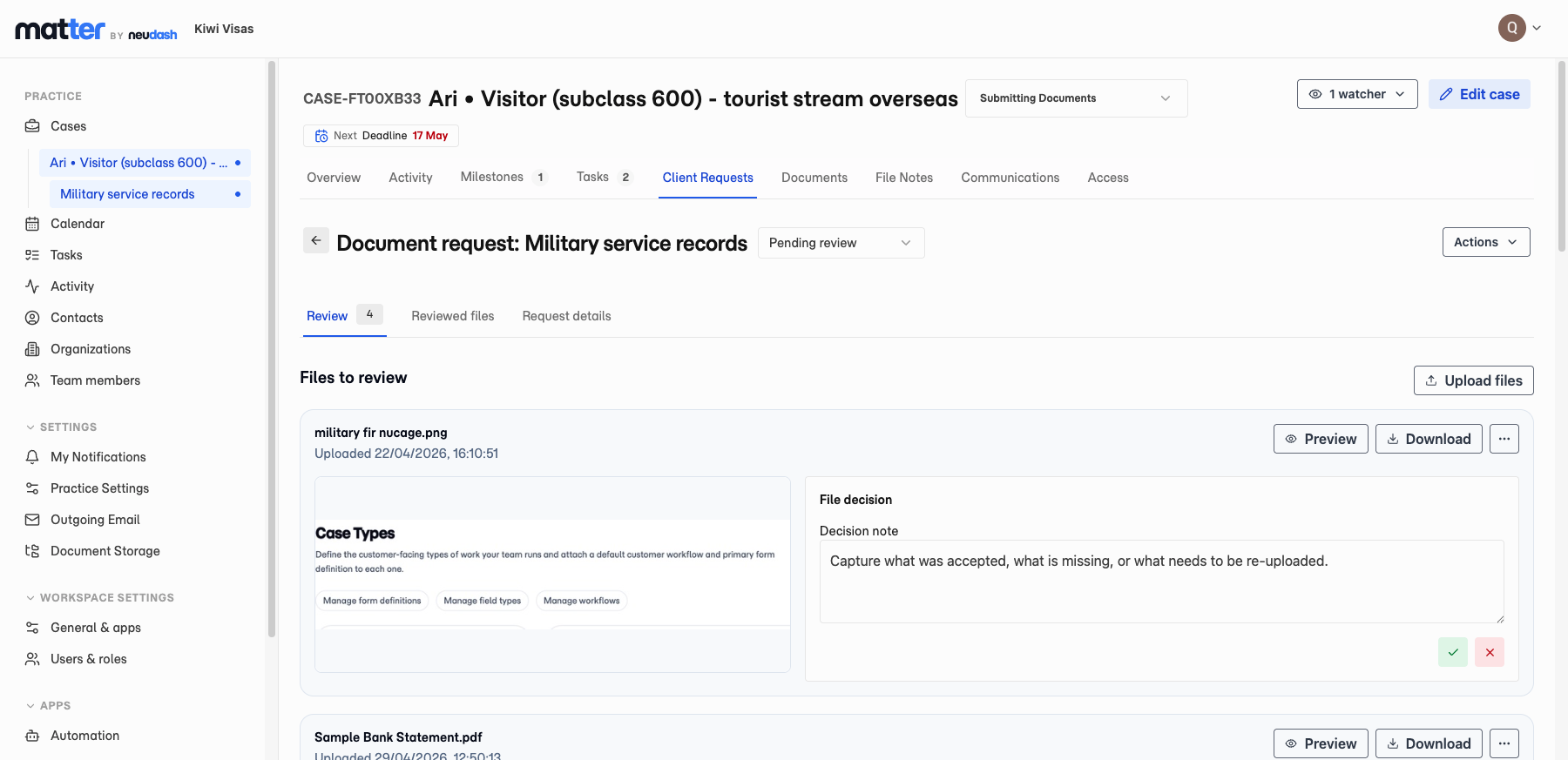
The case request list shows document requests that are pending review alongside the items still waiting on the client. Staff can open the request from the case, preview the files attached to that request, and keep working from the same matter record.
Make a decision on each file
Inside the review tab, staff can preview or download each submitted file, mark it accepted or rejected, and add a decision note. If one upload is not good enough, the reviewer can record why instead of starting another email thread.
When the file review is finished, staff finalise the request. They can complete it when the evidence is accepted, or return it to the customer with a note explaining what needs to change.
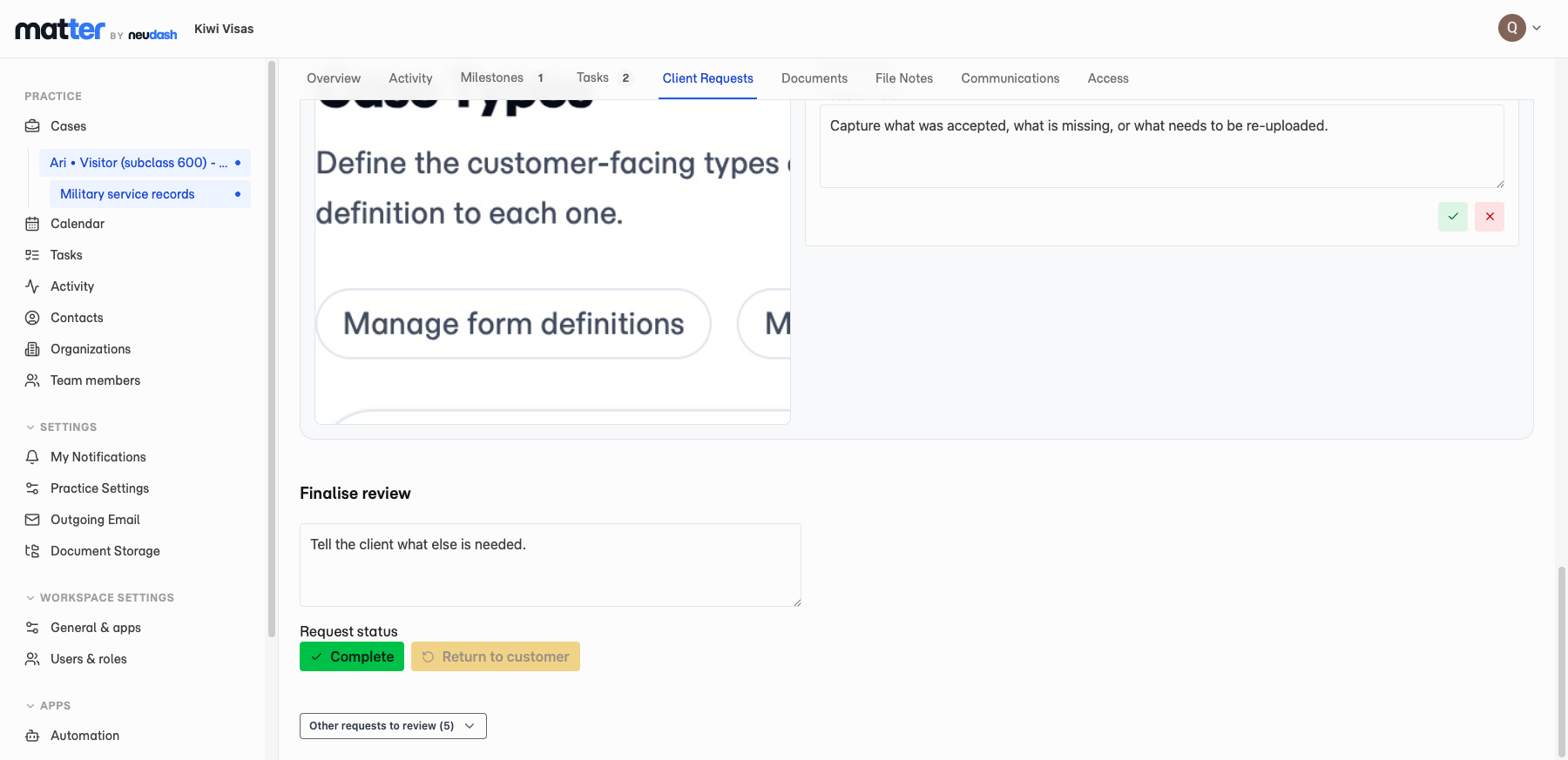
Keep the client feedback attached to the request
If changes are requested, the client sees the feedback against the same request in the portal. They can see which upload was not accepted, read the note from the team, and upload a corrected version without losing the context of the original ask.
The practical result is less back-and-forth. Staff no longer have to remember which files were reviewed, which ones were unclear, or what was said to the client last time.
Keep a cleaner case record
Matter records the request status, file review decision, reviewer note, reviewer, and review time. Accepted documents and change requests also appear in the wider matter activity and notification flow, so the review step becomes part of the case history instead of a private inbox trail.
Domain examples
Migration practices can use document review for passports, police certificates, relationship evidence, financial records, health checks, and identity documents. Tax, legal, and accounting teams can use the same workflow for identification, receipts, authorities, source documents, signed records, and supporting evidence.
Limits and availability
Document review workflow is available now for Matter document requests. Staff still decide whether evidence is clear, complete, and acceptable for the matter. Matter records the review state; it does not decide whether evidence satisfies a department, court, counterparty, or professional standard.