Add or change a client email address
Save the email address Matter uses for the client's portal access and document reminder emails.

Written by Michael Ruflin
Matter product guide · Published
Before you start
- The client has a contact record in Matter.
1. Find the contact
Open Contacts and find the client's contact record.
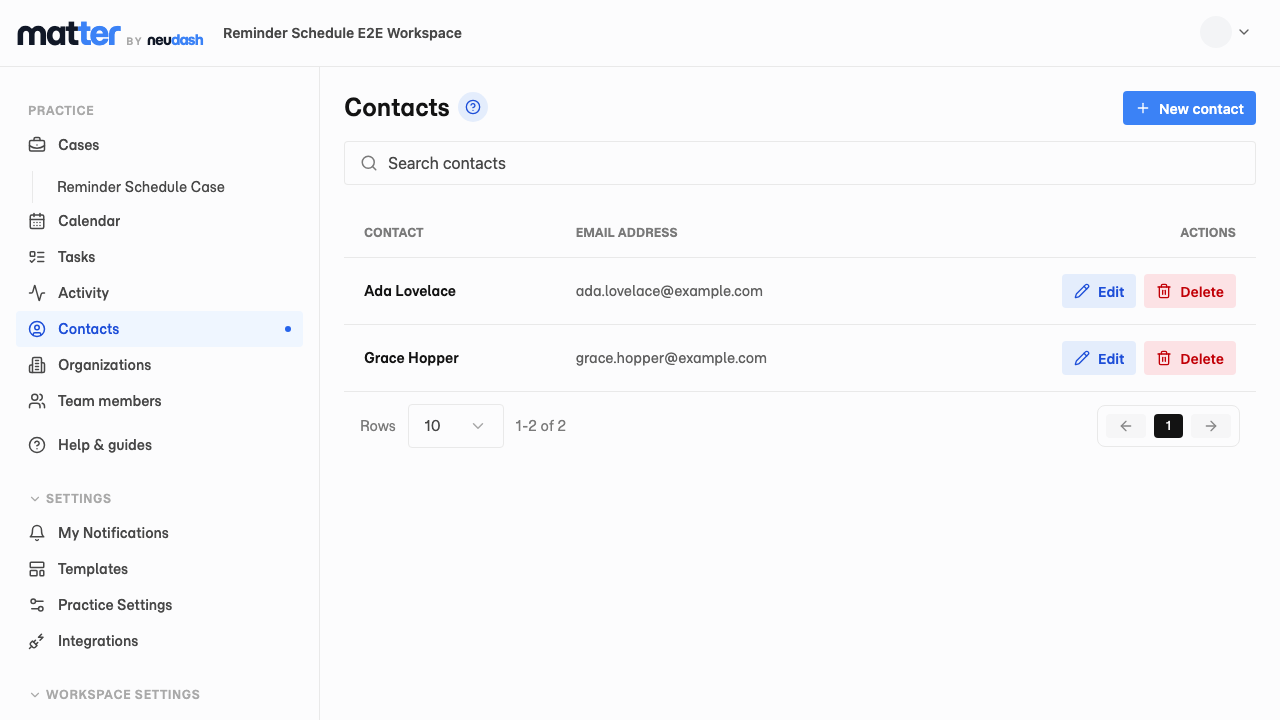
- 1 Select Contacts
- 2 Find the client
- 3 Select Edit
2. Enter the email address
Add or replace the email address saved for the client.
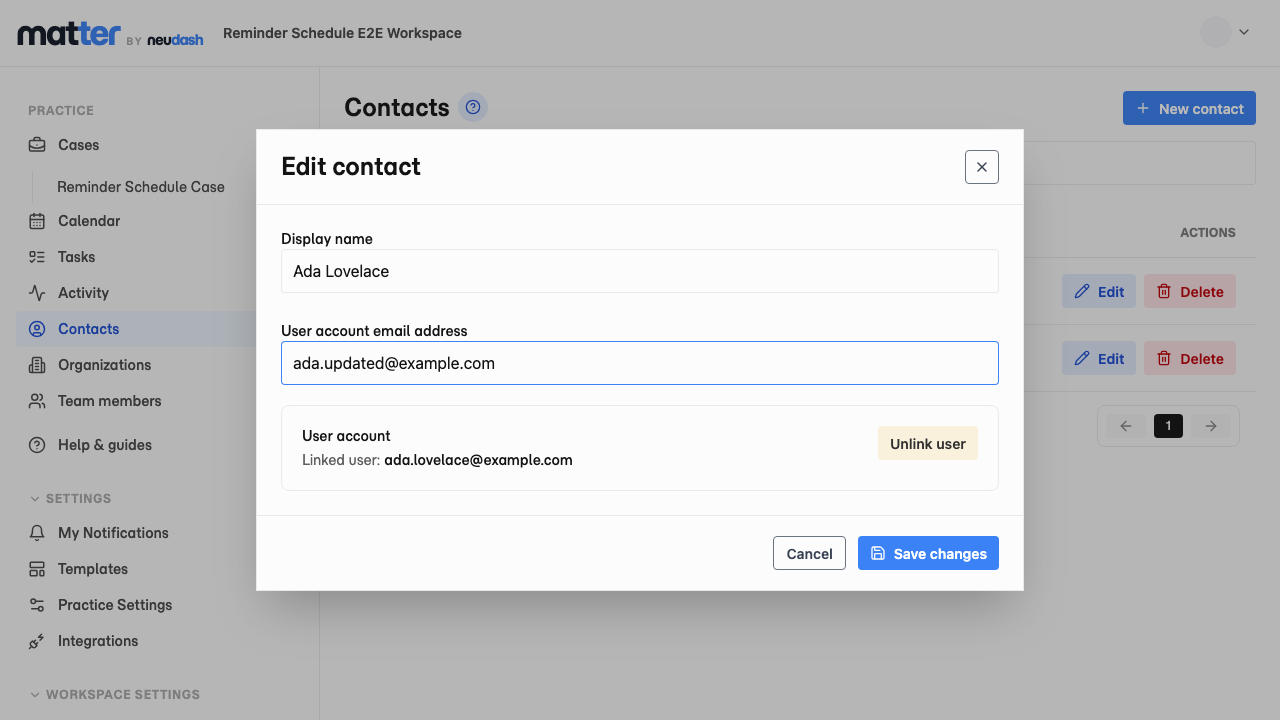
- 1 Enter an address under User account email address
- 2 Select Save changes
3. Confirm the email address
Confirm that the new email address appears beside the client.
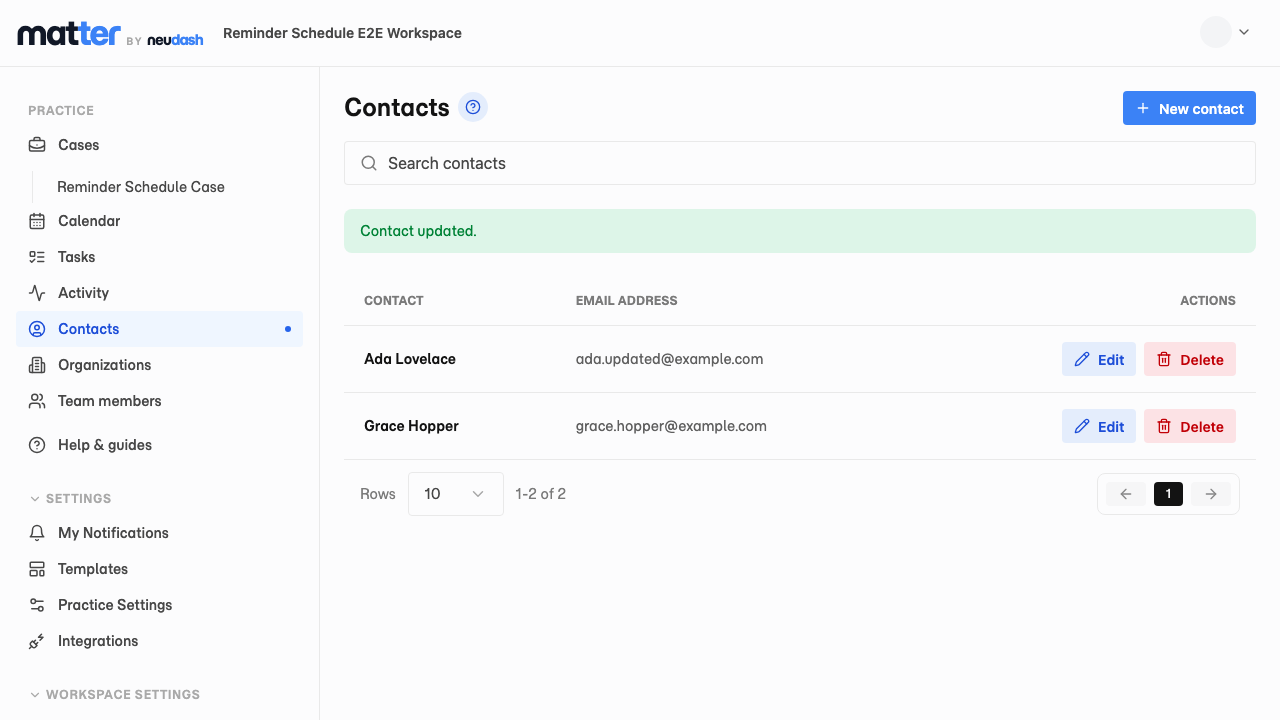
- 1 Check the saved email address