Skip to content

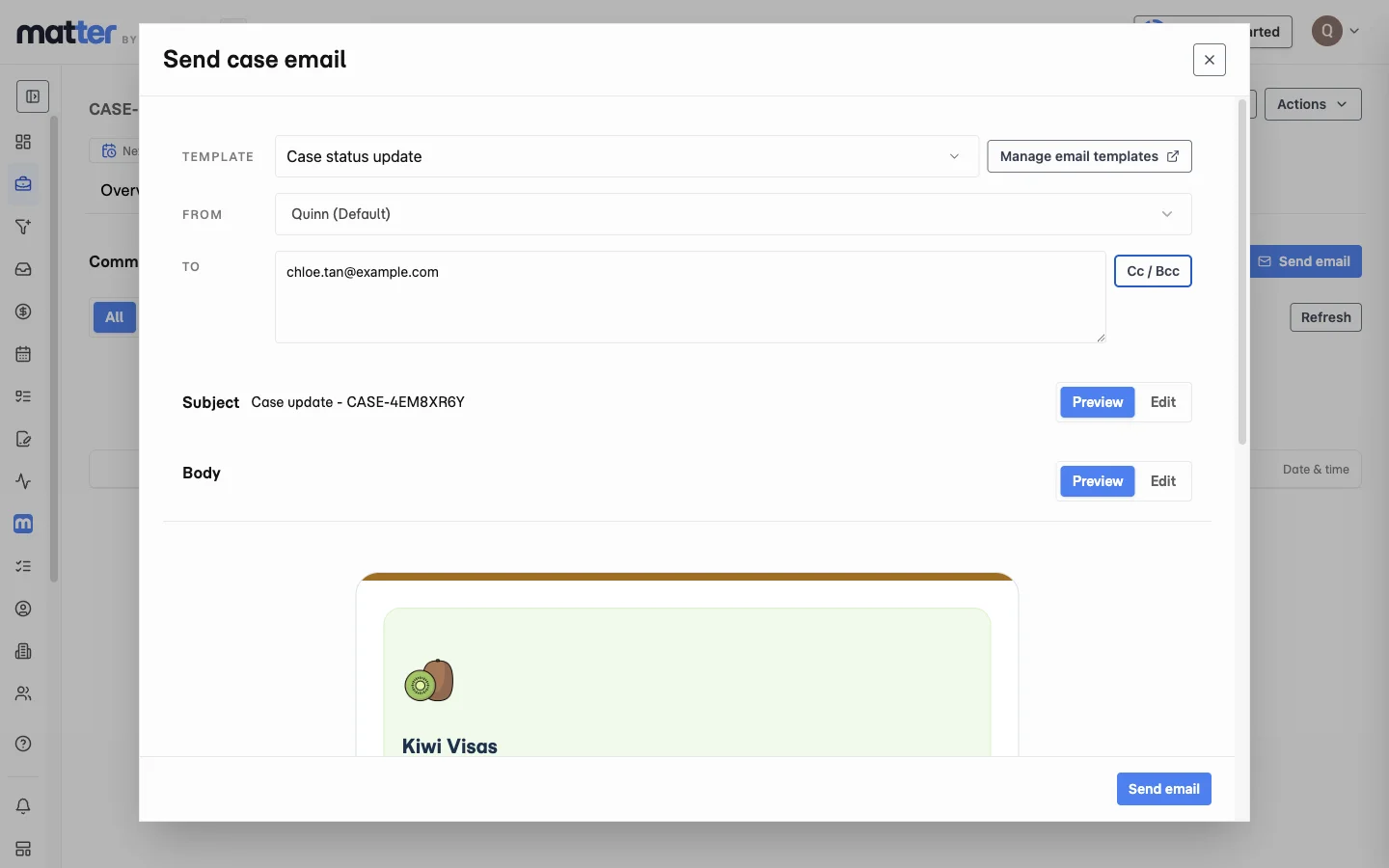
Gmail and Outlook email, connected to the case

Connect Gmail or Outlook, send branded client emails from the case and keep correspondence linked to the work.

Try Matter free
Case email composer with a status-update template, sender, recipient and branded preview.

Connect the practice mailbox

Connect Gmail or Outlook before staff send client email from a matter.

Follow the mailbox setup guide

Connect the account you use

Connect Gmail or Outlook for outgoing email. Keep practice branding consistent in the emails clients receive.

Write in the context of the case

Send a client update while you are looking at the matter. Keep the message connected to the case that prompted it.

Follow up on outstanding work

Send an update from the case or use scheduled reminders for outstanding document requests.

Frequently asked questions

Does this replace our practice inbox?

No. Case email keeps client updates tied to the matter while your team still uses its normal inbox for general email. It covers sending updates from the file, and two-way inbox sync and automatic classification are separate features.

What does the client receive, a Matter message or a normal email?

A normal, professional email. The difference is on your side, where the message stays linked to the matter, so follow-up, handover, and review are easier later.

Put your next case
in

Try the client portal, document requests and form preparation with a case of your own.

No credit card required.