Work on Mac, Windows or mobile.
Matter opens in your browser on computers, tablets and phones. Migration Manager’s staff application requires a Windows installation and compatible hardware.
Explore Matter on your devicesChoose Matter for a migration practice that works across Mac, Windows and mobile. Get the client portal, case work, supported forms and billing together, with unlimited free support staff seats and no setup fee.
Explore MatterMatter opens in your browser on computers, tablets and phones. Migration Manager’s staff application requires a Windows installation and compatible hardware.
Explore Matter on your devicesEvery Matter Immigration plan includes unlimited free support staff seats. Migration Manager limits simultaneous users to the number of licences held.
Explore Matter for your teamMatter has no setup fee and includes every feature on every plan. Migration Manager publishes a $900 professional fee alongside its subscriptions.
See what’s included in MatterFrom the first enquiry to the final outcome, manage your client work in Matter. Keep consultations, agreements, case preparation, lodgement and billing connected.
Compare how your staff access the system, what clients can do and how the work stays connected. Both products cover core migration-practice workflows.
| Practice need | matter | Migration Manager |
|---|---|---|
| Staff access and devices | Browser access on Mac, Windows, tablets and phones. No local workstation installation. | Windows desktop application. No native macOS app. Minimum requirements include 16 GB RAM and 20 GB free local disk space. |
| Team licensing | Plans include RMA seats and unlimited free support staff seats. Each additional Standard RMA seat adds 20 new cases per month. | Installation on multiple computers is allowed. The number of people using it simultaneously cannot exceed the user licences held. |
| Client portal | Your branded portal with access controls, document requests, questionnaires and shared case progress. | Branded client portal with questionnaires, document exchange, encrypted messages and application updates. |
| Documents and follow-up | Scheduled reminders for missing documents. Review each uploaded file, accept or reject it with notes, and return requests for changes. | Client uploads download to the matter. Snapshot alerts staff to new documents; the portal can update clients when tasks are completed. |
| Forms and lodgement | Fill supported Department PDFs, including Form 80 and Form 956, and ImmiAccount drafts. Immi auto lodge submits one or more applications from a case. | Department PDF filling and eLodge automation for supported online applications. Published workflows include ImmiAccount, VEVO and ART. |
| Letters and agreements | Built-in templates, PDF and DOCX import, practice branding, reusable service agreements and electronic signatures are included. | Supports template creation and document merging. The professionally maintained MM Templates library is a separate paid service. |
| Billing and case records | Case notes, email, invoices, receipts, client payment records, Xero integration and automatically generated statements of service. | File notes, captured email, client accounting, invoices, statements of service, financial reporting and Xero integration. |
| Storage and backup | Backup to Google Drive or OneDrive storage owned by your practice. | MM Cloud installations require a continuously syncing file-storage service. Supported services include OneDrive, Google Drive for desktop and Dropbox. |
| Security evidence | Access controls and encryption in transit and at rest. CASA Tier 3 certification, with independent manual testing across all 14 OWASP ASVS categories. | Publishes ISO 27001 certification, encryption in transit and at rest, and independent security reviews including penetration testing. |
A client sends a passport through a branded request. Your team reviews the upload, returns it with notes if needed, and uses approved case information in supported forms.
Documents, file notes, tasks, email, invoicing and statements of service stay connected to the case. Your practice controls client portal access.
See Matter in action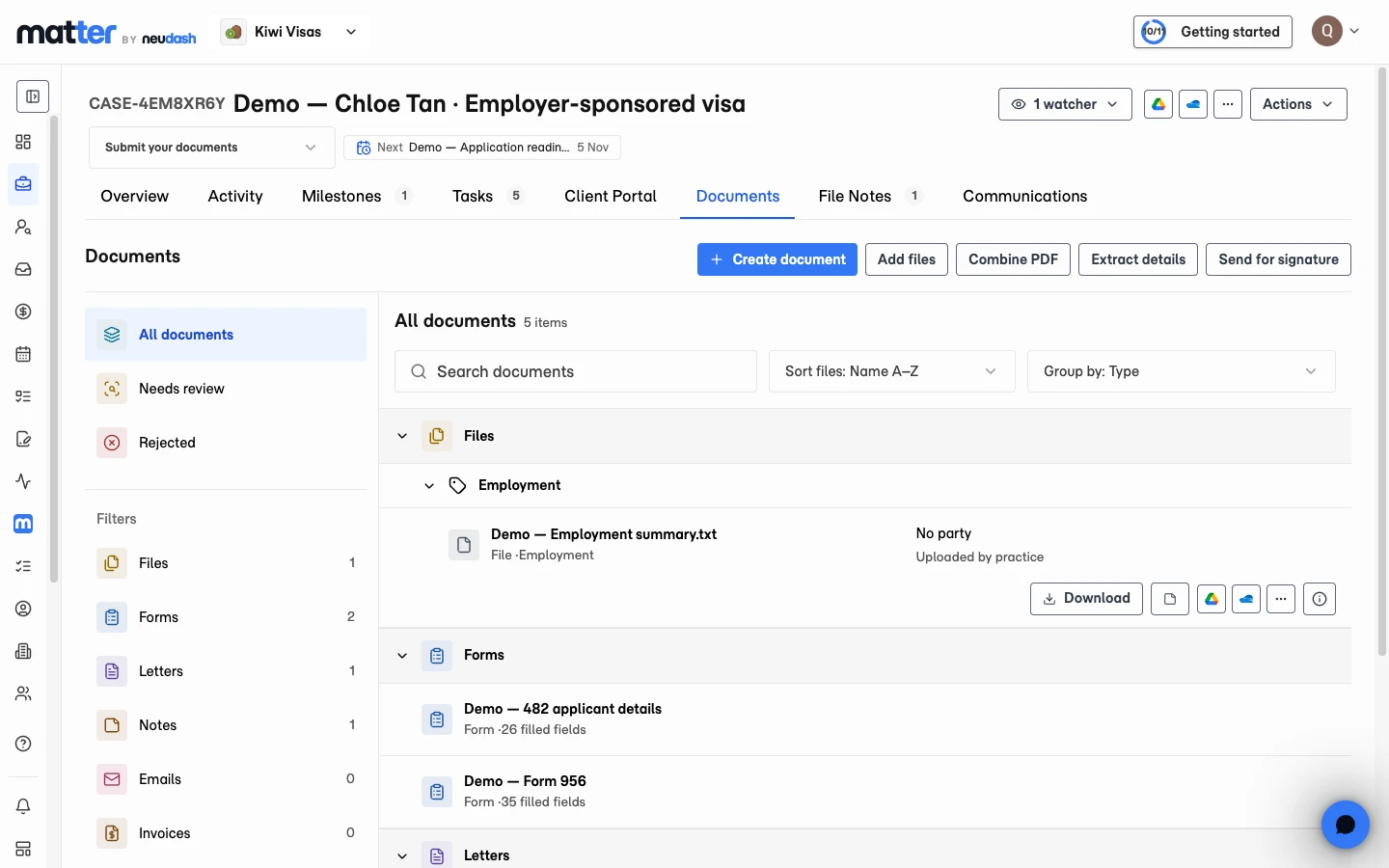
You can retain your client process, branding and existing letters. Matter includes white-glove migration support.
Explore moving to MatterChoose the Google Drive or OneDrive folder containing your Migration Manager documents.
Matter scans the folder and suggests contacts, organisations and cases. Review the suggestions before importing.
Import active cases and retain links to historical cases. Convert existing PDF and DOCX letters and service agreements into reusable templates.
Matter is a strong choice for Australian registered migration agents who want browser access on Mac, Windows and mobile, unlimited free support staff seats and no setup fee. It includes CRM, case management, client portals, document review, supported forms, Immi auto lodge, billing and Xero integration. Check the specific applications and specialist workflows your practice uses before switching.
Matter is a browser-based practice platform. Migration Manager uses an installed Windows staff application with cloud-connected services. Both provide client portals, case records, Department forms and application workflows. Staff access, licence structure, setup costs and your specific workflow requirements are the useful differences to compare.
Matter Starter is A$129 per month with 1 RMA seat and 5 new cases per month. Standard is A$249 per month with 1 RMA seat and 20 new cases per month. Both include all features and unlimited free support staff seats, with no setup fee. Migration Manager publishes $339 per licence per month for 12 months or $259 for 24 months, plus a $900 professional fee, excluding GST. Rates were checked on 29 October 2026; plan allowances differ.
No. Migration Manager’s staff application is Windows-based and has no native macOS app. Matter runs in a browser on Mac, Windows, tablets and phones without installing a workstation application.
Its published end-user agreement allows installation on multiple computers. The limit is on simultaneous users: the number of people using the software at one time cannot exceed the user licences held. Matter includes unlimited free support staff seats alongside its RMA seat allowances.
Yes. Matter fills supported Department PDFs such as Form 80 and Form 956, and supported ImmiAccount drafts, from approved case data. Immi auto lodge submits one or more applications from a case. Review your application details and confirm coverage for the forms and applications your practice uses.
Yes. Connect the Google Drive or OneDrive folder containing your Migration Manager documents. Matter scans the folder and suggests contacts, organisations and cases for review before import. You can import active cases and retain links to historical cases. White-glove migration support is available.
You can retain your client process, branding, letters and agreements while bringing the work into Matter. Existing PDF and DOCX letters and service agreements can become reusable templates. Review a familiar active case during setup and confirm the records, forms and integrations your team needs.
Both publish security evidence. Matter holds CASA Tier 3 certification based on independent manual testing across all 14 OWASP ASVS categories. Migration Manager publishes ISO 27001 certification and independent penetration testing. These assessments have different scopes; they do not establish a comparative security ranking.
Work across your devices. Include your support team. Keep the client experience and case work together.
Discover Matter