Available Available since June 2026

Task templates for every case type

Build a set of tasks once for a case type, with default assignees, deadlines, and reminders, then apply it to any case in one step.

A new case starts with the right tasks, owners, and deadlines already in place.

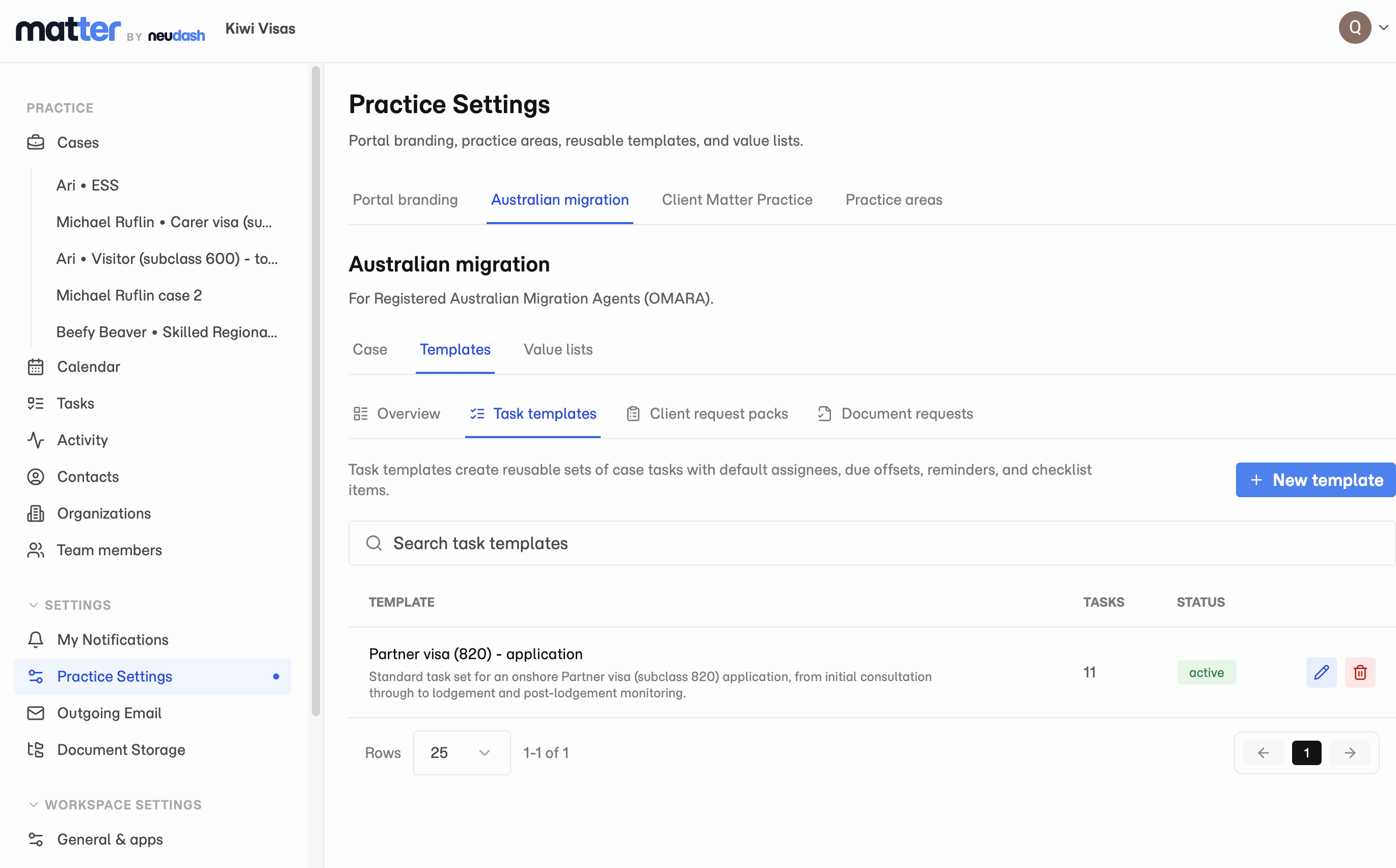
Matter task templates showing a reusable task set ready to apply to a case.

Stop rebuilding the same task list every time

A task template captures the steps for a whole case type once. Instead of recreating the same checklist every time a Partner visa 820 or a new tax return comes in, you apply the template and the case opens with the steps already laid out. Build as many templates as your practice runs, one per matter type.

Every task lands on the right person, already scheduled

Each task in a template can carry a default assignee, a deadline, and reminders, so the work lands on the right person with the right timing the moment the template is applied. The setup happens once, in Practice Settings, and pays off on every case after.
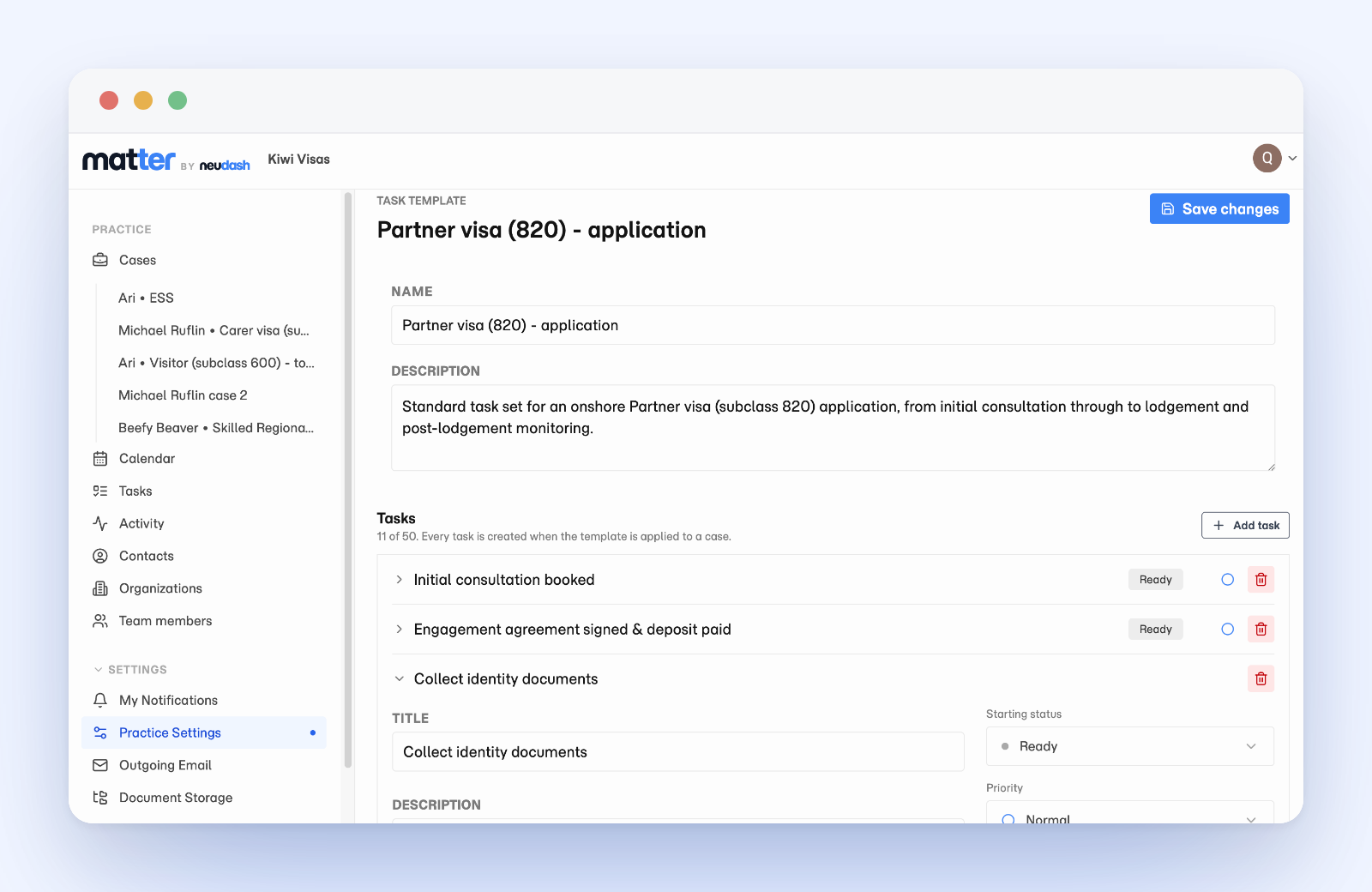
A single Matter task template open in Practice Settings, listing its tasks with starting status, priority, and default assignee for each step.

Apply it and the case starts populated

Apply a template when you open a new case or to one that already exists. Its tasks appear on the case ready to assign, track, and escalate like any other task, each with its owner, due date, and reminders already set. From there the work behaves exactly like normal case tasks, on the board and in the list.

Questions

Can I apply a template to a case that already exists?

Yes. Apply a template when you open a new case or to one already underway, and its tasks appear on the case ready to assign and track.

Does a template just create a checklist, or set owners and dates too?

Each task in a template can carry a default assignee, a deadline, and reminders, so the work lands on the right person with the right timing the moment you apply it.

Can I still change the tasks after a template is applied?

Yes. The tasks behave exactly like normal case tasks, so you assign, reschedule, escalate, or edit them per matter. A template is a starting point, not a lock.

See how Matter handles client document work.

Review the product overview, then decide which capabilities matter most for your practice.