Available

Runs on schedules, triggers, or on demand

Workflows run on a schedule, on an event trigger, or on demand, without someone babysitting them.

The work runs when it should, whether or not anyone is watching.

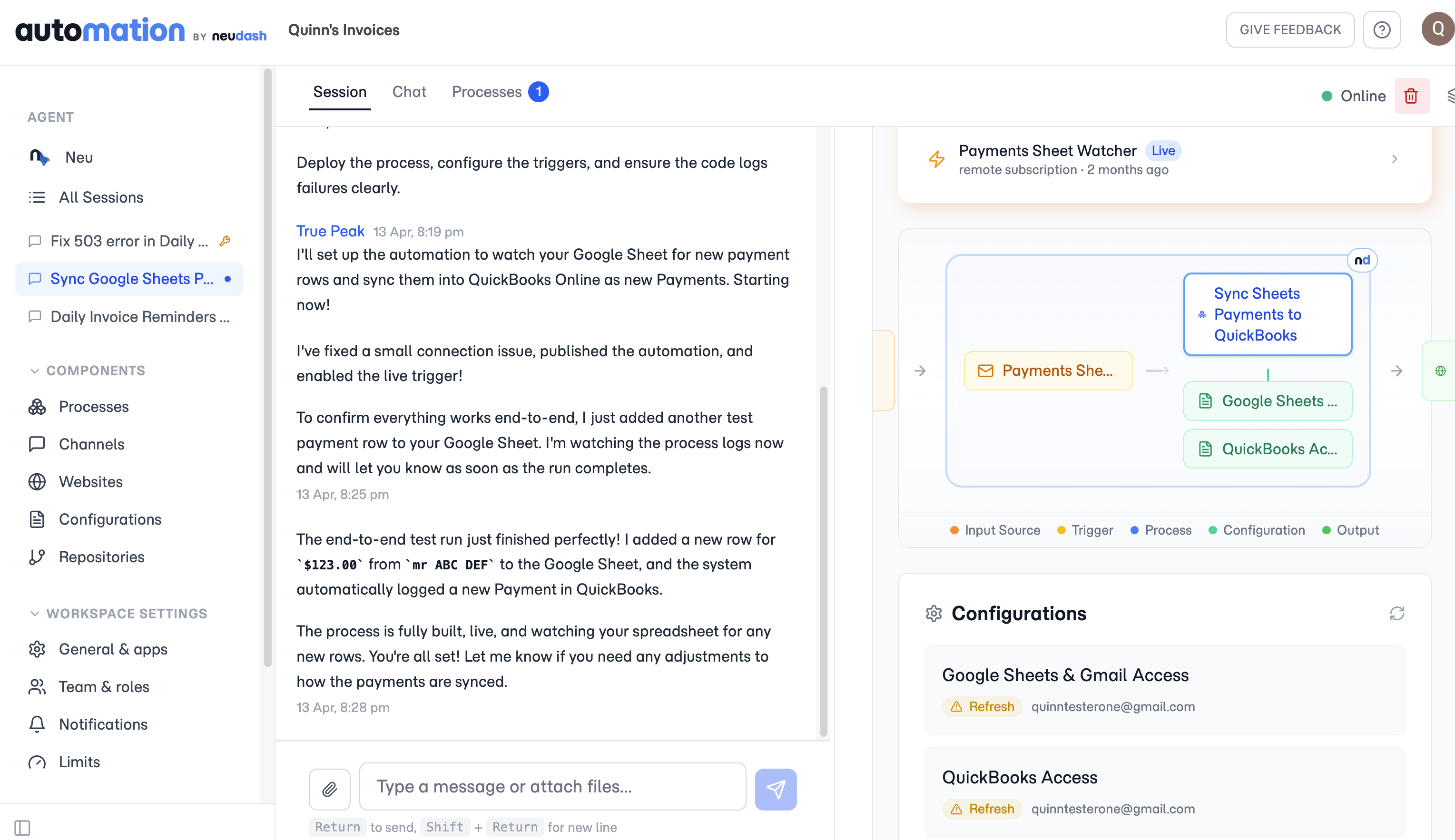
A live Neudash process watching a Google Sheet and logging each new payment into QuickBooks as runs complete on their own.

Pick how each workflow starts

A workflow can run on a clock, so the Monday morning report goes out before anyone logs in. It can run off an event, like an incoming webhook the moment a form is submitted or an order lands. And you can kick one off by hand when you just need it now. The same workflow can use whichever fits, and switch as the work changes.

A failed run repairs itself instead of stalling

A schedule or trigger only helps if the work still completes when no one is minding it. If a run hits a routine failure, auto-fix steps in, repairs it, and reruns, so the work finishes instead of sitting until someone notices.

Questions

Can one workflow run on a schedule and also on demand?

Yes. The same workflow can run on a clock, fire off an event like an incoming webhook, or be started by hand, and you can switch how it starts as the work changes.

What happens if a run fails when no one is watching?

It does not sit there stalled. If a run hits a routine failure, auto-fix repairs it and reruns, so the work finishes instead of waiting for someone to notice.

See what Neudash automates for your business.

Start with the product overview, then decide which capabilities fit the work you want off your plate.