Available

Build workflows in plain language

Describe the workflow you want in plain language. Neudash writes it as real code and uses AI inside the workflow only where reasoning helps.

Workflow logic as specific as you can describe it, without wiring a flowchart or babysitting a prompt.

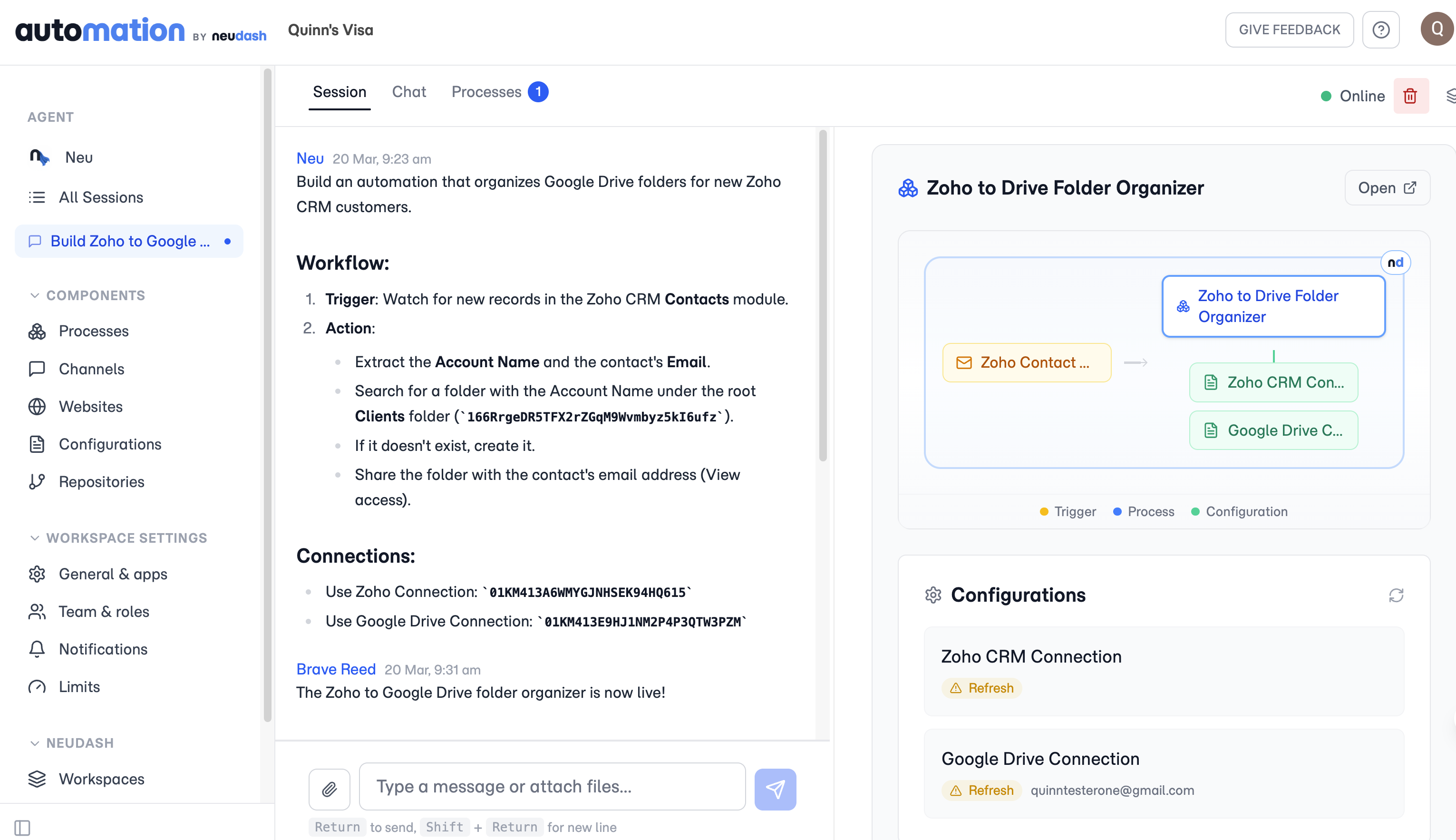
A Neudash session turning a plain-language request into a defined workflow with a trigger, actions, and connections.

Plain language in, working code out

Describe the work in plain language, the rules, the inputs, the edge cases, and Neudash writes it as a workflow in code. There are no nodes to wire and no flowchart to maintain. Review what it built and refine it by saying what to change.

As specific as you can describe it

Because the workflow is code rather than a fixed set of blocks, you can be as precise as your description: routing rules, validations, approvals, exception handling. AI runs inside the workflow only where reasoning, extraction, classification, or drafting helps, not on every step for its own sake.

Questions

Do I need to know how to code?

No. You describe the outcome and the rules in plain language, Neudash writes the workflow as code, and you refine it the same way, by saying what to change.

How is this different from a flowchart or node builder?

A flowchart builder limits you to the blocks it ships. Because Neudash writes your workflow as code, you can be as precise as your description, including routing rules, validations, approvals, and exception handling that a fixed set of blocks cannot express.

Does AI run on every step?

No. The workflow runs as code. AI handles only the steps that need judgment, like reading a messy document or classifying a request, so runs stay predictable.

See what Neudash automates for your business.

Start with the product overview, then decide which capabilities fit the work you want off your plate.