Break a case into the steps it takes, assign them across your team, set due dates, and escalate when something needs review, all attached to the case.
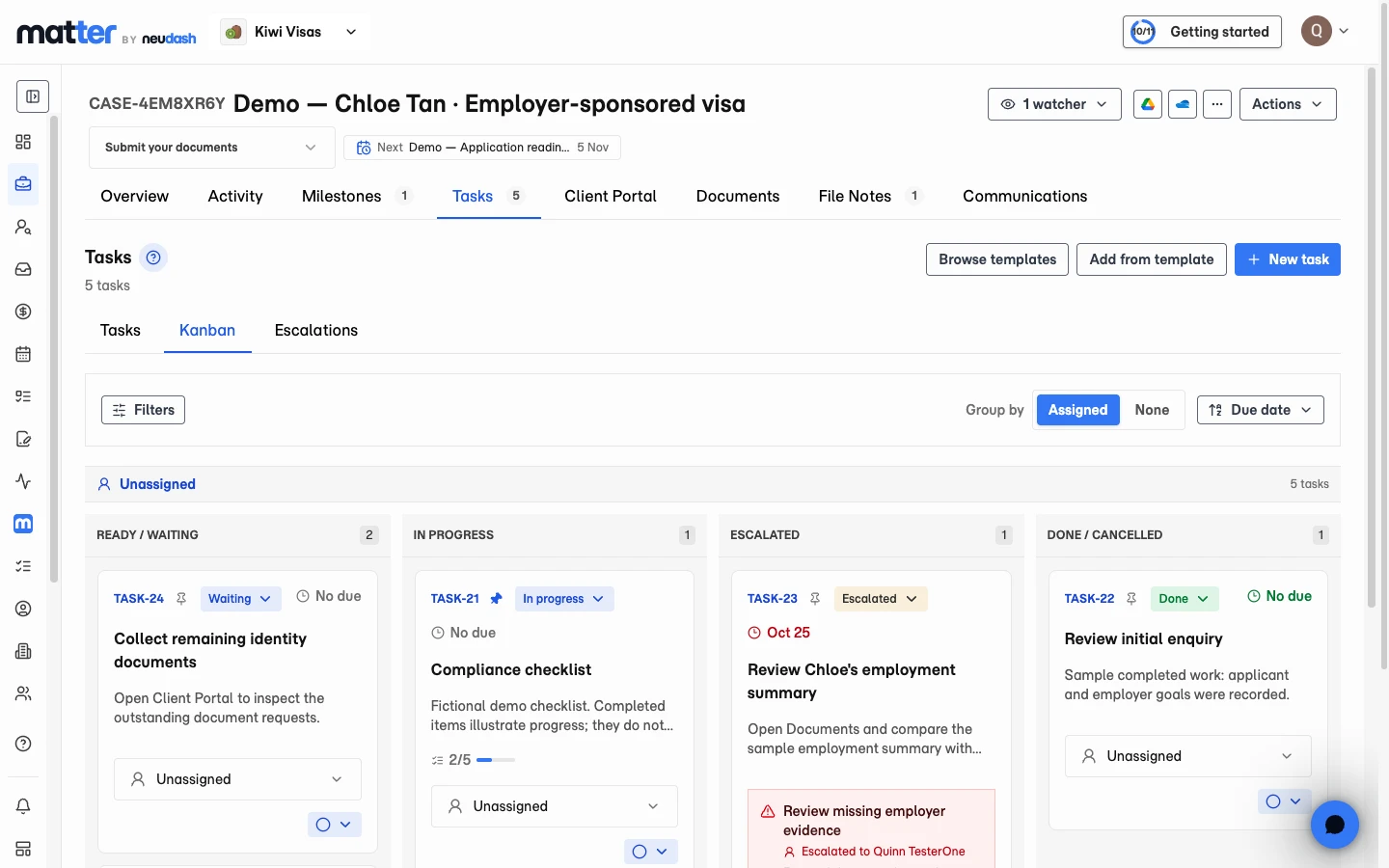
Try Matter free The task board for the fictional Chloe Tan case, grouped by task status.
Every step lives on the case, not in someone’s head
Open a matter and the work is right there: who owns each task, what is due when, and where it sits. Nothing hides in a private to-do app or a side thread, so when a step moves between people it moves with the file instead of getting re-explained.
See the whole board, or just your lane
Switch any case to Kanban when you want the bigger picture. Tasks line up in columns by stage, from ready and in progress through escalated and done. Group by assignee to see what each person is carrying, and move a card across the moment an item needs to change hands.
The work hands off without forwarding the file
A case opens with the work already laid out when it starts from a template. Staff pick up what is theirs, mark progress as they go, and escalate the one item that needs a second set of eyes instead of forwarding the whole file. Everyone sees the same list and board, so nobody has to ask where something is up to, and due dates surface what is next.
Frequently asked questions
Do we still need a separate to-do or project app for case work?
No. Tasks live on the matter, so the work and the handoffs stay with the file instead of scattering into a disconnected app, and everyone sees the same list and board.
What keeps work from slipping when it moves between people?
Each task has an owner and a due date, and a step that needs review is escalated rather than forwarded as the whole file. Because everyone sees the same board, nobody has to ask where something is up to.
Can I reuse a set of tasks across similar cases?
Yes. Task templates in Templates apply a standard set of tasks, with owners and deadlines, to a matter type in one step.
Put your next case in matter
Try the client portal, document requests and form preparation with a case of
your own.