AI for business
A practical guide to using AI for business productivity
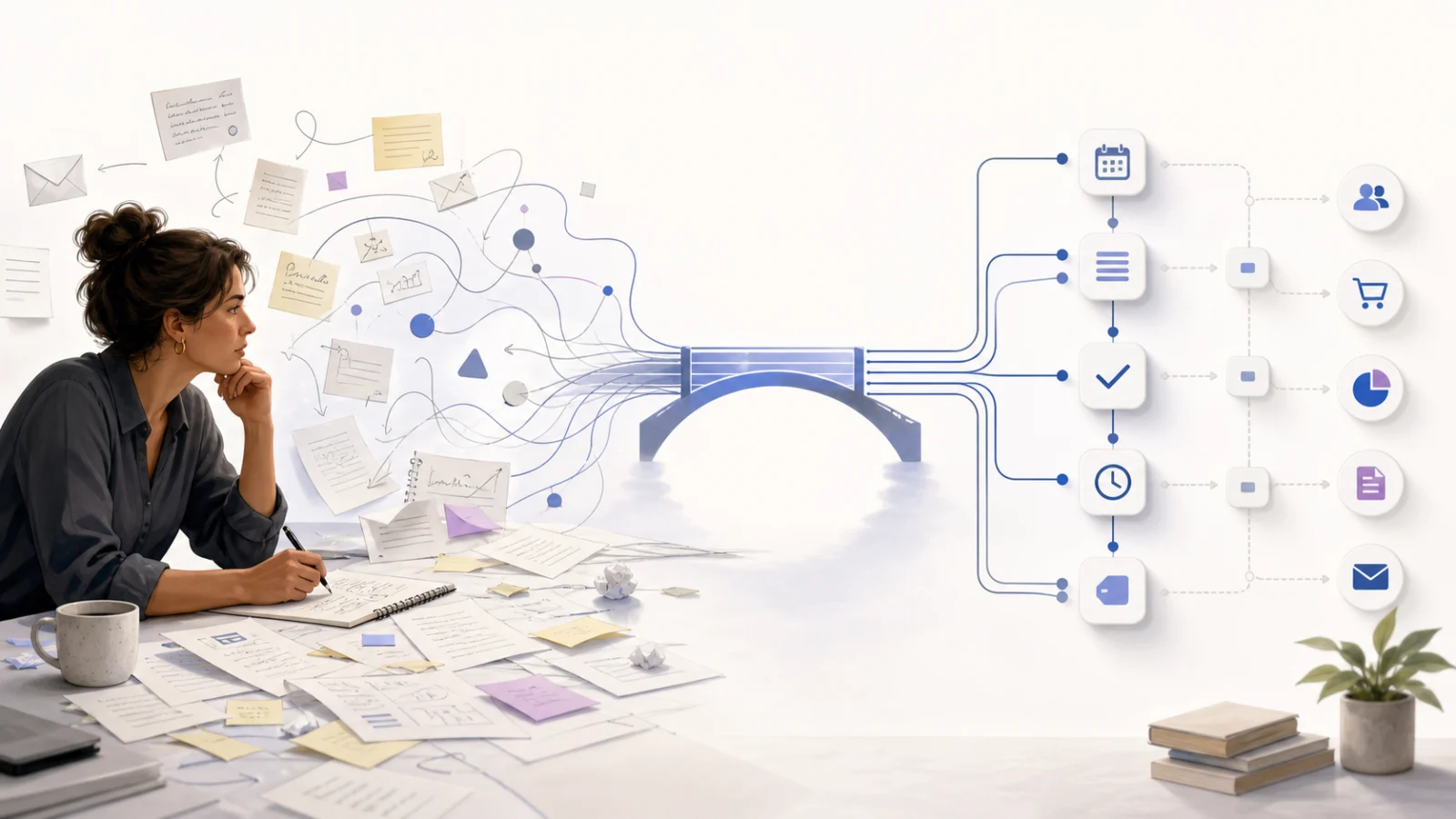
Use AI to work through fuzzy business problems, then turn the agreed process into reliable software that runs the same way every time.

Written by Michael Ruflin
Published Updated
Most business owners start with the wrong question: which AI tool should I buy?
I start with the work. What keeps repeating? Where does the team lose time? Which part requires judgment, and which part should happen the same way every time?
I have spent much of my career building automation, developer tools, and AI products. I also use coding agents heavily in my own work. My rule is simple: use AI for the fuzzy part and code for the part that must be dependable.
AI is a good brainstorming partner. It can help you examine a loose idea, find missing assumptions, and suggest practical options. Once you know what the process should do, plain software is often the better tool. It follows the agreed rules without inventing a new approach on every run.
Use AI as a thinking partner
A business problem rarely arrives as a clean specification. It sounds more like this:
We spend too much time dealing with new enquiries. Some need a quick reply, some need a quote, and some are existing customers. The information is spread across email and a spreadsheet.
That is a fuzzy problem. The owner knows the business, but the rules are still partly in their head.
AI can help turn that experience into something concrete. Use it to brainstorm tactical ideas, question the current process, compare possible approaches, and expose exceptions you have stopped noticing. You can show it examples and correct its understanding as you go.
The practical value is speed. You can work through several possible solutions before asking anyone to build one.
Treat the conversation as working material, not the finished system. AI can be persuasive when it is wrong. The owner still decides which problem matters, what good work looks like, and where a person must stay responsible.
Move from a fuzzy problem to an exact process
After the brainstorming, write down what should happen in normal language.
- What starts the work?
- Which emails, files, forms, or records are required?
- What decisions does a staff member make now?
- Which decisions have a clear rule?
- What should the system create, update, or send?
- What should happen when information is missing?
- Who checks the result?
Use the real process, including workarounds. Procedure documents often describe how work was designed. Staff can tell you how it actually happens.
This step turns a broad ambition such as “use AI in the business” into a testable process. It also reveals where AI is useful and where a normal rule will do a better job.
If the hard part is choosing where to begin, use the guide to choosing a small business’s first automation.
Use code when the answer should not change
Software engineers call a process deterministic when the same input and rules produce the same result. Most business automation should be deterministic once the business has made the decision.
A reminder sent three days before a deadline does not need creative judgment. Neither does moving an approved file, updating a customer record, calculating a due date, or copying an accepted invoice into an accounting system. Code is fast, inexpensive, testable, and consistent at this work.
AI earns its place where the input is messy. It can read an email, interpret a document, classify an enquiry, compare several possible matches, or draft a response from supplied facts.
Good automation draws a hard line between the two. AI interprets. Code controls the trigger, validation, permissions, system updates, and final action. A person approves the result when an error would carry serious consequences.
A shared client inbox example
Suppose a service business receives enquiries, documents, customer questions, and supplier messages in one inbox.
AI can read a new message and suggest what it concerns. Code can then apply the business rules:
- Match the sender to a known customer when the evidence is clear.
- Save the message and attachments in the correct place.
- Create the required follow-up with its due date.
- Ask a person to review messages with an uncertain match or a sensitive request.
- Record what happened so the team can check it later.
The AI does not need freedom over the whole process. It handles the uncertain part. The surrounding software makes the result reliable.
This is a much stronger use of AI than asking a chatbot to draft one reply at a time while staff still copy the answer, move the attachments, update the spreadsheet, and remember the follow-up.
Keep a person responsible
Start with AI assisting a person. Let it prepare a summary, draft, classification, or suggested next step. A person checks the work and completes the action.
Move to automatic action only after the expected result is clear, exceptions can be detected, and mistakes are reversible. Keep explicit human approval for decisions involving legal rights, safety, employment, large financial transfers, or other serious consequences.
The NIST AI Risk Management Framework is useful here. It treats risk as a question of context and possible harm. That is more practical than applying the same rule to every use of AI.
Protect the data before connecting the tool
Before staff enter confidential information into an AI service, find out what data it receives, where the data is stored, how long it is retained, and whether the provider can use it for model training.
Use named accounts, multi-factor authentication, and the minimum access required for the work. Remove access when a person leaves. Keep an activity record for automatic actions that affect customers or business records.
The Australian Cyber Security Centre explains the main risks for small businesses, including sensitive data exposure, privacy duties, and access to connected systems.
Security should shape the design of the process from the beginning. Adding it after every system is connected is expensive and unreliable.
Test the ugly cases
A polished demonstration tells you very little. Test the process with your own work, including the examples staff dislike dealing with.
For an inbox process, include forwarded threads, vague subject lines, attachments, missing customer details, and messages that could belong to two records. For document intake, include the badly scanned file, the phone photo, and the document with an unexpected layout.
Record the expected result before the test. Then record what happened, what a person corrected, whether the exception was detected, and whether the result reached the software where staff already work.
A tool that produces a good answer but leaves the team to copy it into three other systems has improved one task. The rest of the process is still manual.
Measure the work that disappears
Count the work before you change it. Record how often the process runs, how many minutes it takes, how long customers wait, which items are reopened, and how many steps require copying between systems.
Measure the same things after the new process has run in normal work. Include review time and exception handling.
The number of AI requests is not a useful business result. Look for repeated work that disappeared, faster customer responses, fewer missed steps, and a process the team trusts enough to keep using.
How this idea shapes Neudash Automation
This is the design idea behind Neudash Automation. The conversation bridges the gap between the owner who understands the business and the software the business needs.
Neu learns how the business works and remembers the people, tools, processes, and decisions shared in the workspace. You can use that conversation to explore a problem, test ideas, and decide what should change. Neu then coordinates the agents that build and test the process.
The finished process runs as real code on a schedule, after an event, or when someone starts it. AI remains available where interpretation is useful. The process activity, changes, and routine repairs stay visible to the team.
See how Neudash Automation turns a business problem into working software.
About Michael Ruflin
Michael is a pragmatic builder who uses AI and coding agents in his daily work. He writes about using AI to understand fuzzy problems, then turning the result into reliable software that saves real work.
Read Michael Ruflin's profile