AI chatbots help with one-off work
They answer a prompt, then the conversation is gone. Nothing persists, there are no triggers or schedules, and there is no operating layer across your systems.
Why different
Neudash creates running processes that execute on schedules and triggers, self-heal when they break, and keep working whether you are online or not.
Those processes often live in people’s heads across email, spreadsheets, calendars, CRMs, and databases.
Neudash turns that work into documented, automated, self-maintaining code instead of leaving it in a disappearing conversation or a brittle flowchart.
At a glance
Neudash creates running processes that execute on schedules and triggers, self-heal when they break, and keep working whether you are online or not.
Best for
Teams comparing AI chat tools, automation builders, or custom development for recurring operating work across several systems.
Why teams switch
Describe it, AI builds it, and the process keeps running in documented code instead of disappearing in chat or breaking inside a fragile flowchart.
Approaches
AI is good at understanding the problem. Reliable operations still need a process that can run, be reviewed, and recover when dependencies change.
They answer a prompt, then the conversation is gone. Nothing persists, there are no triggers or schedules, and there is no operating layer across your systems.
You drag nodes, wire paths, and repair failures yourself. Logic gets messy fast, connectors stay limited, and the UI constrains your business rules.
Describe the job, let AI build it, and keep the workflow running with schedules, triggers, recovery paths, and logic that is not boxed into a marketplace action list.
It listens to how your business actually works, turns that into documented requirements, and figures out what changed when a routine failure happens.
The workflow runs the same way every time, connects to your systems with encrypted credentials, and can be updated without losing the documented intent.
Process model
It is not a one-off answer. It is an always-on process with documentation, code, triggers, and connections.
Documentation holds the source of truth for what the process should do and why it exists. Code executes the logic, triggers decide when it runs, and connections link it to the business systems that already hold the records.
Proof
Read public listings and customer stories when you want more than a product claim before comparing approaches.
Review referencesUse the direct comparison when the shortlist includes AI chat tools for recurring operating work.
Read comparisonRead the builder comparison when the question is whether the workflow should live in code or a visual node editor.
Read comparisonPrecise business logic is implemented directly instead of being squeezed into a fixed visual builder.
See the feature setThe workflow keeps its documented intent close by, so changes and fixes are made against what the process should do.
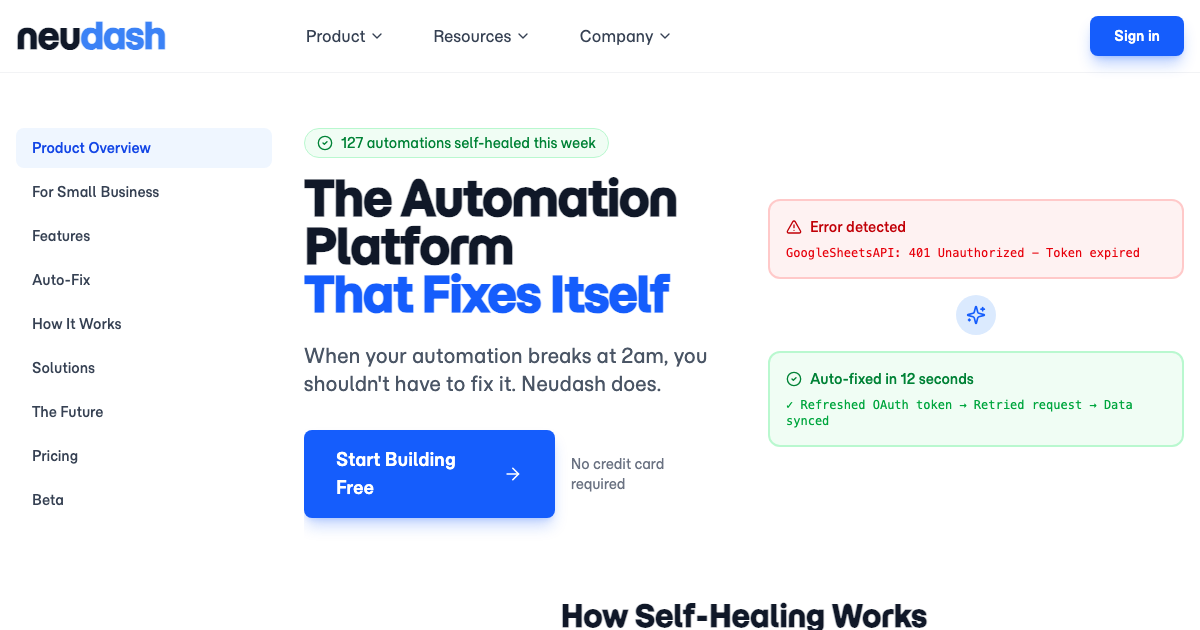
See the process modelExpired tokens, schema changes, and similar breakages stop being a manual repair queue.
See Auto-FixFAQ
AI chatbots handle one-off tasks in a conversation that disappears. Neudash creates running processes that execute on schedules and triggers, self-heal when they break, and keep working whether you are online or not.
Zapier and Make constrain you to pre-built connectors and visual flowcharts. Neudash writes real code from your plain-English description, supports any API or webhook beyond built-in integrations, and repairs broken automations automatically instead of just alerting you.
Custom development takes weeks or months and costs thousands. Neudash builds the same automation in minutes from a plain-English description, and maintains it automatically. The code is real, auditable Python, not a black box.
A process is an always-on automation with four parts: documentation that captures your intent, code that executes the logic, triggers that determine when it runs, and connections to your business systems.
If your workflow changes often or breaks in expensive ways, that is where the difference matters.